
Top 7 AI Legal Assistant Tools for Lawyers in 2026

Is AI actually saving you time, or are you just spending that time checking its work?
That’s one of the biggest questions around AI legal assistants right now. You can ask an AI legal assistant to summarize a contract, analyze a document, or answer a legal research question in seconds but if you still have to read everything yourself to make sure it didn’t miss something, how much time did you really save?
Then there’s the bigger question: Can you trust AI with legal research? A confident answer isn’t enough when a citation is wrong, a case is misrepresented, or an important detail is missing. Lawyers using legal AI software often talk about the need to verify AI-generated answers before relying on them, especially when using an AI assistant for lawyers for research or document analysis.
What about confidential client information? Legal work involves sensitive contracts, case documents, correspondence, and other information that firms cannot treat like ordinary content. That makes security, data handling, and confidentiality just as important as the AI itself.
And finally: What are you actually paying for? The legal AI market now includes research assistants, contract-review platforms, drafting tools, document analysis software, and full legal workspaces—with pricing that can vary significantly between products.
So instead of looking at which platform has the longest feature list, this guide focuses on what actually matters when choosing an AI legal assistant: what each platform does, how its answers can be verified, how it handles security and confidential information, what it costs, and where its limitations become important.
Red Flags to Watch for When using an AI Legal Assistant
An AI legal assistant can give you an answer in seconds. The problem is that speed and confidence don’t necessarily mean accuracy. Before you rely on what it gives you, watch for these red flags:
-
No source behind the answer: The tool gives you a confident legal conclusion, but there’s no case, statute, regulation, or document behind it.
-
A citation that doesn’t exist: The answer includes a case, provision, or link that you can’t find anywhere. That’s a major warning sign.
-
A quote that isn’t actually there: The cited source is real, but the quoted language doesn’t appear in it, or the wording has been pulled out of context.
-
The source doesn’t support the conclusion: The citation checks out, but it doesn’t actually back up what the AI is claiming. A real source can still be used to support the wrong conclusion.
-
The jurisdiction doesn’t match: The answer sounds right, but it’s based on the wrong country, state, court, governing law, or version of a rule.
-
The answer sounds more certain than the law: If an AI legal assistant gives a definite answer on an issue that depends on specific facts, competing interpretations, or unsettled law, that’s worth questioning.
-
The document details are off: Names, dates, amounts, deadlines, section numbers, or defined terms don’t match the original document. Even a small mistake can change the meaning of legal work.
With those concerns in mind, here’s how the leading AI legal assistant tools compare before we look at each one in detail.
7 AI Legal Assistant Tools: Quick Comparison
| Platform | Why Consider It | Standout Feature |
|---|---|---|
| Lucio | Use Lucio when you need to research legal questions, search through firm documents, review contracts, or work on drafts without moving between separate tools. It also works with Word and Outlook and connects with existing document systems. | Source-cited legal work: Outputs include source citations so lawyers can check the information behind the answer. |
| Harvey | Harvey brings legal research, document analysis, drafting, and repeatable legal workflows into one platform. Firms can also work with their own templates, playbooks, and internal knowledge. | Firm-specific workflows: Lets legal teams build workflows around their own templates, knowledge, and requirements. |
| CoCounsel | CoCounsel can help with legal research, document analysis, drafting, and large document-review tasks. It connects these workflows with Thomson Reuters' legal content and can work inside tools such as Microsoft Word and Outlook. | Large-scale document analysis: Can analyze large collections of documents against multiple questions. |
| Lexis+ with Protégé | Lexis+ with Protégé combines legal research with drafting and document analysis, giving lawyers access to LexisNexis legal content while working through research and legal documents. | Shepard's verification: Uses Shepard's tools to help lawyers verify legal citations and research results. |
| Spellbook | Spellbook focuses heavily on contract drafting and review inside Microsoft Word. It can help lawyers work through agreements, suggest language, and identify potential issues without leaving the document. | Word-based contract work: Designed around drafting and reviewing contracts directly in Microsoft Word. |
| Vincent AI | Vincent AI focuses on legal research and document analysis, including work involving different jurisdictions and legal materials. It can help lawyers work through research questions and document-heavy legal tasks. | Multi-jurisdiction research: Designed to support legal research across different jurisdictions. |
| Paxton AI | Paxton AI combines legal research, case-file analysis, document review, and drafting. It is particularly focused on connecting legal research with the facts and documents within a matter. | Matter-aware research: Can connect legal research with the facts, documents, and jurisdiction of a specific case. |
1. Lucio
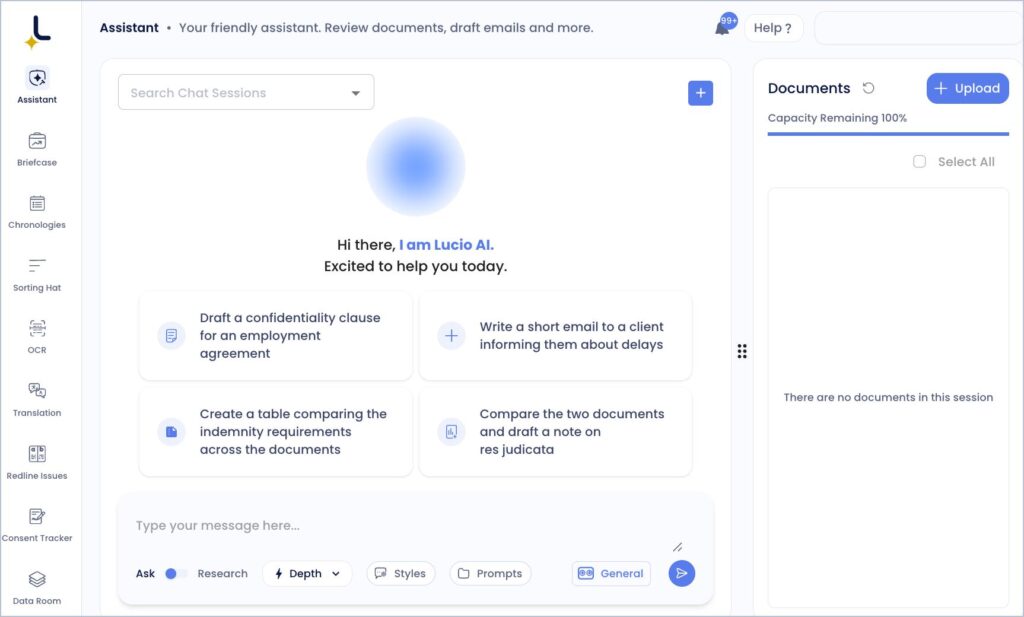
If your legal work involves long contracts, scattered documents, repeated research, or drafting from scratch, Lucio brings those tasks into one AI legal assistant. You can ask legal questions, search through your firm’s documents and databases, review documents, and work on drafts without treating each task as a separate workflow.
Lucio also works with Microsoft Word and Outlook and connects with document systems including Dropbox, SharePoint, OneDrive, and NetDocuments. For lawyers who already have documents stored across these systems, that means you can work with existing files instead of moving everything into a separate workspace.
Pricing:
Lucio currently lists one all-access subscription at $149 per month per user, covering Lucio Assistant, Word, and Outlook. The company says there are no minimum seat requirements or hidden fees.
Accuracy & Verification
One of the main concerns with any AI legal assistant is whether you can check where an answer came from. Lucio says every output includes source citations, allowing lawyers to verify the information behind an answer. The company describes its output as reliable legal work, but that is Lucio’s own claim rather than an independent accuracy assessment.
Security & Availability
For confidential legal work, Lucio states that customer data is not used to train shared or general AI models. Its website also lists SOC 2 Type II and ISO 27001:2022 certification, along with GDPR, CCPA, UAE PDPL, and India’s DPDP Act compliance.
Lucio lists support for disputes and litigation, corporate and transactions, banking and regulatory, and in-house legal teams. The website does not clearly state a country-by-country availability list, so we would not assume that the AI legal assistant is available or suitable for every jurisdiction without checking with Lucio directly.
Pros:
-
Covers legal research, document review, and drafting in one subscription.
-
Provides source citations with outputs.
-
Works with Word and Outlook.
-
Connects with Dropbox, SharePoint, OneDrive, and NetDocuments.
-
Lists SOC 2 Type II and ISO 27001:2022 certification.
-
No minimum seat requirement is listed.
Cons:
-
-
$149 per user per month may be more than an individual lawyer wants to spend.
-
The website does not provide a clear country-by-country availability list.
-
Its reliability claims come from Lucio itself, so lawyers should still review important AI-generated work before relying on it.
-
2. Harvey
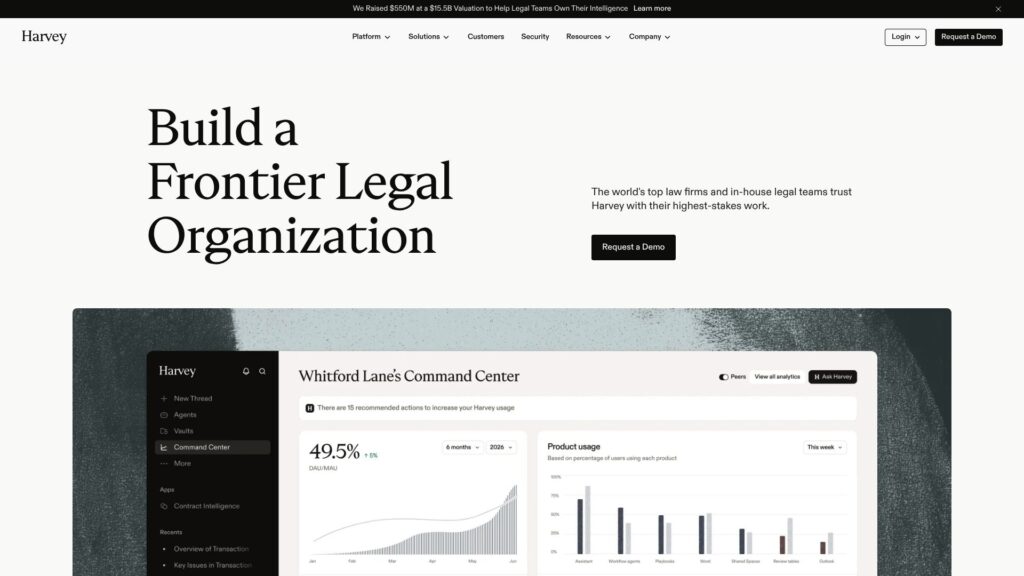
Harvey is an AI legal assistant built for lawyers and legal teams handling research, document review, drafting, and more complex legal workflows. It can help with legal research, analyze documents, work across matters, and handle repeatable legal tasks through its AI agents, so lawyers can spend less time on first-pass work and more time reviewing the parts that require their judgment.
Harvey also lets firms bring their own templates, playbooks, workflows, and knowledge into the platform. Its research tools provide access to more than 1,000 global legal data sources and premium primary-law sources, while its platform supports shared workspaces and governance controls for sensitive matters.
Pricing:
Harvey does not publicly list a standard per-user price on its website. Firms and legal teams are directed to request a demo, so pricing needs to be confirmed directly with Harvey.
Accuracy & Verification:
Harvey provides access to legal sources for research and says its AI is tested for accuracy and reliability. The platform also uses validated legal knowledge sources, but lawyers should still review and verify AI-generated work before relying on it for legal advice or decisions.
Security & Availability:
Harvey says customer data is not used to train its underlying models by default and offers data processing locations in the EU and Switzerland, US, and Australia. It lists SOC 2 Type II, ISO 27001, ISO 27701, ISO 42001, GDPR, and other security and privacy standards. Its website also says its legal knowledge sources cover the US, UK, EU, APAC, and MENA, although that should not be treated as a guarantee that every feature or legal research workflow is available in every jurisdiction.
Pros:
-
Covers legal research, document review, drafting, and repeatable legal workflows.
-
Access to 1,000+ global legal data sources and primary-law sources.
-
Can be adapted to a firm’s templates, playbooks, and workflows.
-
Offers regional data-processing options.
-
Strong enterprise security and governance controls.
Cons:
-
Pricing is not publicly listed.
-
Designed primarily around firms and legal teams rather than simple individual-user access.
-
AI-generated legal work still requires lawyer review and verification.
-
Availability and research coverage can vary by jurisdiction and specific workflow.
3. CoCounsel
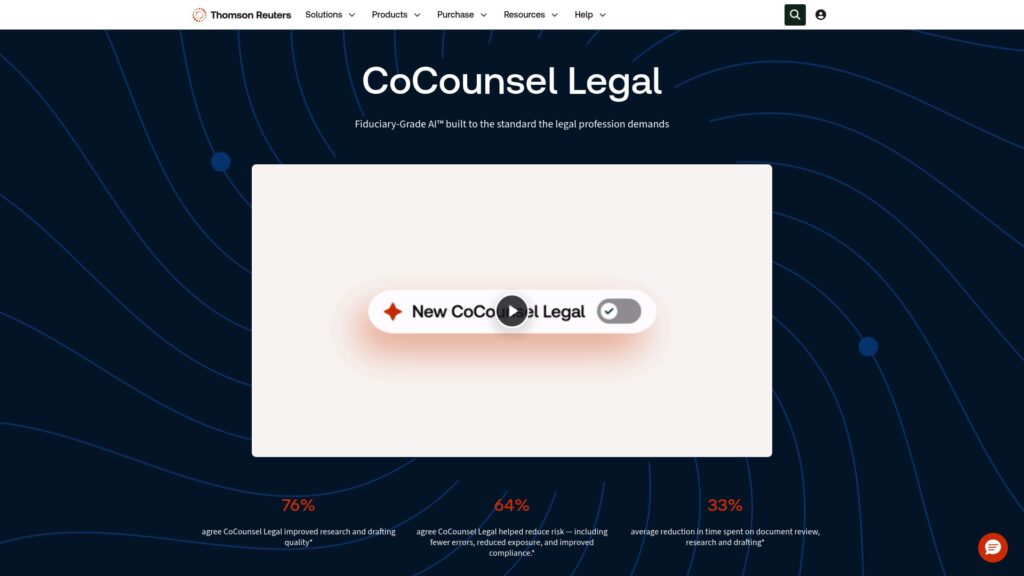
CoCounsel is an AI legal assistant for lawyers who need help with legal research, document analysis, drafting, and large document-review tasks. You can ask legal questions in plain language, work through complex matters, analyze documents, and create drafts using Westlaw, Practical Law, and your organization’s own knowledge as sources.
For document-heavy work, CoCounsel can analyze up to 10,000 documents against 100 questions through its Tabular Analysis feature, with results linked back to their sources. The AI legal assistant also works inside Microsoft Word, Outlook, and other connected tools, so lawyers can use it without moving every task into a separate application.
Pricing:
CoCounsel Legal pricing depends on the firm’s size, jurisdiction, plan, and subscription term. Thomson Reuters provides online pricing for eligible new customers, while firms with more than 10 attorneys are directed to contact sales.
Accuracy & Verification:
CoCounsel says its answers are grounded in Westlaw and Practical Law content and provide citations that allow lawyers to verify the underlying sources. Its document-analysis results can also be traced back to the source documents. These features support verification, but lawyers should still review AI-generated legal work before relying on it.
Security & Availability:
CoCounsel says customer data remains private and is not used to train its underlying models. The platform lists SOC 2 and ISO 42001 certification and uses encryption to protect sensitive information. The current next-generation CoCounsel Legal experience is available in the United States, with Canada, the UK, and Australia announced for later in 2026; CoCounsel has also previously been available across 107 countries and territories.
Pros:
-
Combines legal research, document analysis, and drafting in one AI legal assistant.
-
Uses Westlaw and Practical Law as authoritative legal content sources.
-
Can analyze up to 10,000 documents against 100 questions.
-
Provides citations and source traceability for verification.
-
Works with Microsoft Word and Outlook.
-
Data is not used to train underlying models.
Cons:
-
Pricing varies by firm size, jurisdiction, plan, and contract term.
-
Some advanced capabilities are tied to specific CoCounsel plans.
-
Availability differs between countries and product versions.
-
AI-generated work still requires lawyer review and verification.
4. Lexis+ with Protégé
Lexis+ with Protégé is an AI legal assistant for lawyers who need help with legal research, drafting, document analysis, and reviewing complex legal work. It combines the Protégé AI assistant with LexisNexis legal content, allowing you to research legal questions, draft documents, analyze information, and work with your organization’s knowledge in the same platform.
For research-heavy work, the AI legal assistant can ground answers in primary law, secondary sources, Practical Guidance, and web sources. It also includes guided research and Shepard’s citation verification, while its drafting tools can be used for contracts, litigation documents, and client communications.
Pricing:
Lexis+ with Protégé does not have a single publicly listed price. LexisNexis says pricing is customized based on organization size, required capabilities, and content access, so firms need to contact LexisNexis for a quote.
Accuracy & Verification:
LexisNexis says responses are grounded in its legal content and that citations can be verified through Shepard’s Verify and Citation Service. The platform also provides linked legal citations for research results.
Security & Availability:
LexisNexis says its private AI approach does not share user interactions with third parties to improve their products, and its systems use enterprise-grade cloud infrastructure. Its international site says primary and backup locations are in Europe. Lexis+ with Protégé is available to small and large law firms, corporate legal departments, public bodies, and academic institutions, but specific features and availability can vary by market.
Pros:
- Combines legal research, drafting, and analysis in one AI legal assistant.
- Grounded in LexisNexis legal sources.
- Includes Shepard’s citation verification.
- Supports contracts, litigation documents, and client communications.
- Can connect organizational knowledge with legal research.
- Available for law firms and corporate legal departments.
Cons:
- Pricing is customized rather than publicly listed.
- Some features and availability vary by country and market.
- The amount of LexisNexis content available depends on the subscription.
- AI-generated legal work still requires lawyer review and verification.
5. Spellbook

Spellbook is an AI legal assistant focused mainly on contract drafting and review inside Microsoft Word. It can help lawyers draft clauses, review agreements, suggest changes, compare language, and work through contracts without constantly switching between Word and another legal AI tool.
For lawyers dealing with repetitive contract work, the AI legal assistant can review an agreement against your instructions, identify potential issues, and suggest alternative language. Spellbook also supports contract drafting from scratch and can work with your firm’s preferred language and templates.
Pricing:
Spellbook does not publish a standard public price for all users. Its website offers a free trial and directs firms to contact Spellbook for pricing, so the actual cost depends on the plan and organization.
Accuracy & Verification:
No specific accuracy or verification claims were found on Spellbook’s website.
Security & Availability:
Spellbook says customer data is not used to train its AI models and that it uses enterprise security measures to protect customer information. The platform is primarily designed to work inside Microsoft Word, making it available to lawyers already using Word for contract work. Specific jurisdictional availability should be confirmed with Spellbook.
Pros:
- Focused on contract drafting and review.
- Works directly inside Microsoft Word.
- Can suggest contract language and identify potential issues.
- Useful for repetitive agreement-review tasks.
- Designed around legal workflows rather than general-purpose writing.
Cons:
- More focused on contracts than broader legal research.
- Pricing is not publicly listed.
- AI suggestions still need lawyer review.
6. Vincent AI
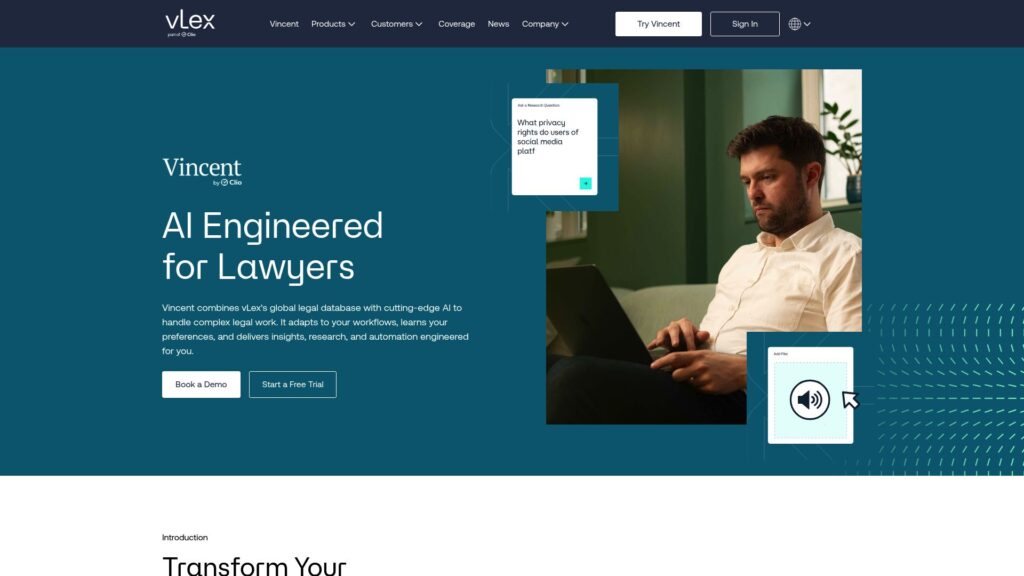
Vincent AI is an AI legal assistant designed to help lawyers with legal research, document analysis, and drafting. It can be used to ask legal questions, analyze legal documents, and work through research tasks across different areas of law.
For lawyers handling work across multiple jurisdictions, Vincent AI is designed around jurisdiction-specific legal research and can help analyze legislation, case law, and other legal materials. The AI legal assistant can also be used for document-focused tasks where understanding the relevant legal context is important.
Pricing:
Pricing is not publicly listed. You would need to contact Vincent AI to confirm the current cost and available plans.
Accuracy & Verification:
No specific independent accuracy benchmark was found. Lawyers should verify AI-generated legal research and document analysis against the underlying legal sources before relying on the output.
Security & Availability:
No clear country-by-country availability information was found. Specific security, data-handling, and jurisdiction availability should be confirmed directly with Vincent AI before using it for confidential client work.
Pros:
-
Focuses on legal research and document analysis.
-
Supports work involving different jurisdictions.
-
Can be used for both research and document-focused tasks.
-
Designed specifically around legal workflows.
Cons:
-
Pricing is not publicly listed.
-
No independent accuracy benchmark was identified.
-
Detailed jurisdiction availability is not clearly published.
7. Paxton AI
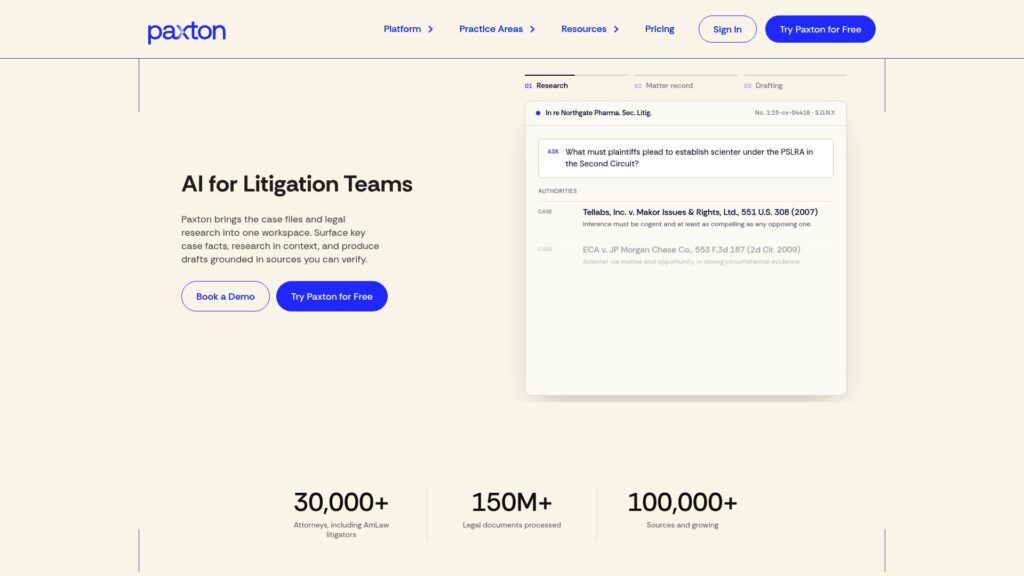
Paxton AI is an AI legal assistant that brings legal research, case files, document analysis, and drafting into one workspace. It can help lawyers research case law, find relevant facts across large case files, summarize documents, and draft motions, briefs, discovery responses, and deposition outlines using the matter’s own records.
For lawyers handling litigation matters, the AI legal assistant is built to connect research with the actual case record. Paxton says its research can account for the matter’s facts, procedural posture, and jurisdiction, while its coverage includes U.S. federal law, regulations, and state-level legal materials across all 50 states and Washington, D.C.
Pricing:
Paxton AI costs $499 per user/month for its Individual plan, or $2,999 per user/year. Enterprise pricing is custom and based on case volume. A 7-day free trial is available.
Accuracy & Verification:
Paxton says its research and drafting can be grounded in primary law and the user’s matter files, with legal research results presented with citations. Its website also says its system is designed around court and jurisdiction-aware drafting. These are Paxton’s own product claims rather than an independent accuracy assessment.
Security & Availability:
Paxton says data is encrypted, not used for model training, and kept private. Its website lists SOC 2, ISO 27001, and HIPAA compliance. Its legal research coverage is focused on U.S. federal and state law, including all 50 states and Washington, D.C., so lawyers working primarily outside the U.S. should confirm whether the available coverage meets their needs.
Pros:
- Combines legal research, case-file analysis, and drafting in one AI legal assistant.
- Research covers U.S. federal law and all 50 states.
- Can connect legal research to the facts and documents in a matter.
- Provides citations for research results.
- Supports large document collections.
- SOC 2, ISO 27001, and HIPAA compliance.
Cons:
- Individual pricing is relatively high at $499/month.
- Legal research coverage is primarily U.S.-focused.
- Enterprise pricing is not publicly listed.
- Paxton itself states that its services are not a substitute for an attorney or law firm.
Frequently Asked Questions (FAQs)
1. Can an AI legal assistant actually save lawyers time?
An AI legal assistant can reduce the time spent on tasks such as searching through documents, summarizing information, reviewing contracts, conducting legal research, and preparing first drafts. For example, Lucio brings research, document review, and drafting into one workflow, while CoCounsel and Paxton AI can handle large document collections and matter-related research. Spellbook focuses more heavily on contract drafting and review inside Microsoft Word.
The amount of time actually saved depends on the task and how much checking the output requires. If a lawyer has to completely redo an AI-generated draft or manually verify every part of a research answer, some of the expected time saving disappears. That is why legal AI software is generally more useful when it reduces repetitive first-pass work without removing the lawyer’s review.
2. Can I trust an AI legal assistant for legal research?
You should look at how an AI legal assistant supports verification, rather than assuming an answer is correct because it sounds confident. Lucio says its outputs include source citations, CoCounsel connects research to Westlaw and Practical Law content, and Lexis+ with Protégé provides access to LexisNexis legal content and Shepard’s citation verification.
The important difference is whether you can actually trace an answer back to the underlying legal material. A citation that does not exist, a source that does not support the conclusion, or an answer based on the wrong jurisdiction can create serious problems. Even when an AI assistant for lawyers provides citations, lawyers should review the underlying sources before relying on the result.
3. Can AI-generated legal documents be used without rewriting?
An AI legal assistant can make the first stage of drafting faster, but the amount of editing required depends heavily on the document and the tool. Harvey, CoCounsel, Lexis+ with Protégé, and Paxton AI all support different types of legal drafting, while Spellbook is particularly focused on drafting and reviewing contracts inside Microsoft Word.
A first draft can still contain wording that does not fit the facts, client’s requirements, drafting style, or applicable law. For that reason, legal AI software is better treated as a way to reduce the work involved in getting to a usable draft rather than a reason to skip legal review.
4. Can an AI legal assistant understand the context of a contract?
It depends on what information the platform can access and how the task is structured. An AI legal assistant that can work with the actual agreement, related documents, firm knowledge, and matter information has more context to work with than a general chatbot receiving only a short prompt.
Several tools in this list are built around document context. Lucio can work with documents stored in connected systems, Harvey allows firms to bring their own knowledge and workflows into the platform, and Paxton AI connects legal research with case files and matter information. Even then, lawyers need to check whether the tool has considered the specific provisions and surrounding facts that affect the agreement.
5. Can an AI legal assistant handle hundreds of legal documents?
Yes, some AI legal assistant platforms are specifically designed for large document collections. CoCounsel, for example, provides document-analysis capabilities for large sets of documents, while Paxton AI is designed to work with case files and matter-related documents. Lucio can also search through documents connected to supported document-management systems.
6. Is it safe to upload confidential client documents to legal AI software?
There is no single answer for every AI legal assistant because security and data-handling practices differ between providers. Lucio says customer data is not used to train shared or general models and lists SOC 2 Type II and ISO 27001:2022 certification. Harvey also says customer data is not used to train its underlying models by default, while CoCounsel says customer data is not used to train its underlying models.
7. How much does an AI legal assistant cost?
The price of an AI legal assistant can vary substantially depending on the platform and the type of legal work it supports. Lucio publicly lists its all-access plan at $149 per user per month, while Paxton AI lists its Individual plan at $499 per user per month. Other platforms, including Harvey, Vincent AI, and Lexis+ with Protégé, do not publish a standard price and require users or firms to contact them for pricing.
Conclusion
Choosing an AI legal assistant is less about finding the tool with the most features and more about finding one that fits the way you actually handle legal work. Research, contract review, document analysis, drafting, security, source verification, and integrations can matter very differently depending on your practice.
The platforms in this list take different approaches. Some focus heavily on legal research and access to legal databases, while others are built around contracts, document-heavy work, or broader legal workflows. Pricing also varies considerably, so it is worth checking what is included before committing to a subscription.
Most importantly, legal AI software should make legal work easier without making verification harder. Look for clear sources, appropriate security controls, useful document access, and coverage that matches your legal work. An AI assistant for lawyers can reduce repetitive work, but the final review and legal judgment still belong with the lawyer.

Harman Singh is the founder of Foundigy and a digital marketing professional building his career in SEO, content, and the technology space. He is passionate about discovering emerging products, understanding how people find them online, and creating content that makes complex digital topics easier to understand. His work combines his experience in SEO with his interest in startups, technology, and the evolving digital landscape.