Top 5 Best AI Video Ad Generators in 2026

Do AI video ads actually convert? Creating an AI video ad is easier than ever. You can give an AI video ad generator a product image, URL, or simple prompt and get a finished creative within minutes.
But that’s not really the hard part. The real question is whether that video can stop someone from scrolling, make the product look trustworthy, and ultimately drive a purchase or conversion. A polished AI video can still fail because the hook feels generic, the product looks different from the real thing, the avatar feels unnatural, or every variation ends up looking the same.
And when you’re spending real money to distribute those creatives, saving time on production doesn’t mean much if the ads don’t perform.
That’s what we wanted to look at in this comparison. Instead of comparing these tools only by features and templates, we looked at how they handle the parts of AI video ads that matter to advertisers—from creative variation and product accuracy to authenticity, pricing, and real-world campaign results.
Where publicly available data exists, we’ve also included actual performance figures such as ad spend, ROAS, CPA, CTR, conversions, and other reported results. We’ve separated company-reported claims from customer experiences and independent evidence so you can see how much weight to give each result.
What You Need to Know Before Running AI Video Ads
AI video ads can still run on TikTok and Meta. The change is that platforms now want viewers to know when AI has been used to create or significantly alter the content.
- On TikTok, qualifying AI-generated or heavily AI-edited ad content needs to be disclosed. Advertisers can add an AI-generated content label through Ads Manager. TikTok says this label by itself doesn’t reduce distribution, but failing to disclose content that requires a label can lead to the ad being rejected or restricted.
- Meta works differently. Facebook and Instagram can automatically detect and add an “AI info” label to content created or significantly modified with AI. Meta also has stricter disclosure requirements for political and social-issue ads.
So, if you’re using an AI video ad maker, the takeaway isn’t “AI ads are getting banned.” It’s simpler: make the ad, disclose AI when the platform requires it, and make sure the creative doesn’t mislead viewers.
5 Best AI Video Ad Generators: Quick Comparison
| Platform | Why Consider It | Standout Feature |
|---|---|---|
| AdCreative.ai | Upload your product image or other brand assets and use AdCreative.ai to generate video ads, product-focused creatives, and different ad variations without creating each one manually. It also lets you analyze your creatives before running them, so you can identify which versions have stronger predicted performance and make improvements before spending money on the campaign. | Creative Scoring AI: analyzes your ad creatives and provides Performance and Awareness scores, along with suggestions for improving them before you launch the ads. |
| Creatify | Give Creatify a product URL and it can pull information about the product and turn it into a complete video ad with a script, visuals, voiceover, and AI avatar. You can then create multiple versions with different hooks, messaging, and formats, making it useful when you want to produce a large batch of ads for testing rather than spending your time creating every video from scratch. | Ad Clone: upload an existing ad and Creatify analyzes its hook, pacing, scenes, captions, voiceover timing, and CTA structure before creating a new version around your own product. |
| HeyGen | Give HeyGen a script, product information, or video concept and create an ad with an AI presenter speaking on camera. You can choose different AI avatars and voices, then adapt the finished video for different audiences. If you're advertising internationally, you can also take one video and create localized versions without hiring separate presenters or recording the ad again. | Video Localization: translate, dub, subtitle, and lip-sync the same video into 175+ languages and dialects, making it practical for brands running the same campaign across multiple markets. |
| Arcads | If you want your product to be presented by a person rather than shown through a traditional product commercial, Arcads lets you create UGC-style ads using AI actors. You can choose an AI actor, give it your product and script, and generate different versions to test different hooks, messages, and audiences. It also provides tools for editing, translating, and remixing the generated videos. | 1,000+ AI Actors: choose from a large library of AI actors or create your own AI actor to present your product in UGC-style videos. |
| Kling 3.0 | If you don't need an AI person talking about your product and instead want to show the product in a visually impressive way, Kling 3.0 is the more creative option. You can start with text prompts or product images and generate cinematic scenes, product demonstrations, and multi-shot sequences that would normally require cameras, locations, and production work. | Multi-Shot Generation: create several shots and camera angles within a single generation, giving you more control over how a product story or cinematic advertisement unfolds. |
1. Adcreative.ai
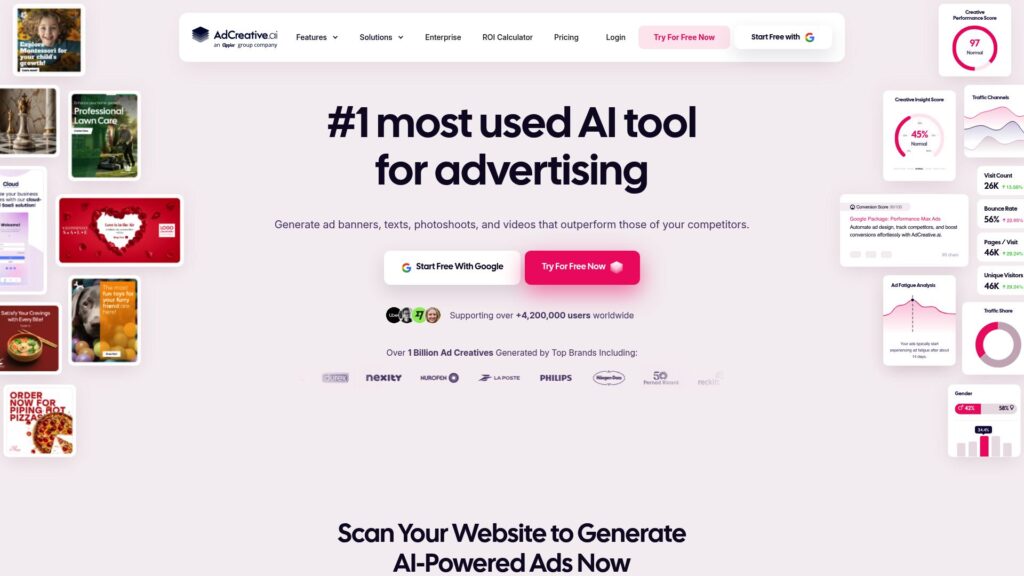
AdCreative.ai is an AI video ad generator that lets you turn product images into video ads without shooting the footage yourself. Upload a product image, generate a video with an AI-created background, and then turn that video into different ad creatives. You can also generate ad copy and create multiple variations from the same product video, which is useful when you’re testing different versions of an ad.
What makes it different from a basic AI video ad maker is that AdCreative.ai also focuses on evaluating the creatives you produce. Its Creative Scoring AI analyzes your ads and provides Performance and Awareness scores, giving you another way to assess a creative before putting advertising money behind it. So if you want an AI ad generator that combines creative production with performance-focused tools, it’s worth considering. For advertisers looking for an AI video ad generator that can handle both creation and creative evaluation, AdCreative.ai is worth considering.
Pros:
Turns product images into AI-generated videos.
Creates multiple ad variations from the same creative.
Includes AI-generated ad copy and other advertising creatives.
Creative Scoring helps evaluate ads before launching campaigns.
Useful for producing AI video ads at scale.
Cons:
Some generated creatives may still need manual editing.
Creative variations can sometimes feel repetitive.
It offers many advertising features beyond video, which may be unnecessary if you only need a simple AI video ad generator.
Some users have reported billing and subscription-related issues.
What Users Say:
Users generally praise AdCreative.ai for making ad creation faster and easier, particularly when they need to produce multiple creatives quickly. G2 reviewers frequently mention its ease of use and the ability to generate professional-looking advertising materials. However, some users say the generated designs can require additional tweaking, while recent Trustpilot reviews include complaints about billing and subscription handling.
How AdCreative.ai Ads Performed:
AdCreative.ai reports a case study with fashion brand Silk and Cashmere, where its AI-generated creatives reportedly produced a 111% increase in ROAS, 64.92% more purchases, a 44.5% increase in CTR, and a 21.89% reduction in cost per purchase. These figures come from AdCreative.ai’s own case study, so they should be viewed as company-reported results rather than independently verified performance.
2. Creatify
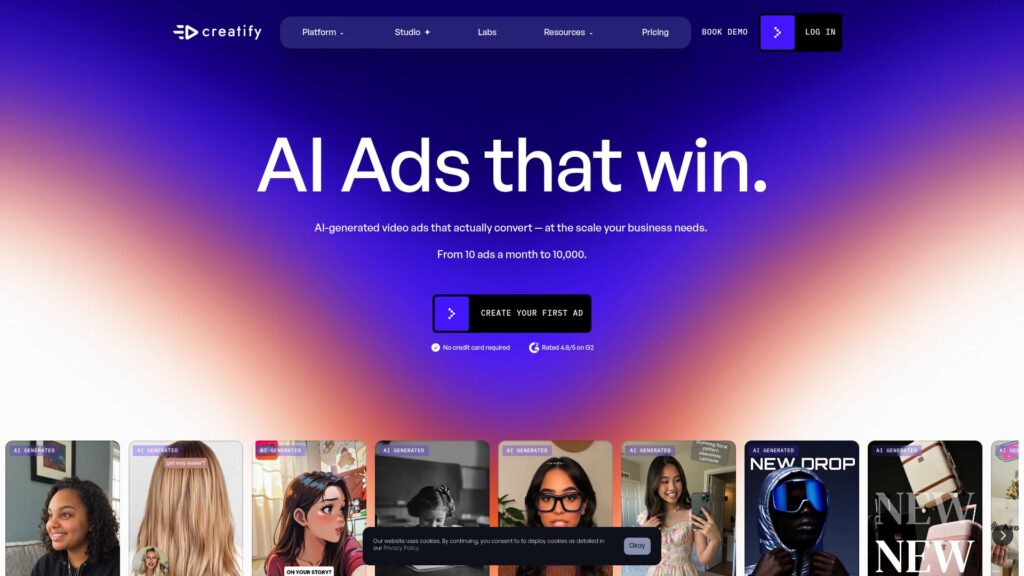
Creatify is an AI video ad generator built around turning your product into ready-to-use advertising videos without having to film everything yourself. You can paste a product URL, and Creatify analyzes the page, pulls the relevant product information and assets, and creates a video ad with a script, visuals, voiceover, and AI avatar. You can also upload your own product assets if you don’t have a URL.
What makes Creatify particularly useful is how much it focuses on creating variations for testing. Its Batch Mode can generate multiple versions of an ad, while Ad Clone can analyze an existing ad’s hook, pacing, scenes, captions, voiceover, and CTA structure and build a new version around your product. So if you want an AI video ad maker that helps you go from one product to a whole batch of different creatives, Creatify is worth considering.
Pros:
Turns product URLs into complete AI video ads.
Creates multiple ad variations for creative testing.
Offers a large selection of AI avatars and voices.
Ad Clone lets you recreate the structure of existing ads around your own product.
Supports different formats for platforms such as TikTok, Meta, YouTube, and Snapchat.
Cons:
Some generated videos can still require several attempts before you get a strong result.
AI avatars and lip-sync aren’t always consistent.
Credit usage can become expensive when creating many videos.
Some users have reported rendering, output-quality, and customer-support issues.
What Users Say:
Users often praise Creatify for making video production faster, particularly when they need to create multiple ads without traditional filming. G2 reviewers frequently mention its ease of use, time savings, and video quality. However, some users have reported rendering problems, limited customization, and confusion around the credit system. Recent Trustpilot reviews also show that experiences with output quality and support can vary significantly.
How Creatify Ads Performed:
Creatify reports a case study with Designrr where the company produced 150+ AI-generated creatives in two weeks. According to Creatify, the campaign’s ROAS increased from 0.77 to 1.33, a 73% improvement, while CPA fell from $55 to $30, a 45% reduction. The campaign also received a 15% budget increase after the performance improved. These are company-reported case-study figures, so they shouldn’t be treated as a guarantee that every campaign using this AI ad generator will achieve similar results.
3. HeyGen
HeyGen is an AI video ad generator that lets you create advertising videos with realistic AI avatars, voices, and multilingual versions without hiring actors or recording yourself. You can write or upload a script, choose an avatar, add your branding, and generate a presenter-style video that can be used for social media ads, product promotions, and other marketing content.
What makes HeyGen different from a basic AI video ad maker is its focus on realistic presenters and localization. You can translate videos into multiple languages while keeping the voice and lip movements synchronized, making it useful if you’re running campaigns across different markets. HeyGen also offers AI-generated UGC-style ad videos and product-placement features, so if you want an AI ad generator that can create presenter-led and localized AI video ads, it’s worth considering. For brands that need an AI video ad generator for creating and adapting campaigns across languages, HeyGen is particularly useful.
Pros:
Creates videos using realistic AI avatars and voices.
Supports multilingual video translation and lip synchronization.
Can create UGC-style videos without hiring creators.
Useful for localized advertising campaigns.
Saves time compared with traditional video production.
Cons:
Some users find the credit system expensive for frequent generation and editing.
AI-generated avatars can still require revisions to look natural.
Product-focused ad creation is not its strongest use case compared with dedicated ad generators.
Some users report rendering, technical, and customer-support issues.
What Users Say:
Users generally praise HeyGen for its realistic avatars, ease of use, and ability to create polished videos quickly. G2 reviewers frequently mention time savings and the quality of the avatars, while some users criticize the pricing, credit limitations, and occasional technical issues.
How HeyGen Ads Performed:
HeyGen reports a Rosetta Stone case study where localized AI video ads generated a 13% increase in CTR, a 9% increase in sales conversion rate from non-English audiences, and a 5X ROAS across Spanish, French, and German markets. HeyGen also reports that production time and costs were 75% lower than manual translation. These are company-reported case-study figures, not independently verified.
4. Arcads
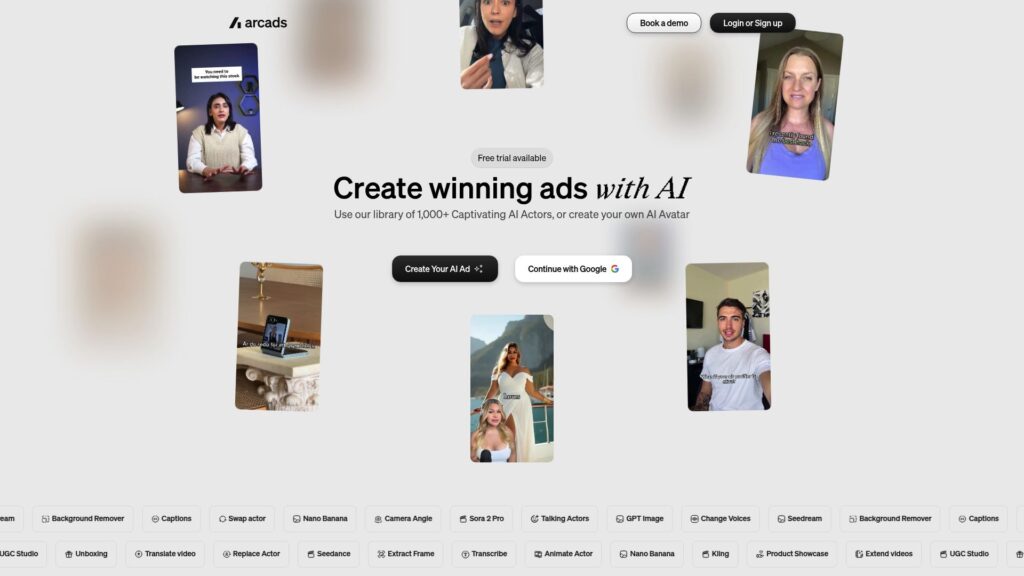
Arcads is an AI video ad generator focused on creating UGC-style advertising videos with AI actors instead of relying on real creators or traditional video shoots. You can choose from a library of 1,000+ AI actors, create an AI actor of your own, and make them present or demonstrate your product in different ad concepts.
What makes Arcads different from a basic AI video ad maker is its focus on producing multiple UGC-style creatives for testing. You can create different actors, hooks, scripts, product demonstrations, and variations from the same product. It also supports localization in more than 30 languages. So if you want an AI ad generator built specifically around UGC-style AI video ads, Arcads is worth considering. For brands that need an AI video ad generator to produce a high volume of creator-style advertising without arranging new shoots, it can be useful.
Pros:
Large library of 1,000+ AI actors.
Creates UGC-style AI video ads without hiring creators.
Lets you create custom AI actors for products and campaigns.
Supports multiple hooks, scripts, actors, and creative variations.
Supports localization in more than 30 languages.
Cons:
Generated videos can still have inconsistencies and may require multiple attempts.
Some users consider the credit-based pricing expensive.
Realism and output quality can vary depending on the generation.
What Users Say:
Users have mixed experiences with Arcads. Some recent reviewers praise the platform for producing realistic UGC ads, saving time, and helping them scale creative production. Others report problems with video quality, consistency, pricing, and customer support. Recent Trustpilot reviews from September 2026 show both highly positive and highly negative experiences, so the results can vary considerably between users and use cases.
How Arcads Ads performed:
Arcads’ public website highlights customer examples and reports performance claims, including a featured example showing a 45% revenue increase and $16K in revenue generated. However, the public material does not provide enough independent campaign data to verify the exact attribution or methodology behind those figures. These should therefore be treated as company-published examples rather than independently verified results.
5. Kling 3.0
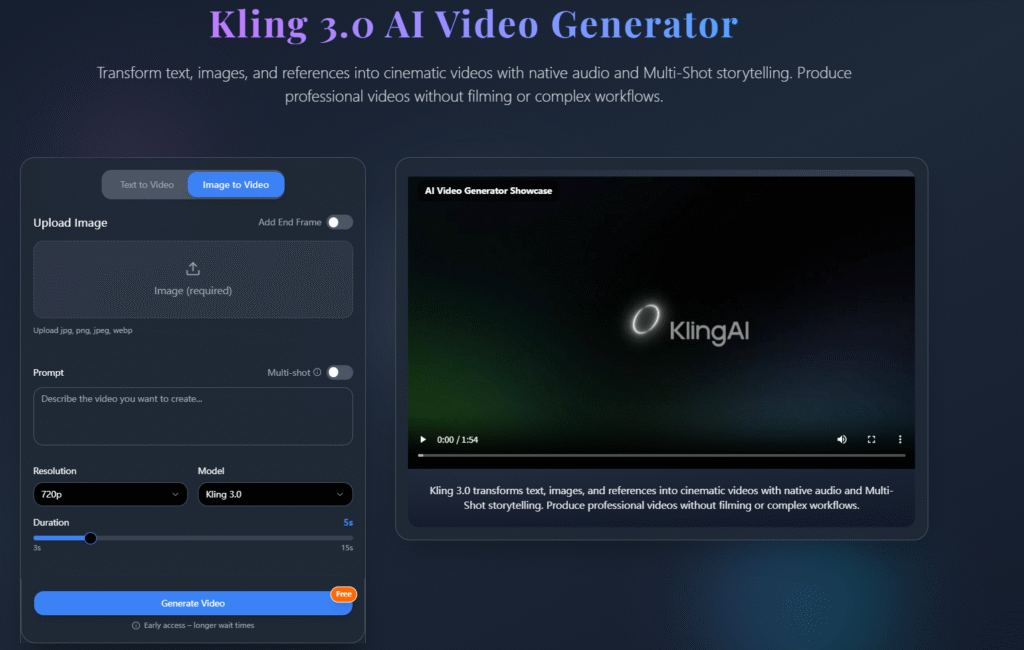
Kling 3.0 is an AI video ad generator built for creating cinematic product visuals from text prompts, images, and reference assets. Instead of relying on AI presenters or UGC-style actors, you can use it to generate product scenes, camera movements, visual effects, and short promotional clips that can be used in advertising campaigns.
What makes Kling 3.0 different from a typical AI video ad maker is the level of control it gives you over scenes and shots. Its multi-shot capabilities let you describe several shots within one prompt, while features such as motion control and image-to-video generation can help turn product images into more dynamic AI video ads. So if you want an AI ad generator for cinematic product visuals rather than presenter-led videos, Kling 3.0 is worth considering. For brands looking for an AI video ad generator that can create more visually ambitious product footage, it offers a different approach from tools focused mainly on avatars or UGC.
Pros:
Creates high-quality AI-generated video from text and images.
Supports multi-shot prompting and advanced motion control.
Useful for cinematic product visuals and promotional footage.
Can generate realistic movement and physics when prompts work well.
Kling 3.0 supports advanced visual and audio generation capabilities.
Cons:
Results can vary considerably between generations.
Complex prompts may not always be followed accurately.
Failed generations can consume credits.
What Users Say:
Users are divided on Kling 3.0. G2 reviewers praise its smooth motion, realistic physics, image-to-video generation, and multi-shot prompting. At the same time, recent Trustpilot reviews include complaints about prompt adherence, unusable generations, credit consumption, subscription renewals, and customer support. The difference in experiences suggests that output quality can depend heavily on the type of generation and how precisely the prompt and reference material are prepared.
How Kling 3.0 Ads Performed:
There is currently limited publicly available campaign data showing specific ROAS, CPA, or CTR results from Kling 3.0 advertising campaigns. Unlike some of the other platforms in this list, Kling 3.0’s publicly documented evidence is currently focused more on its video-generation capabilities than on verified advertising performance.
Frequently Asked Questions (FAQs)
1. Do AI video ad generators actually improve ad performance?
An AI video ad generator can improve the creative production and testing process, but it does not automatically guarantee better ad performance. Tools such as AdCreative.ai help evaluate creatives, while Creatify can generate multiple variations of the same product ad, making it easier to test different hooks, scripts, visuals, and formats.
The main benefit of an AI video ad maker is therefore speed and creative volume. Whether the resulting AI video ads actually perform better still depends on factors such as the offer, audience, hook, targeting, and campaign strategy.
2. Will people immediately know my ad is AI-generated?
eople can notice AI-generated content when avatars have unnatural expressions, movements, voices, or delivery. This is particularly relevant for UGC-style advertising, where audiences expect content to feel spontaneous and authentic rather than overly polished.
Platforms such as HeyGen and Arcads focus on realistic AI actors and UGC-style videos to make AI video ads feel more natural. However, even with a good AI video ad generator, the final result still needs to look believable and communicate the product clearly.
3. Are AI UGC ads actually better than real UGC?
Not necessarily. Real UGC generally has an authenticity advantage because an actual creator is genuinely using, demonstrating, or talking about a product. AI UGC is better suited to situations where a brand needs more ad variations, faster production, different actors, or lower production costs. Tools such as Arcads and HeyGen make it possible to create multiple creator-style videos without booking new creators or arranging additional shoots.
4. Why do I have to generate so many versions before getting one good ad?
An AI video ad generator creates different creative possibilities, so the first generation may not always have the right hook, delivery, visuals, or product presentation. Small changes in these elements can make a significant difference to how an advertisement feels.
That is why tools such as Creatify are designed to create multiple variations, while Arcads and HeyGen offer different actors and creative approaches. The purpose of an AI video ad maker is often to make this trial-and-testing process much faster than traditional video production.
5. Are AI video generators actually saving money if I have to edit everything afterward?
An AI video ad generator can reduce production costs by removing or reducing the need for actors, filming locations, cameras, voiceovers, and repeated shoots. However, some generated videos will still need editing, revisions, or additional generations before they are ready for a campaign.
Tools such as Creatify and HeyGen are designed to speed up this production process, but advertisers should consider generation credits and editing time as part of the total cost. AI video ads can save money when they reduce the overall production workload, rather than simply replacing one production step.
6. Will Meta or TikTok reject AI-generated video ads?
AI video ads can still run on TikTok and Meta. The important change is disclosure: platforms increasingly want viewers to know when AI has been used to create or significantly alter content. On TikTok, qualifying AI-generated or significantly AI-modified ad content can be disclosed through the “This ad contains AI-generated content” option in Ads Manager. TikTok says advertisers should use this disclosure for qualifying ads, while ad rejection can still happen for other policy violations such as misleading claims or prohibited content.
Meta works differently, using “AI info” labels for certain content that it detects as created or significantly modified with AI. So, if you’re using an AI video ad maker, the takeaway isn’t that AI ads are being banned. It’s simpler: create the ad, disclose AI when the platform requires it, and make sure the AI video ads don’t mislead viewers or violate the platform’s advertising policies.
Conclusion
The best AI video ad generator depends on what you actually need from your advertising workflow. AdCreative.ai is built around performance-focused creative production and scoring, Creatify is useful for quickly turning products into multiple ad variations, HeyGen and Arcads focus more on realistic AI presenters and UGC-style content, while Kling 3.0 is better suited to cinematic product visuals.
The bigger advantage of an AI video ad maker is not simply creating one impressive video. It is being able to produce more concepts, test different hooks and formats, and make changes without the time and cost of traditional production. Whether you’re creating AI video ads for Meta, TikTok, YouTube, or other channels, the final results still depend on the creative, offer, audience, and campaign strategy. Start with the platform that matches your production need, then test the actual ads to see what works for your audience.

Harman Singh is the founder of Foundigy and a digital marketing professional building his career in SEO, content, and the technology space. He is passionate about discovering emerging products, understanding how people find them online, and creating content that makes complex digital topics easier to understand. His work combines his experience in SEO with his interest in startups, technology, and the evolving digital landscape.