4 Best Uncensored AI Video Generators in 2026 (Tested)
You see an AI video generator claiming to be “uncensored,” you write your prompt, and then it gets rejected anyway. The problem is, calling a platform an uncensored AI video generator doesn’t really tell you what it will actually let you create. A platform can make the claim on its homepage while still restricting certain prompts once you start generating.
Have you ever written a prompt for an AI video generator, waited for it to process, and then watched it get rejected for a reason that wasn’t even clear? Or found a platform advertising itself as an AI video generator without restrictions, only to discover that it still blocks certain prompts once you actually try to generate a video?
That is where finding the right uncensored AI video generator gets tricky. Different platforms can have very different ideas about what “uncensored” actually means. Some may allow certain prompts but restrict others, while others may offer very little free access to test their claims.
So instead of judging these platforms by their marketing pages, we tested them ourselves. We used the same prompt across the generators and looked at what actually happened from prompt acceptance and generation to the quality of the final video.
Not Every “Uncensored” AI Video Generator Is Actually Uncensored
From my own experience testing these tools, the word “uncensored” can mean very different things depending on the platform. I came across several issues that are easy to miss when you’re only looking at a tool’s homepage:
Some free tools put you in a long queue: A few completely free platforms don’t charge you, but instead assign you a position in a generation queue. You might find yourself at position 183 or even further back and have to wait for your turn. Some platforms let you pay to skip the queue and get your video generated faster. The problem is that you still don’t know how good the final output will be until you actually generate it.
Some platforms simply add “uncensored” to their marketing: I found tools that appear to be standard AI video generators using terms like “uncensored” or “no restrictions” to attract users. But when you actually try to create a video, your prompt can still be rejected because the underlying platform doesn’t support that type of content. In other words, an AI video generator without restrictions may not actually be as unrestricted as its marketing suggests.
“Free video generation” doesn’t always mean you get a usable free generation: Some platforms advertise free video generation, but after signing up, you may receive only a tiny amount of credits. Those credits might be enough for a very short test, but not enough to properly evaluate the platform or create the type of video you actually want.
Free access can come with other limitations: Even when an uncensored AI video generator genuinely allows you to generate videos for free, you may still run into restrictions such as very short clips, lower resolution, watermarks, limited daily generations, or slow generation queues.
That is why I didn’t rank these tools simply by looking at their marketing claims. I actually tested the platforms and looked at prompt acceptance, generation time, video quality, prompt adherence, motion, free access, and other limitations before deciding which ones were worth including.
4 Best Uncensored AI Video Generators: Quick Comparison
| Platform | Max Resolution | Max Length | Starting Price | Content Freedom |
|---|---|---|---|---|
| VideoAny | Up to 4K* | Up to 15 sec | $50 for 1,500 credits (one-time) | Unrestricted models |
| HappyHorse | Up to 1080p | Up to 15 sec | $1 for 200 credits | Minimal filters |
| DreamFort | Up to 1080p | Up to 30 sec | 159 credits after signup | Unrestricted models |
| nokeep | Up to 768p | Up to 15 sec | Free — 10 messages, 2 images & 1 video per day | Minimal filters |
1. VideoAny
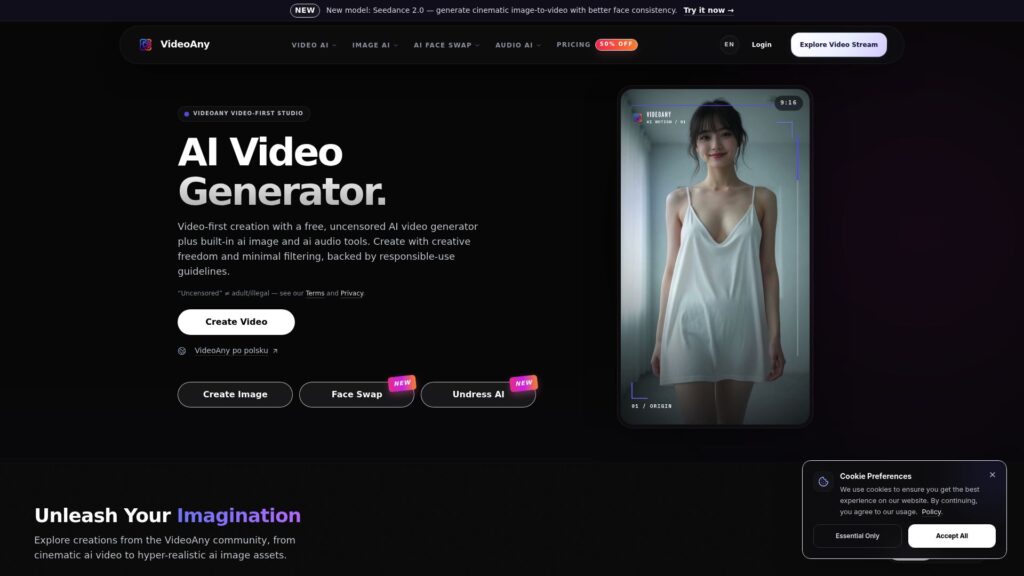
VideoAny is an unrestricted AI video generator and image generator with no prompt restrictions. It supports text-to-video, image-to-video, video transformation, face swap, lip sync, and uncensored AI visuals with tools such as Undress AI and AI clothes removal.
The platform gives users access to multiple AI models, including Kling, Seedance, Wan, Vidu, Flux, and Grok Imagine. It also includes AI image, audio, and music generation tools.
Pros:
VideoAny has no prompt restrictions, allowing users to create uncensored AI videos.
It provides access to multiple AI video models, including Kling, Seedance, Wan, Vidu, Flux, and Grok Imagine.
It includes additional tools such as Undress AI, AI clothes removal, face swap, and lip sync.
Cons:
Video generation uses credits, so frequent video generation can use them quickly.
Its pricing is relatively high compared with some of the other tools we tested.
Prompt We Used
To keep the testing consistent and make it easier to compare the results, we used the same universal prompt across all four AI video generators:
Create a realistic video of an adult woman with an athletic, curvy figure wearing a leopard-print dress. She walks backward toward a bed, turns, and lies down on the bed while speaking naturally to the camera. Keep her appearance consistent throughout the video, with natural body movement, realistic facial expressions, accurate clothing physics, and cinematic lighting. Keep the camera at a medium-to-wide distance throughout the scene and do not zoom in on her body. Use smooth, natural camera movement.
2. HappyHorse
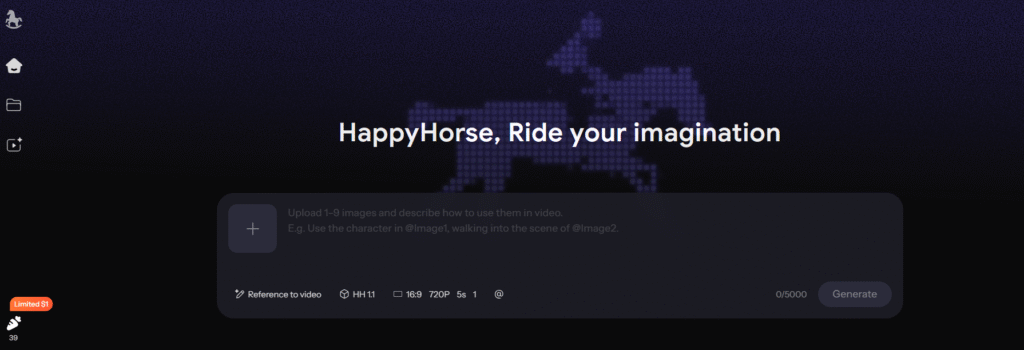
HappyHorse is one of the easiest AI video generators we tested. If you want an uncensored AI video generator that is simple, quick to use, and doesn’t make you work through a complicated setup, HappyHorse is worth trying. You can enter your prompt, generate your video, and get started without dealing with a confusing interface or a long list of settings.
After testing it ourselves, we recommend HappyHorse as our #1 pick for an uncensored AI video generator because of how easy the whole process is. It also provides free access for testing, with paid credits available
Pros:
HappyHorse is very simple to use, making it easy to generate a video without much setup.
It allows users to create uncensored AI videos with minimal prompt restrictions.
The platform provides free access, so users can test its AI video generation before paying.
Paid credits start at $1 for 200 credits if you want to generate more videos.
Cons:
The free generation we tested produced a short 5-second video.
The video quality available in our test was around 480p, which is lower than some other AI video generators.
It offers fewer models and creative tools compared with some of the other platforms we tested.
Prompt We Tested
To keep the testing consistent and make it easier to compare the results, we used the same universal prompt across all four AI video generators:
Create a realistic video of an adult woman with an athletic, curvy figure wearing a leopard-print dress. She walks backward toward a bed, turns, and lies down on the bed while speaking naturally to the camera. Keep her appearance consistent throughout the video, with natural body movement, realistic facial expressions, accurate clothing physics, and cinematic lighting. Keep the camera at a medium-to-wide distance throughout the scene and do not zoom in on her body. Use smooth, natural camera movement.
3. DreamFort
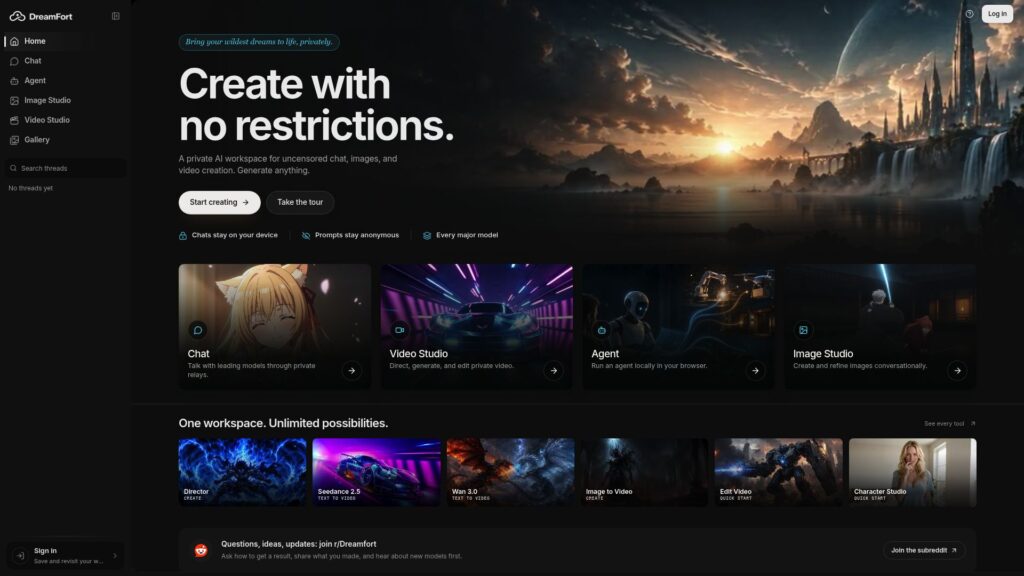
DreamFort is an AI video generator that brings several video models together in one place, including Seedance, Kling, MiniMax, Wan, and Happy Horse. For users looking for an AI video generator for adult content, DreamFort also has unrestricted models such as Wan and Happy Horse with minimal or no provider-side prompt filtering.
The platform is also easy to test because it gives 159 free credits after signup. Its paid plan starts at $7.49 per month and includes 7,500 credits, making it another option for users who want to generate more videos regularly.
Pros:
DreamFort gives users several AI video models in one platform, including Seedance, Kling, Wan, and Happy Horse.
It provides 159 free credits after signup, so you can test the platform before paying.
Its affordable unrestricted models are suitable for users looking for an AI video generator without restrictions.
Cons:
We didn’t find any major drawbacks with DreamFort during our testing.
Prompt We Tested
To keep the testing consistent and make it easier to compare the results, we used the same universal prompt across all four AI video generators:
Create a realistic video of an adult woman with an athletic, curvy figure wearing a leopard-print dress. She walks backward toward a bed, turns, and lies down on the bed while speaking naturally to the camera. Keep her appearance consistent throughout the video, with natural body movement, realistic facial expressions, accurate clothing physics, and cinematic lighting. Keep the camera at a medium-to-wide distance throughout the scene and do not zoom in on her body. Use smooth, natural camera movement.
4. noKeep
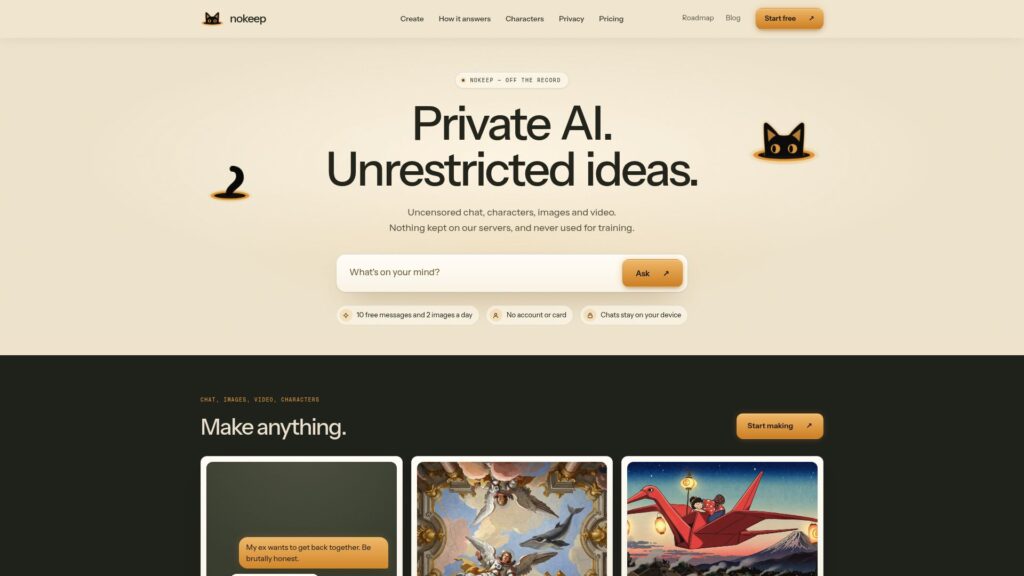
nokeep is a simple AI video generator that lets you create uncensored AI videos without signing up for an account. You can start generating directly from the browser, and the platform gives you one free 5-second video clip per day, along with free image and chat generations.
The free video is generated at 480p, while paid videos can be generated at up to 768p and can run from 5 to 15 seconds. This makes nokeep a useful option if you want to try an uncensored AI video generator without paying upfront.
Pros:
nokeep does not require an account, email, or credit card to start generating.
It provides one free 5-second video clip every day.
Cons:
The free video is limited to 5 seconds and 480p.
You only get one free video clip per day.
Prompt We Tested
To keep the testing consistent and make it easier to compare the results, we used the same universal prompt across all four AI video generators:
Create a realistic video of an adult woman with an athletic, curvy figure wearing a leopard-print dress. She walks backward toward a bed, turns, and lies down on the bed while speaking naturally to the camera. Keep her appearance consistent throughout the video, with natural body movement, realistic facial expressions, accurate clothing physics, and cinematic lighting. Keep the camera at a medium-to-wide distance throughout the scene and do not zoom in on her body. Use smooth, natural camera movement.
Want to explore AI video generation beyond uncensored content? Check out our guide to AI video generation tools with prompts. It covers general-purpose AI video generators for creating videos from text prompts — not uncensored or adult-focused tools.
Frequently Asked Questions (FAQs)
1. Why do uncensored AI video generators still block some prompts?
Uncensored” does not always mean that every prompt will be accepted. Some platforms may have their own filters, while certain AI models can still restrict specific types of adult content. The level of freedom can also vary between models on the same platform.
For example, VideoAny offers unrestricted models, while DreamFort provides both unrestricted and other AI video models. HappyHorse and nokeep also allow more freedom than typical mainstream AI video generators, but their generation results can still depend on the model being used.
That is why we tested VideoAny, HappyHorse, DreamFort, and nokeep with the same prompt instead of relying only on their “uncensored” claims.
2. Why Does an AI Generator Say It Is Uncensored When It Still Refuses Prompts?
Some platforms use “uncensored” to describe their overall service, but the actual experience can depend on which AI model you use. A platform may offer unrestricted models alongside models that still have content restrictions.
This is why simply seeing “uncensored AI video generator” on a website does not tell you how the platform will perform with adult prompts. VideoAny, HappyHorse, DreamFort, and nokeep all approach content generation differently, so we tested them ourselves using the same prompt to see what actually worked.
3. Why Do I Have to Pay for an Uncensored Generator That Still Refuses?
If you are paying for an AI video generator without restrictions, you expect to actually have more freedom when generating adult content. It can be frustrating to spend money on credits only to have your prompts rejected.
A better approach is to test the platform before paying for more credits. HappyHorse offers free generation, DreamFort provides 159 credits after signup, and nokeep offers limited free daily video generation, giving you a chance to test the platform first.
Conclusion
Finding a genuinely uncensored AI video generator can be difficult because not every platform that uses the word “uncensored” offers the same level of freedom. We tested VideoAny, HappyHorse, DreamFort, and nokeep using the same prompt to see how they actually handled adult video generation.
If you want the easiest option, HappyHorse is our top pick. VideoAny is a strong choice if you want multiple unrestricted models and more creative tools, while DreamFort gives you several models and free credits to test. nokeep is a good option if you want a simple AI video generator without restrictions with free daily access.
Ultimately, the best uncensored AI video maker depends on how much freedom, generation access, and video quality you need.

Harman Singh is the founder of Foundigy and a digital marketing professional building his career in SEO, content, and the technology space. He is passionate about discovering emerging products, understanding how people find them online, and creating content that makes complex digital topics easier to understand. His work combines his experience in SEO with his interest in startups, technology, and the evolving digital landscape.