10 Best AI Video Generation Tools With Prompts in 2026
Creating a video with AI sounds simple: write a prompt, generate the clip, and use the result. But in practice, the process can be far less predictable. An AI video generator may ignore parts of a prompt, change a character between shots, or add details that were never requested. After several failed generations, the credits can disappear quickly without producing a video you can actually use.
That raises a more important question than simply which AI video generator has the most features: what does each tool actually offer, and which one fits your video workflow? In this guide, we compare 10 of the best AI video generation tools with prompt support based on their pricing, input options, video quality, clip length, audio capabilities, strengths, and limitations. The goal is to help you understand what each AI video generator offers before spending your time or credits.
Best AI Video Generation Tools With Prompts
| Tool | Price (starting / free plan) | Max Resolution & Clip Length | Input Types | Audio Included? |
|---|---|---|---|---|
| Predis.ai | $24/month / 3-day free trial | 1080p / varies by video type | Text, image, product link | Yes — music and voiceovers |
| Plexigen AI | $15/month / 20 free credits after signup | 1080p / up to 10 seconds | Text, image | Yes — synchronized audio and sound effects |
| Kling 3.0 | Starter: $10 one-time / 100 credits | 1080p / up to 15 seconds | Text, image, video, audio references | Yes — native audio, dialogue, sound effects, and lip sync |
| Seedance 2.0 | $19/month / 4 free credits after signup | 480p, 720p, 1080p / up to 15 seconds | Text, image, video, audio references | Yes — native audio, speech, ambient sounds, and sound effects |
| PixVerse | $8/month ($96 billed yearly) / 60 daily credits | Up to 720p / up to 15 seconds | Text, image, video references | Yes — native audio, dialogue, sound effects, and ambient sound |
| Pika | Free / 900 credits per month on Starter: $10/month | — | Text, image | Yes — audio generation supported |
| Leonardo AI | $12/month / 150 tokens per day | — | Text, image | Yes — audio/video generation supported |
| Dreamina | $15/month / 120 credits daily | Resolution varies by model / up to 30 seconds | Text, image, video, multimodal references | Yes — lip-sync audio generation supported |
| Runway | $15/month ($12/month billed annually) / 125 one-time credits | 1080p / varies by model | Text, image, video | Yes — music, voice, and sound effects generation |
| Luma AI | $30/month / — | — | Text, image, video | Yes — video and audio generation supported |
1. Predis AI
Predis.ai is designed for creators, marketers, and businesses that need to turn an idea, product image, or product link into a usable video without starting from an empty editing timeline. You can create videos from text with AI, animate an existing image, or give Predis.ai a product URL and let it build the script, scenes, music, captions, and voiceover. The result can then be edited before you publish it, which makes the platform more practical when you want to create AI video with prompts but still need control over the final result.
What makes Predis.ai particularly useful is that it focuses on getting you from idea to publishable content quickly, rather than expecting you to learn traditional video editing first. If you’re comparing the best AI video generation tools with prompt support for social media, product promotions, or video ads, Predis.ai is worth considering when saving production time matters as much as the generation itself.
What Users Say:
Users generally like Predis.ai for its ease of use and the amount of time it can save. Capterra reviewers have described it as a simple way to turn text into social media content and videos, with one verified reviewer reporting that it saved around 10 hours per week on social media content creation. Another user said they could get nearly ready-to-use content quickly when they did not have enough time to produce it themselves.
But the feedback also shows where you should keep your expectations realistic. Some recent users have reported inconsistent AI output, difficulty editing certain content, unreliable website URL extraction, crashes, and delayed customer support. One reviewer specifically said the generated images could look overly AI-generated and that automated posts were sometimes not relevant to the original brief.
Pros:
- Turns ideas into videos quickly from text, images, or product links
- Useful for social media and product content without requiring advanced editing skills
- Built-in music, voiceovers, captions, and visuals reduce the need for separate tools
- Editable after generation, so you can refine the AI output before publishing
- Can help save significant content-production time, according to user reviews
Cons:
- AI-generated visuals can sometimes look artificial or inconsistent
- Some users report problems with URL extraction and editing
- Generated content may occasionally miss the intended context or brief
- Users have reported occasional crashes and slow customer support
2. Plexigen AI
Plexigen AI is aimed at creators and marketers who want to go from a written idea or existing image to a finished video without handling every production step themselves. You can use text-to-video or image-to-video generation, while its current platform combines video generation with synchronized audio and sound effects. That makes it useful when you want to create videos from text with AI or turn an existing visual into something more dynamic.
If you’re comparing the best AI video generation tools with prompt support, Plexigen AI is particularly interesting when audio matters as much as the visuals. Its current workflow supports models such as Google Veo 3.1 and Runway, different aspect ratios, and commercial-use output, so you can move from a prompt to content intended for social media, marketing, presentations, or other creative projects.
What Users Say:
There isn’t much customer feedback on Plexigen AI yet. G2 currently has 0 reviews, so there isn’t enough independent feedback to say how people are finding the platform in their day-to-day workflows.
If you’re considering Plexigen AI among the best AI video generation tools with prompt support, the best approach right now is to look at what the platform offers and use its available free credits yourself. That gives you a better idea of whether its video quality and workflow fit what you’re actually trying to create.
Pros:
Text-to-video and image-to-video generation
Native synchronized audio and sound effects
Supports multiple video formats and aspect ratios
Commercial usage rights
Access to multiple AI video models
Cons:
Limited independent user reviews available
Credit usage varies depending on model and generation
3. kling 3.0
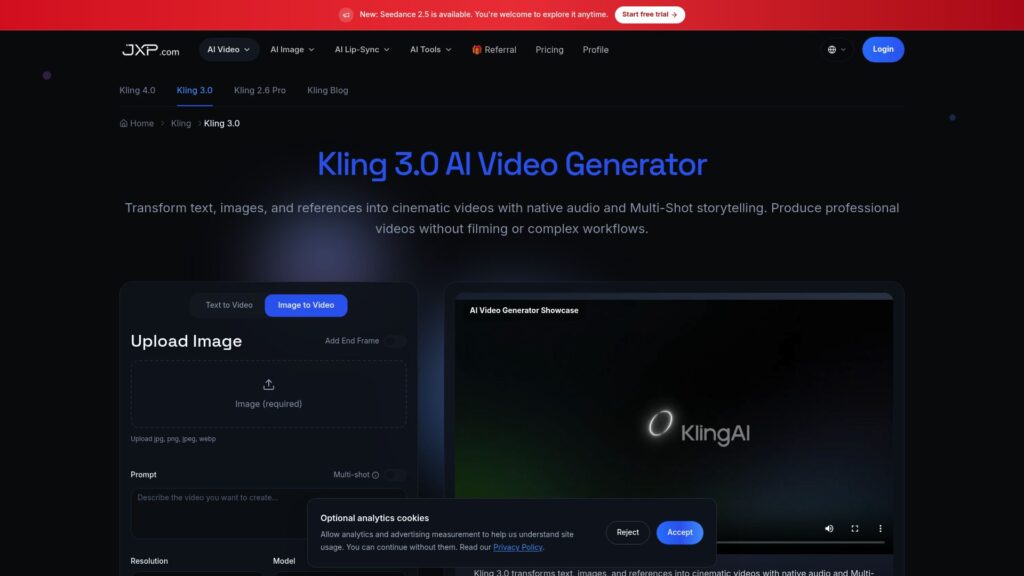
Kling 3.0 is aimed at creators who want more control over how an AI-generated video looks and sounds, especially when a simple text prompt isn’t enough. You can work with text, images, video, and audio references, while Kling 3.0 also supports native audio, dialogue, sound effects, and lip sync. That makes it useful when you want to create AI video with prompts but also need characters, references, and sound to stay connected in the final clip.
If you’re comparing the best AI video generation tools with prompt support, Kling 3.0 is worth looking at when you’re trying to create more structured scenes rather than basic text-to-video clips. Its reference-based workflows can be particularly useful for maintaining a character or visual style across generations.
What Users Say:
The feedback is mixed, and that is important to know before spending credits. Some verified G2 users praise Kling for its video quality, talking characters, video-reference replacement, and lip-sync features. One reviewer specifically said they liked the results across different video genres when the prompt was well defined.
At the same time, recent Trustpilot reviews show users complaining that Kling sometimes ignores detailed prompts, changes scenes unexpectedly, produces unusable generations, or consumes credits on results that don’t follow the instructions. Several reviewers also mentioned frustration with support and billing.
Pros:
- Native audio, dialogue, and sound effects
- Lip-sync support
- Text, image, video, and audio references
- Strong character and reference-based workflows
- 1080p video generation
Cons:
- Detailed prompts aren’t always followed precisely
- Failed generations can consume credits
- Some users report inconsistent results between generations
- Support and billing have received negative feedback from some users
4. Seedance 2.0
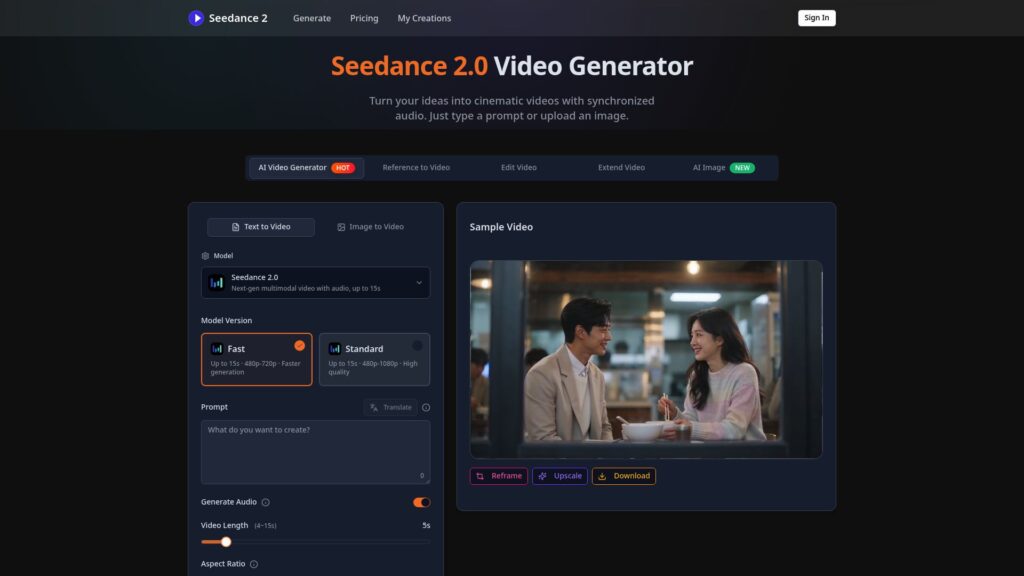
Seedance 2.0 is built for creators who want to give an AI video generator more than just a text description. You can combine text, images, video, and audio references in the same workflow, then use your prompt to tell the model how those elements should appear, move, or sound. That makes it useful when you want to create AI video with prompts but also need a specific character, camera movement, visual style, or sound direction.
If you’re comparing the best AI video generation tools with prompt support, Seedance 2.0 makes sense when you want more control over the starting material rather than relying entirely on a written prompt. It supports short multi-shot videos with native audio-video generation, so you can build a scene around reference assets instead of repeatedly explaining everything from scratch.
What Users Say:
User feedback on Seedance 2.0 is still relatively new, but creators have been discussing its video quality and multimodal controls, particularly the ability to combine different reference materials. Reddit discussions also show users comparing where to access the model, how much it costs, and what generation limits they get.
One recurring concern is access and generation speed. Some users report long waiting times on third-party platforms that provide access to Seedance 2.0, while others are looking for more affordable ways to use it. So, if you’re considering Seedance 2.0 among the best AI video generation tools with prompt support, check the specific platform you’re using not just the model because waiting times, pricing, and available resolutions can differ significantly.
Pros:
Supports text, image, video, and audio inputs
Multimodal references can be combined in one workflow
Native audio-video generation
Supports multi-shot video creation
Useful for directing camera movement and visual style
480p, 720p, and 1080p options are available on supported platforms
Cons:
Access and availability can vary by platform
Generation queues can be long on some third-party services
Short maximum clip duration can require multiple generations
5. PixVerse
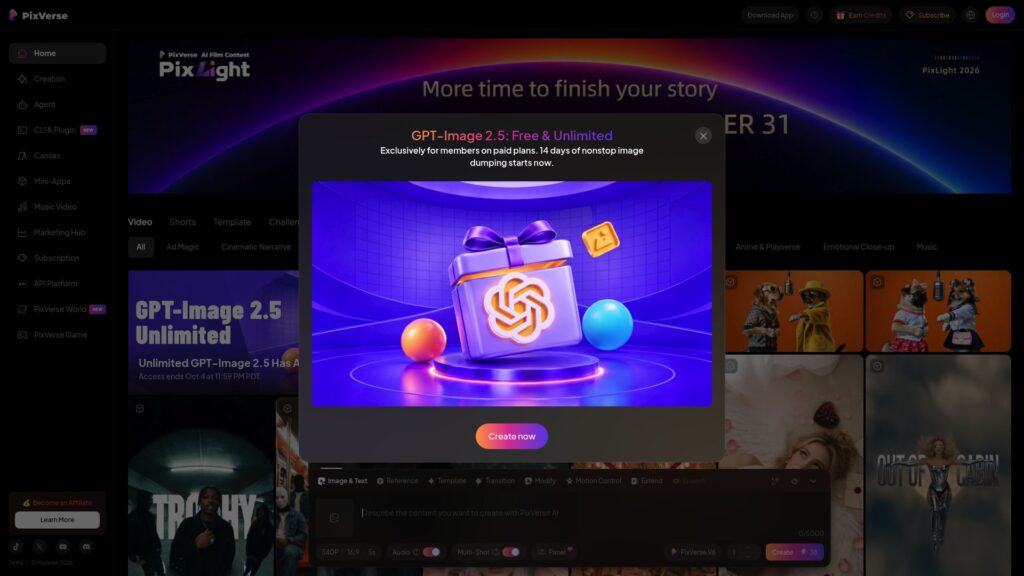
PixVerse is built for creators who want to turn a simple idea or existing image into a finished-looking video without setting up a traditional production workflow. You can create videos from text with AI, start from an image, and control things like the subject, movement, camera, lighting, sound, and format through your prompt. Its newer V6 model also supports 15-second 1080p videos and native audio, making it useful for social content, ads, product videos, and short creative concepts.
If you’re comparing the best AI video generation tools with prompt support, PixVerse is especially useful when you want several ways to create and experiment in one place. You can switch between text-to-video and image-to-video instead of relying on prompts alone, which can give you more control when a text-only generation doesn’t quite match what you had in mind.
What Users Say:
A lot of users like PixVerse for its easy workflow and quick experimentation. G2 reviewers mention the simple interface, templates, vertical-video workflow, and ability to work with images, videos, and motion from one dashboard. Some Reddit users have also reported that image-to-video gives them more consistent results than text-only generation, particularly when they already have a strong starting image.
However, credit usage and prompt accuracy come up repeatedly in negative feedback. Some users report that the AI doesn’t always follow detailed prompts, meaning they have to regenerate several times and spend additional credits. Recent Trustpilot and Google Play reviews also mention inconsistent outputs, unwanted changes to scenes, and frustration with the cost of repeated generations.
So, if you’re considering PixVerse among the best AI video generation tools with prompt support, it looks particularly appealing for creators who want to experiment quickly and who don’t mind refining generations. The main thing to watch is credit consumption when the first result doesn’t follow your prompt closely.
Pros:
- Text-to-video and image-to-video generation
- 1080p video generation on supported models
- Native audio, dialogue, and sound effects
- Useful templates and creative tools
- Supports vertical formats for social media
- Multiple AI video models available in one platform
Cons:
- Detailed prompts aren’t always followed accurately
- Multiple attempts can consume credits quickly
- Some users report inconsistent generations
6. Pika

Pika is built for creators who want to turn ideas and images into short, social-first videos without a complicated production workflow. You can use both text-to-video and image-to-video, while features such as Pikaframes let you provide starting and ending images to control how the video develops. With supported models offering up to 1080p output, Pika gives you several ways to create AI video with prompts instead of relying on a single generation method.
If you’re comparing the best AI video generation tools with prompt support, Pika is particularly useful for short-form creative content, social clips, and experimenting with different visual ideas. Its newer models support 5- and 10-second text-to-video and image-to-video generations, while Pikaframes can create longer sequences from key images.
What Users Say:
User feedback on Pika is quite mixed. Some users praise the platform for producing good-looking clips and having a clean interface, but recent reviews also contain complaints about failed generations, credits being consumed when results don’t work, and the AI not always following prompts accurately.
That matters if you’re considering Pika among the best AI video generation tools with prompt support because a good generation can be impressive, but unsuccessful attempts can become frustrating when they still cost credits. There are also reports of users having difficulty getting timely support when generation or subscription issues occur.
Pros:
Text-to-video and image-to-video generation
Up to 1080p output on supported models
Pikaframes for keyframe-based video generation
Several creative effects and editing features
Designed around short-form and social content
Cons:
Some users report that prompts aren’t always followed accurately
Failed generations can still create frustration around credit usage
Some users report generation errors
Customer-support experiences are inconsistent
7. Leonardo AI
Leonardo AI is useful when you want more control over how an idea moves from a prompt or image into video. You can generate videos directly from text, animate an existing image, and use start or end frames to keep the visual direction more consistent. Its video workspace also brings multiple generation models into one place, so you can choose a model depending on the type of video you want to create.
If you’re comparing the best AI video generation tools with prompt support, Leonardo AI makes sense when you want to refine a generation rather than simply press generate and accept the first result. You can adjust prompts, change references, and experiment with different models, which gives creators more control over motion, composition, and consistency.
What Users Say:
Users generally praise Leonardo AI for its wide range of creative tools, ease of use, and ability to produce visual content quickly. G2 reviewers mention the large selection of tools, fast creation, and accessible workflow, while Trustpilot reviews frequently praise the support team when users run into account or technical problems.
There are some frustrations too. Recent Trustpilot feedback includes complaints about billing complexity, glitches, and prompts being blocked by moderation systems. One recent reviewer specifically complained that some prompts were refused or produced results that didn’t match what they wanted.
Pros:
- Text-to-video and image-to-video generation
- Multiple video models available in one platform
- Start and end frame controls
- Supports 720p and 1080p on supported models
- Useful for refining and iterating on generations
- Strong collection of image and video creation tools
Cons:
- Video model availability varies by plan
- Some advanced models consume credits quickly
- Moderation can restrict certain prompts
8. Dreamina
Dreamina is designed for creators who want to turn text prompts, images, and other references into more developed AI videos without building the scene manually. You can upload an image, describe the movement you want, and control settings such as duration, resolution, and aspect ratio. Its current Seedance-powered workflow also supports richer audio, voice references, and longer video generation.
If you’re comparing the best AI video generation tools with prompt support, Dreamina stands out when you want to start with an existing visual rather than relying entirely on text. You can guide camera movement, character actions, lighting, atmosphere, and sound through detailed prompts, then refine the generated result before exporting it.
What Users Say:
User feedback on Dreamina is quite mixed. Some users report getting crisp, impressive video results, particularly when the generation works as expected. However, recent Trustpilot reviews frequently mention inconsistent prompt following, failed generations, slow processing, credit consumption, and difficulties getting support when something goes wrong.
Pros:
- Text-to-video and image-to-video generation
- Detailed prompt controls for motion and scenes
- Supports reference images and other inputs
- Audio, voice references, and lip-sync capabilities
- Up to 180-second videos through supported long-video workflows
Cons:
- Prompt accuracy can be inconsistent
- Multiple generations can consume credits quickly
- Users report occasional slow generation or overloaded servers
- Customer-support complaints appear in recent reviews
9. Runway
Runway is built for creators who want more than simple text-to-video generation. You can generate video from text, images, or existing footage, then use AI tools to edit the result with prompts—for example, changing a background, removing an object, or altering the lighting. It also brings models such as Gen-4.5, Seedance 2.0, Kling 3.0, and other third-party models into the same workspace.
If you’re comparing the best AI video generation tools with prompt support, Runway is particularly useful when your workflow involves both generation and editing. Instead of creating a clip and moving immediately to another editor, you can generate, modify, extend, and work with multiple AI models inside the same platform.
What Users Say:
Runway has a much larger pool of customer feedback than some newer AI video platforms. G2 currently shows 140 reviews, with users commonly highlighting its creative tools, interface, and ability to speed up video production.
The negative feedback is more focused on credit usage and generation accuracy. Recent Trustpilot reviewers report cases where videos did not follow their prompts or references closely, while failed or unwanted generations still consumed credits. Some users have also complained about support and refund policies. These are individual reviews rather than a representative survey, but the same concerns appear repeatedly in recent feedback.
Pros:
- Text-to-video, image-to-video, and video-to-video
- Gen-4.5 and multiple third-party video models in one platform
- Prompt-based AI video editing
- Music, voice, and sound-effects generation
- Useful tools for extending and refining footage
Cons:
- Credits can be consumed quickly during repeated generations
- Some users report poor prompt adherence
- Failed or unusable generations can still consume credits
- Advanced models can be expensive to use extensively
10. Luma AI
Luma AI is aimed at creators who want to move from an idea or reference image to a finished video while keeping more control over the visual direction. You can generate videos from text or images, use reference visuals, work with start and end frames, and modify existing footage with natural-language instructions. Its current platform also brings several AI video models into one workspace.
If you’re comparing the best AI video generation tools with prompt support, Luma AI is particularly interesting when you want to keep refining a scene instead of starting over every time. You can describe changes to an existing video, extend footage, adjust the visual style, or use references to guide the generation, making it useful for creative concepts, ads, and cinematic content.
What Users Say:
Users have praised Luma Dream Machine for its visual quality and creative workflow. App Store reviewers have described it as useful for image and video generation, while G2 feedback highlights its ability to generate realistic videos from text or images and work with references and consistent characters.
However, recent feedback also raises concerns about generation speed, credit consumption, and inconsistent results. Some users report spending large amounts of credits on unsuccessful generations, while others say the AI did not follow their instructions closely enough. Recent Trustpilot reviews contain similar complaints about credits being consumed by failed or unusable outputs.
Pros:
- Text-to-video and image-to-video generation
- Natural-language video modification
- Start/end frames and visual references
- Character consistency features
- Multiple AI models available
- Useful for cinematic and creative workflows
Cons:
- Credit usage can become expensive with repeated generations
- Some users report inconsistent prompt adherence
- Generation speed can vary
- Failed generations have been reported to consume credits
If you’re creating videos specifically for advertising, you may need tools designed for ad creatives, hooks, and UGC-style content. Check out our guide to the best AI video ad generators to explore those options.
Frequently Asked Questions (FAQs)
1. Which AI video generator is best if I keep wasting credits on failed generations?
If you’re spending too many credits getting a usable result, Pika, PixVerse, and Dreamina are worth considering because they offer free credits that let you experiment before committing to a larger paid plan. Kling 3.0 is another option if you need more control through text, image, video, and audio references, which can help when a simple text prompt isn’t producing the result you want.
When comparing the best AI video generation tools with prompt, don’t look only at the subscription price. Check how many credits you receive, what each generation costs, and whether the tool gives you reference options that can reduce unnecessary retries.
2. Which AI video generator should I use if it keeps ignoring my prompt?
If prompt accuracy is your main concern, try Kling 3.0, Runway, or Seedance 2.0. These platforms support more than simple text prompts, allowing you to provide images, videos, or other references that give the model additional information about the scene you want to create.
For example, Kling 3.0 supports text, image, video, and audio references, while Seedance 2.0 can combine text with image, video, and audio inputs. Runway also provides reference-based generation and AI editing tools. These options can be more useful when a text-only prompt isn’t giving you enough control.
3. Which AI video generator is best for keeping the same character consistent?
If character consistency is the problem, look at Kling 3.0, Runway, Luma AI, and PixVerse because they provide workflows that let you use images or other visual references when generating video. Starting from a consistent reference image can give the model a fixed appearance to work from instead of asking it to recreate the character from text every time.
For more complex scenes, Kling 3.0 and Runway are particularly useful options to investigate because they provide additional reference and editing controls. Among the best AI video generation tools with prompt, these options can give you more control over characters and visual continuity.
4. Which AI video generator should I use if I need text or product details to appear correctly?
If your video depends heavily on readable product names, signs, labels, or other on-screen text, don’t rely entirely on the video model to create the final wording. Runway is useful here because you can generate and then edit the footage within the same broader workflow. Pika and Leonardo AI can also be used to create the visual content before adding or correcting important text during editing.
For advertising or product videos, this approach is safer than repeatedly regenerating an entire clip just because one word is wrong. The best AI video generation tools with prompt can handle the visual generation, while a separate editing step gives you more control over exact wording.
5. Which AI video generator can I use for free before paying?
For testing an AI video workflow without immediately subscribing, Pika, PixVerse, Runway, Leonardo AI, and Dreamina all provide some form of free access or free credits. The amount of generation you can actually get varies, so a free plan shouldn’t be judged simply by whether it says “free.”
For example, Pika has a free plan, PixVerse provides daily credits, Runway provides one-time credits, Leonardo AI provides daily tokens, and Dreamina provides daily free credits for supported workflows. This makes them useful starting points if you want to compare the best AI video generation tools with prompt support before paying.
6. Which AI video generator should I use for longer videos?
If you need to create a longer video, look at Dreamina, Seedance 2.0, Runway, and Luma AI rather than expecting a single short generation to produce an entire finished video. These platforms provide workflows for longer or extendable video creation, although the exact limits depend on the model and plan you’re using.
For example, Dreamina supports longer video workflows, while Seedance 2.0 can generate and combine multiple reference inputs. Runway and Luma AI are useful when you need to generate, extend, or modify multiple clips as part of a larger project. Among the best AI video generation tools with prompt, these options are worth considering for longer projects, but you’ll generally get more control by creating several connected clips and editing them together rather than relying on one generation.
Conclusion
Choosing the right AI video generator depends on what you need to create, how much control you want, and how quickly you want usable results. Kling 3.0, Runway, Seedance 2.0, PixVerse, Pika, Dreamina, and Luma AI all offer different approaches to AI video generation, so comparing their features, credits, limits, and workflows can help you find the right fit.
Pardon us for not personally testing every tool in this list. Properly testing all 10 of the best AI video generation tools with prompt would require purchasing generation credits, which isn’t practical for every platform. Instead, we compared their current features, pricing, capabilities, and available user feedback to give you a useful overview before you spend your own credits.

Harman Singh is the founder of Foundigy and a digital marketing professional building his career in SEO, content, and the technology space. He is passionate about discovering emerging products, understanding how people find them online, and creating content that makes complex digital topics easier to understand. His work combines his experience in SEO with his interest in startups, technology, and the evolving digital landscape.