5 Best Eightify Alternatives in 2026
Eightify is a well-known name when it comes to YouTube video summaries. But is it really worth all the attention? I used Eightify a few times during my college days to get information from long YouTube videos and find exact timestamps without watching the entire video. However, it didn’t always work as I expected. Sometimes, important points were missing, and finding the exact part of a video wasn’t easy.
At first, I thought maybe it was because I was using an older mobile phone. But when I started reading user reviews, I noticed that many others were facing similar problems.
Some users complained about inaccurate summaries, missing important information, unavailable timestamps, and incomplete transcripts. Others mentioned that Eightify’s free plan was too limited, they were asked to upgrade before trying the tool properly, and they couldn’t always go back to their old summaries.
If you’re facing similar problems, it might be worth exploring an Eightify alternative. But what makes other tools worth considering, and why are users looking for Eightify competitors? Let’s take a look.
Why You Might Want to Switch from Eightify?
- Inaccurate summaries: AI can sometimes misunderstand what the speaker says or include information that doesn’t match the actual video.
Missing important details: Short summaries may leave out useful examples, explanations, and key points, especially in longer videos.
Missing timestamps: Without accurate timestamps, finding a specific part of a video can become difficult.
Incomplete transcripts: Some summarizers fail to show the full transcript, making it harder to review or find specific information.
Limited free usage: Some users have reported being asked to upgrade before they could properly try Eightify.
No summary history: You may not always be able to find your previously generated summaries when you need them again.
Considering these issues, let’s look at 5 Eightify alternatives that might offer a better experience and solve some of the problems users face with Eightify.
5 Best Eightify Alternatives: Quick Comparison
| Tool | Transcript Support | Timestamps | Summary & AI Features | Free Usage | Paid Plan |
|---|---|---|---|---|---|
| NooTube | Full video transcripts | Yes, clickable | Ask questions about videos you've saved with AI | 5 saved videos and 3 AI chats/month | Pro: ₹499/month |
| NoteGPT | Full video transcripts | Yes, clickable | Video summaries, mind maps, notes, translations and AI chat | Limited free usage | Pro: $9/month |
| Glasp | Full video transcripts | Yes, clickable | Choose summary length, get key points and ask AI questions about videos | 3 basic summaries/day and 3 detailed summaries every 7 days | Pro: $15/month |
| Monica | Works with videos that have or don't have subtitles | Yes, clickable | Adjust summary length, use your own instructions and ask AI questions | 40 basic AI uses/day; limited YouTube summaries | Pro: $8.30/month (billed annually) |
| Recall | Full transcripts, even for videos without subtitles | Yes, clickable | Get short or detailed summaries, ask AI questions and save useful videos in one place | 10 AI summaries/month | Plus: $12/month |
1. NooTube
Best For: Users who want to turn YouTube videos into searchable notes, save important information, and get answers to their questions using its built-in AI
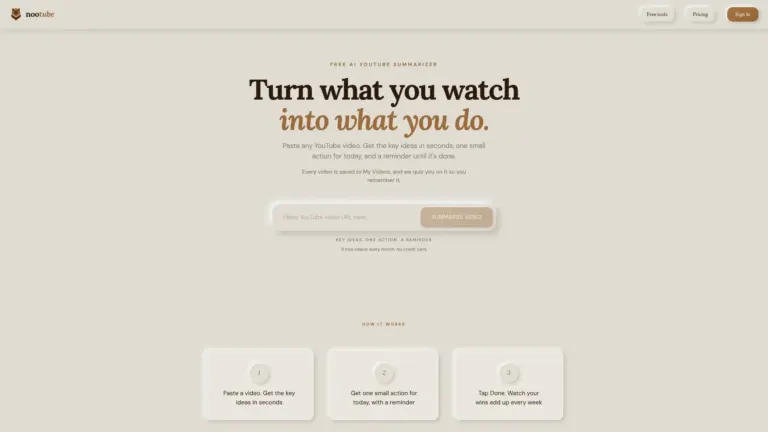
Use code “LAUNCH30” to get one month of free, unlimited access
NooTube makes it easier to learn from YouTube videos without spending hours watching them from beginning to end. If you watch YouTube videos to learn new things, you probably know how difficult it can be to find time for longer videos. NooTube makes this easier with its AI-powered YouTube video summarizer. It picks out the main topics, explains the key takeaways, and adds timestamps so you can jump straight to the parts that matter instead of watching the entire video. If you’re looking for an Eightify alternative or a simple YouTube video summary tool, NooTube is worth checking out.
But there’s more to it than just summaries. You can save useful videos in your personal library, called Pockets, and ask questions about the videos you’ve saved with AI whenever you need help understanding something. NooTube also has a Chrome extension that lets you save YouTube videos with one click while browsing. Plus, you can export your saved videos, key points, and timestamps to Notion and Obsidian, making it easier to keep everything organized and find it later.
Explore complete details: NooTube
Pros:
Summarizes long YouTube videos into easy-to-understand key points.
Lets you jump to important parts of a video using timestamps.
Saves useful videos in one place so you can find them later.
Let you clear your doubts by asking questions to its built-in AI about your saved videos.
Makes it easy to save videos using its Chrome extension.
Lets you send your saved video notes to Notion and Obsidian.
Cons:
AI summaries may leave out important examples, explanations or details.
You cannot watch videos directly inside your NooTube library; you’ll need to return to YouTube.
Using Notion and Obsidian features requires connecting those services.
Eightify vs. NooTube: Quick Comparison
| Features | Eightify | NooTube |
|---|---|---|
| Video summaries | Creates short summaries with the main points from YouTube videos. | Summarizes videos and highlights their key points. |
| Timestamps | Click timestamps to jump to important parts of a video. | Click timestamps to go directly to important moments. |
| AI chat | No dedicated AI chat feature listed. | Lets you clear your doubts by asking its built-in AI questions about saved videos. |
| Transcripts | Provides full video transcripts that you can read, copy or download. | Extracts video transcripts to help you save and search information from videos. |
| Pricing | Pro: $9.99/month | Pro: ₹499/month (approximately $5.50/month) |
2. NoteGPT
Best For: Users who want to summarize YouTube videos, summarize multiple videos at once, and use AI chat to get answers about video content
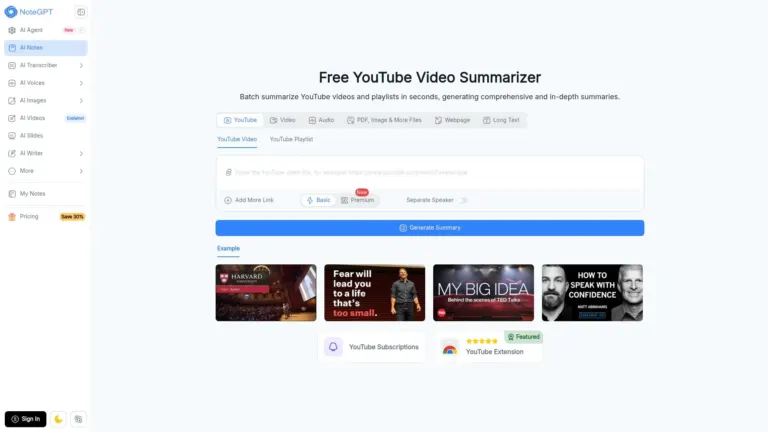
NoteGPT is an AI-powered YouTube video summarizer that helps you understand long videos without sitting through them from beginning to end. Just paste a YouTube link, and NoteGPT will generate a summary, pick out the important points, and provide the video transcript so you can quickly find the information you need. You can even summarize multiple videos at once, which can save a lot of time when you’re learning from several videos.
But NoteGPT isn’t limited to video summaries. You can ask questions about a video using its AI chat, create mind maps and notes, translate subtitles, and adjust the summary based on what you want to learn. It also works with videos that don’t have subtitles, making it useful for people who regularly use YouTube to learn something new. If you’re looking for an Eightify alternative with more ways to understand and organize video content, NoteGPT is worth checking out.
Pros:
Summarizes long YouTube videos into shorter, easy-to-follow notes.
Provides video transcripts and timestamps so you can find specific information quickly.
Lets you customize summaries using your own prompts.
Allows you to ask questions about video content through AI chat.
Can summarize multiple YouTube videos at once.
Works with videos that don’t have subtitles.
Cons:
AI may sometimes misunderstand difficult terms or complex explanations in a video.
Summaries may leave out important examples or details from the original video.
Mind maps may not always capture the full structure or connections between topics in a video.
AI chat focuses on individual videos, making it difficult to connect information from multiple videos.
Eightify vs. NoteGPT: Quick Comparison
| Features | Eightify | NoteGPT |
|---|---|---|
| Video summaries | Creates short summaries with the main points from YouTube videos. | Creates video summaries with key points and detailed notes. |
| Timestamps | Click timestamps to jump to important parts of a video. | Provides timestamps so you can jump to specific moments in a video. |
| AI chat | No dedicated AI chat feature listed. | Lets you ask questions about video content and get AI-generated answers. |
| Transcripts | Provides full video transcripts that you can read, copy or download. | Generates full video transcripts that you can read, download and translate. |
| Pricing | Pro: $9.99/month | Pro: $9/month |
3. Glasp
Best For: Users who want to summarize YouTube videos, explore full transcripts, and use AI models like ChatGPT, Claude, and Gemini to clear their doubts about video content
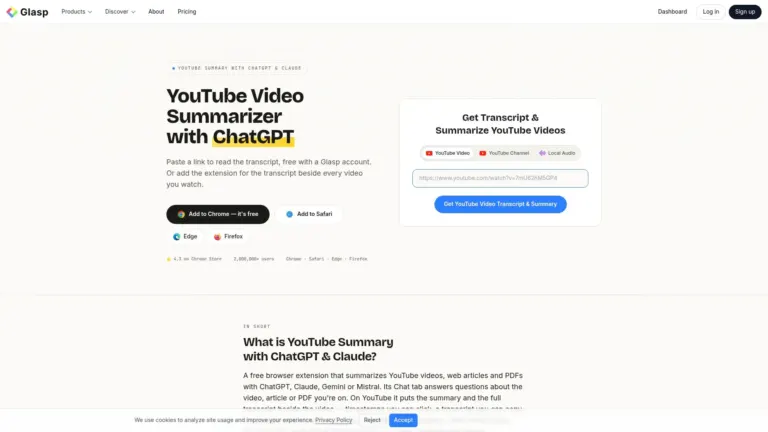
Glasp is an AI-powered YouTube video summarizer that helps you understand long videos without watching them from beginning to end. Simply open a YouTube video using the Glasp browser extension, and it will generate a summary with the main points and clickable timestamps. You can also read the full transcript alongside the video, copy it, or highlight important lines to save for later. Glasp lets you choose between AI models like ChatGPT, Claude, Gemini, and Mistral, adjust the summary length, and get summaries in different languages.
But Glasp offers more than just video summaries. Its built-in AI chat lets you ask questions about a video and get answers with timestamps to check the information in the original video. You can also summarize web articles and PDFs, add notes to transcript highlights, and export your saved notes to Notion, Obsidian, and Roam Research. If you’re looking for an Eightify alternative that gives you more control over summaries and helps you organize useful information, Glasp is worth checking out.
Pros:
Summarizes YouTube videos and highlights the main points with clickable timestamps.
Lets you read, copy, and highlight full video transcripts.
Allows you to choose between ChatGPT, Claude, Gemini, and Mistral for summaries.
Lets you ask questions about videos and get AI answers with timestamps.
Allows you to adjust summary length and choose the language of your summary.
Lets you save transcript highlights, add notes, and export them to Notion and Obsidian.
Also works with web articles and PDFs, so you can summarize more than just YouTube videos.
Cons:
Some users report that the extension stops working or fails to generate summaries after updates.
Transcript extraction may fail or return empty results for some videos.
You need to highlight transcript sections manually if you want to save specific information with your notes.
Eightify vs. Glasp: Quick Comparison
| Features | Eightify | Glasp |
|---|---|---|
| Video summaries | Creates short summaries with the main points from YouTube videos. | Creates AI summaries with key points from YouTube videos. |
| Timestamps | Click timestamps to jump to important parts of a video. | Click timestamps to jump to specific moments in a video. |
| AI chat | No dedicated AI chat feature listed. | Lets you ask questions about videos and get AI-generated answers with timestamps. |
| Transcripts | Provides full video transcripts that you can read, copy or download. | Lets you read, copy and highlight full video transcripts. |
| Pricing | Pro: $9.99/month | Pro: $15/month |
4. Monica
Best For: Users who want to summarize YouTube videos with or without captions, ask AI questions about video content, and get clear explanations of topics
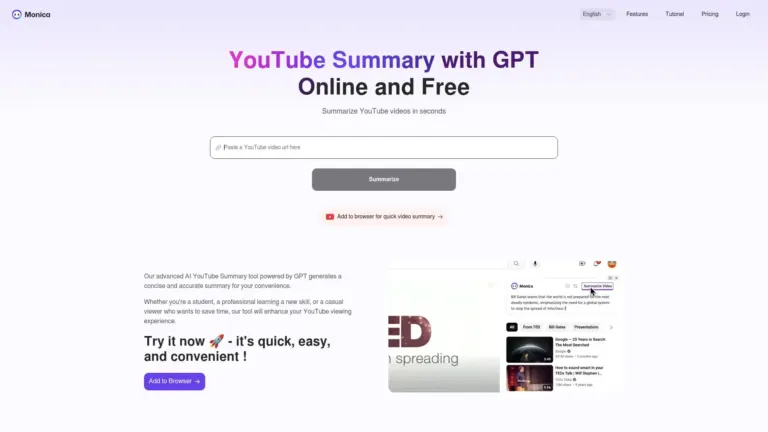
Monica brings YouTube summaries, AI chat, and study tools together in one place. Instead of watching an entire video to find a particular answer, you can use its YouTube video summarizer to get the main points, read transcripts, and jump to important moments using clickable timestamps. It works with videos both with and without subtitles. You can also adjust the summary length and use your own prompts to focus on the information you’re looking for.
Monica goes beyond basic summaries with its built-in AI chat, which lets you ask questions about video content and get explanations when something isn’t clear. You can also turn videos into mind maps and practice questions to help you understand and remember what you’ve learned. Available through browser extensions, web, desktop, and mobile apps, Monica is worth considering if you’re looking for an Eightify alternative with extra tools for learning from YouTube videos.
Pros:
Summarizes YouTube videos with key points and clickable timestamps.
Works with videos that have or don’t have subtitles.
Lets you ask questions about video content using its built-in AI chat.
Creates mind maps and practice questions to help you understand video topics.
Allows you to adjust summary length and use your own prompts to get specific information.
Available through browser extensions, web, desktop, and mobile apps.
Cons:
YouTube transcript generation may sometimes stop working, leaving you unable to read or use the video transcript.
Some users have reported that Monica’s YouTube summarizer fails to generate summaries even when the feature is available.
AI chat can sometimes give generic answers instead of properly explaining technical or complicated topics.
The browser extension may use a lot of memory when multiple webpages or videos are open, which can affect browser performance.
Eightify vs. Monica: Quick Comparison
| Features | Eightify | Monica |
|---|---|---|
| Video summaries | Creates short summaries with the main points from YouTube videos. | Creates AI summaries with key points and explanations from YouTube videos. |
| Timestamps | Click timestamps to jump to important parts of a video. | Click timestamps to jump to specific moments in a video. |
| AI chat | No dedicated AI chat feature listed. | Lets you ask questions about video content and get AI-generated answers. |
| Transcripts | Provides full video transcripts that you can read, copy or download. | Supports videos with and without subtitles and provides transcripts. |
| Pricing | Pro: $9.99/month | Pro: $8.30/month (billed annually) |
5. Recall
Best For: Users who want to summarize YouTube videos in different languages, save them to a searchable knowledge library, and turn summaries into quizzes and flashcards to better understand and remember video content
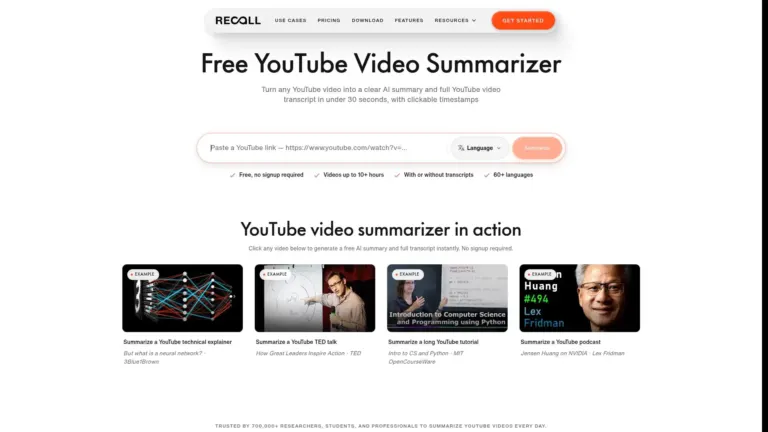
Recall is an AI-powered YouTube video summarizer that helps you understand long videos without watching them from beginning to end. Simply paste a YouTube link, and Recall creates a structured YouTube video summary with the main points, key takeaways, and clickable timestamps so you can jump straight to important moments. It also provides a full, searchable transcript and can summarize videos even when subtitles aren’t available by transcribing the audio first. You can summarize videos in more than 60 languages and choose the language you want your summary in.
But Recall goes beyond summarizing individual videos. It saves your summaries to a personal knowledge library, where you can organize them by topic, search through saved content, and ask AI questions about one video or your entire collection. You can also listen to summaries, turn them into quizzes, and use spaced repetition to remember what you’ve learned. Recall is available through its web app, browser extensions, and mobile apps, making it easier to save and revisit useful information wherever you find it. If you’re looking for an Eightify alternative for AI video summarization, Recall is worth exploring.
Pros:
Creates structured YouTube video summaries with key points, headings, and clickable timestamps.
Works with videos both with and without captions by transcribing the audio when needed.
Lets you ask AI questions about individual videos or your entire saved knowledge library.
Automatically organizes saved summaries into categories, making them easier to search and revisit.
Supports more than 60 languages for summarizing video content.
Turns saved summaries into quizzes and uses spaced repetition to help you remember what you’ve learned.
Cons:
AI-generated summaries can sometimes be too general and miss important details from longer videos.
Some users have reported bugs when Recall processes saved content, including capturing the wrong or incomplete information.
The browser extension may not work consistently across all webpages, particularly for some Firefox users.
AI-generated summaries and answers may not always provide the level of detail users expect when studying complex topics.
Eightify vs. Recall: Quick Comparison
| Features | Eightify | Recall |
|---|---|---|
| Video summaries | Creates short summaries with the main points from YouTube videos. | Creates structured summaries with key points and takeaways. |
| Timestamps | Click timestamps to jump to important parts of a video. | Provides clickable timestamps to jump to specific moments. |
| AI chat | No dedicated AI chat feature listed. | Lets you ask questions about individual videos or your saved knowledge library. |
| Transcripts | Provides full video transcripts that you can read, copy or download. | Provides searchable transcripts, including for videos without captions. |
| Pricing | Pro: $9.99/month | Pro: $12/month |
Frequently Asked Questions (FAQs)
1. What is the best YouTube video summarizer for long videos and YouTube Shorts, both with and without transcripts?
Recall is worth considering for long videos because it can transcribe videos without captions and turn them into structured summaries. NoteGPT is another option if you want to summarize multiple videos and create detailed notes.
2. Are there any tools that can summarize YouTube videos without captions or transcripts?
Yes. Recall, Monica, and NoteGPT can process videos without existing captions by transcribing the audio and then generating a summary.
3. Can I ask questions about a YouTube video instead of watching the whole thing?
Yes. NooTube, NoteGPT, Monica, Glasp, and Recall offer AI chat features that let you ask questions about video content and get explanations without watching the entire video.
4. Is there a tool that can find a specific topic or answer inside a long YouTube video and give me the exact timestamp?
Glasp is a useful option. Its AI chat can answer questions about a YouTube video and provide timestamps so you can jump to the relevant part and check the original explanation. Recall also offers searchable transcripts and clickable timestamps.
5. Are there any tools that can summarize multiple YouTube videos or an entire playlist at once?
NoteGPT lets you summarize multiple YouTube videos at once, which is useful when researching a topic across several videos. Check its current playlist support if you want to summarize an entire playlist.
Conclusion
I understand if you feel a little confused after reading this list of Eightify alternatives because most of these tools offer almost the same features, and their advantages and disadvantages can look quite similar.
But if you ask me, NooTube is definitely worth considering. Why? First, it’s budget-friendly compared to several other options. Second, even if you only summarize YouTube videos occasionally, it offers a completely free tier that includes AI chat, so you can ask questions about saved videos without paying for a subscription.
Of course, the right choice depends on what you need. If you want to create detailed notes, NoteGPT is worth exploring. If you prefer working with different AI models and highlighting transcripts, Glasp is a good option. Monica is useful if you want extra learning features like mind maps and practice questions, while Recall stands out with its searchable knowledge library, multilingual summaries, quizzes, and spaced repetition.
Ultimately, don’t choose an Eightify alternative just because it has more features. Think about how you actually use YouTube, what you want to get out of each video, and whether you really need a paid tool. Sometimes, a simpler and more affordable option is all you need.
What Do You Think?
Have you tried any of these Eightify alternatives, or do you use another YouTube video summarizer? Let me know what you think in the comments. If you’ve used another tool that you find helpful, please share it so other readers can discover it too. Also, let us know whether you found this blog post helpful!

Hey, I’m Harman, the founder of Foundigy. I’m curious about how technology makes everyday work easier, which is why I explore SaaS products, AI tools, and software.
I write about products, emerging technologies, and digital tools, sharing what I’ve learned along the way. My goal is simple: help you understand what a tool does, where it can be useful, and whether it’s worth your time.