
Top Calendly Alternatives for 2026: Best Scheduling Tools
In today’s fast-paced digital world, scheduling software is no longer just a convenience — it’s a necessity. Professionals, freelancers, startups, and large enterprises all rely on online scheduling tools to save time, reduce errors, and streamline communication. Calendly has long been the leader in this space, offering users the ability to schedule meetings seamlessly with minimal back-and-forth emails. However, as user needs have grown more complex, many Calendly alternatives and competitors have emerged to fill gaps the platform leaves behind.
While Calendly excels in simplicity and reliability, it has certain limitations. For instance, its free plan offers limited functionality, and many advanced features such as team scheduling, workflow automations, and multi-calendar syncing are locked behind premium subscriptions. This has prompted the rise of innovative Calendly alternatives that focus on specific pain points — from managing multiple calendars to providing robust free scheduling features.
In 2026, the landscape of online scheduling has evolved significantly. Users are no longer just looking for a “booking link” solution. They want platforms that offer flexibility, deep calendar integrations, automation, and cost-effective plans. Whether you’re an individual professional, a growing startup, or a team managing a complex calendar system, exploring free Calendly alternatives and other competitors is essential to making the right choice. In this blog post, we’ll take a deep dive into two of the most promising calendly alternatives: Multical, a multi-calendar management tool, and Cal‑ID, a free scheduling software for meetings and appointments.
In this article, we will explore two powerful Calendly alternatives that offer better scheduling features, improved flexibility, and low or no cost
1. Multical — A Comprehensive Tool for Multi-Calendar Management
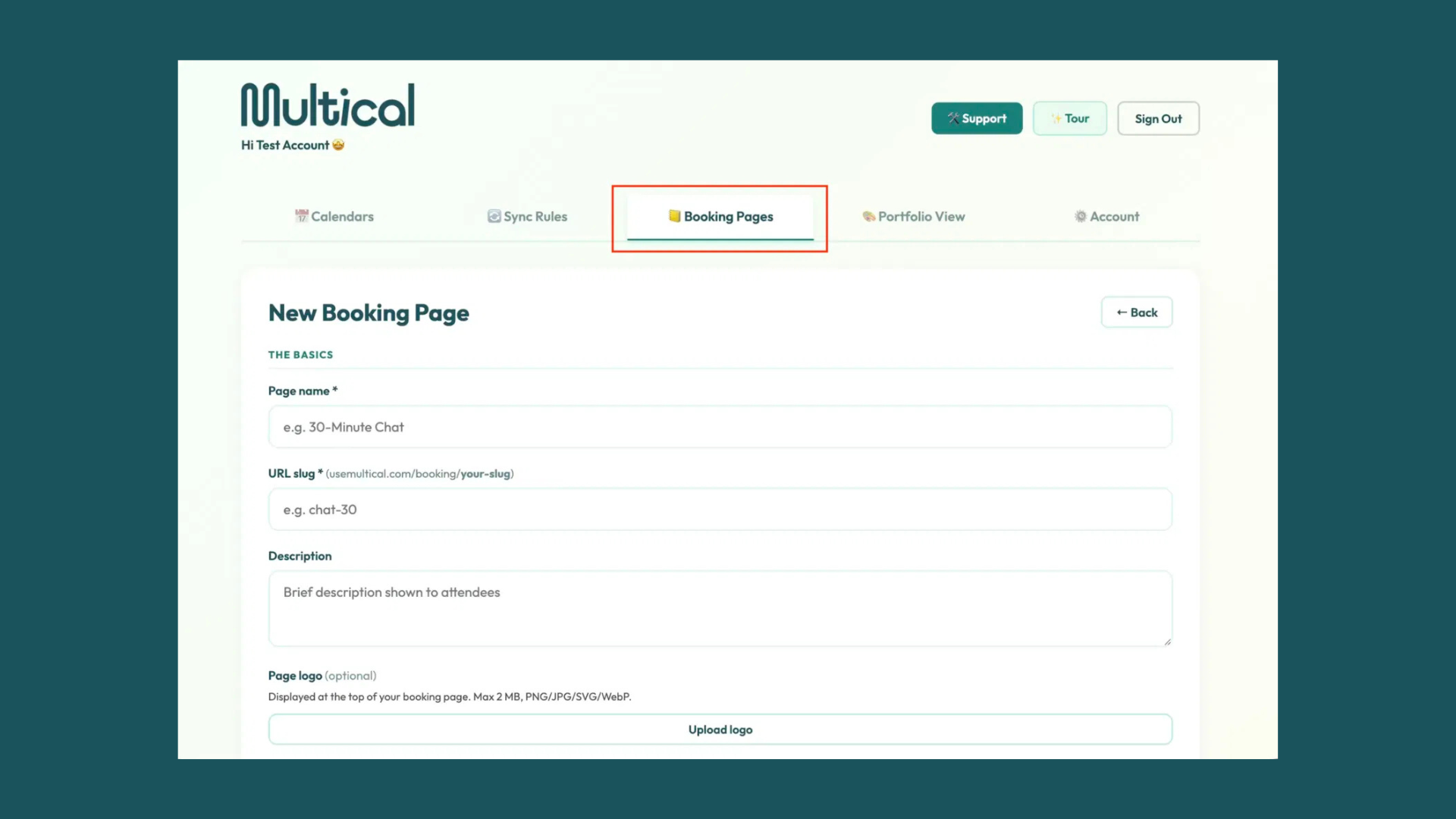
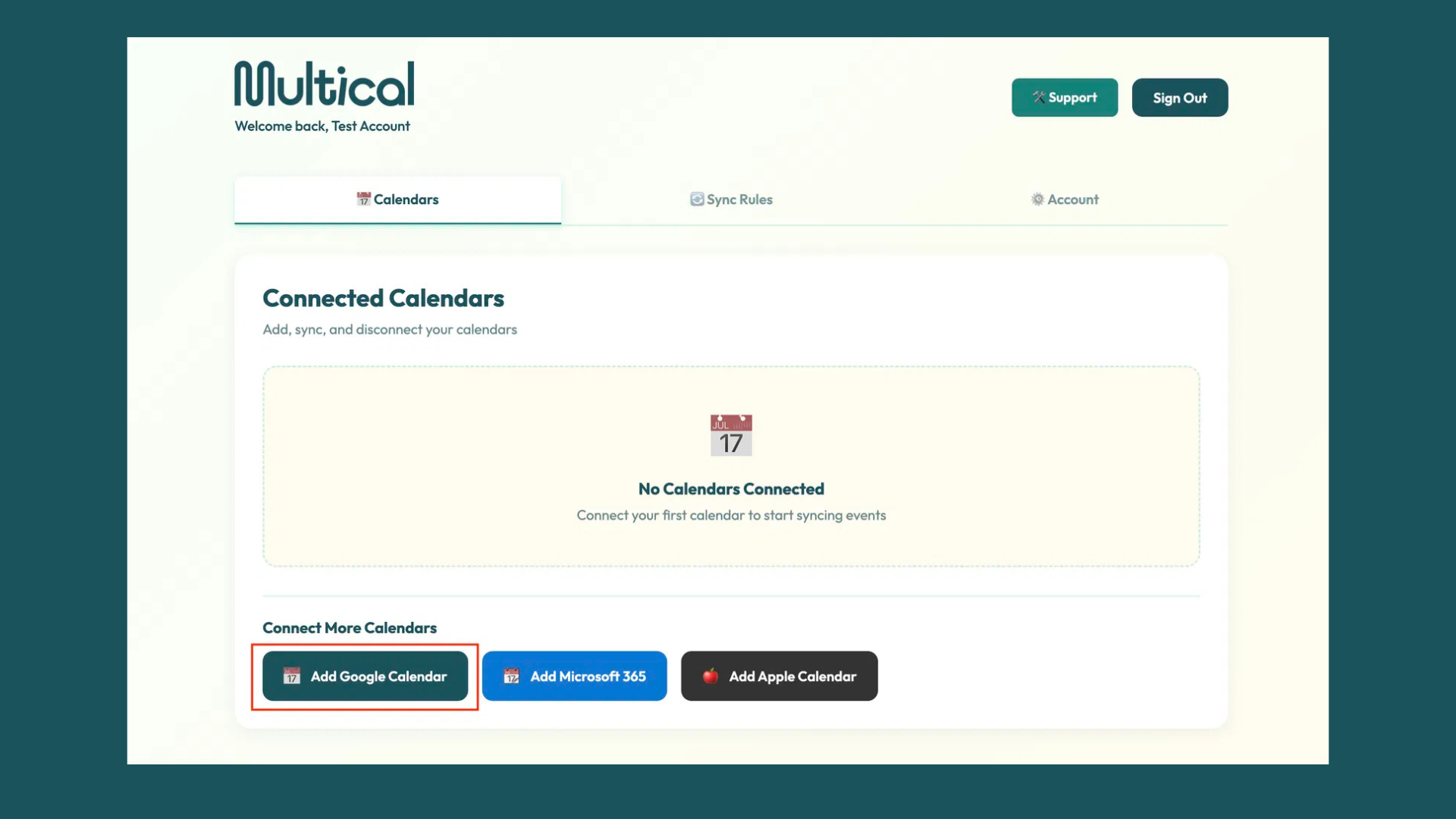
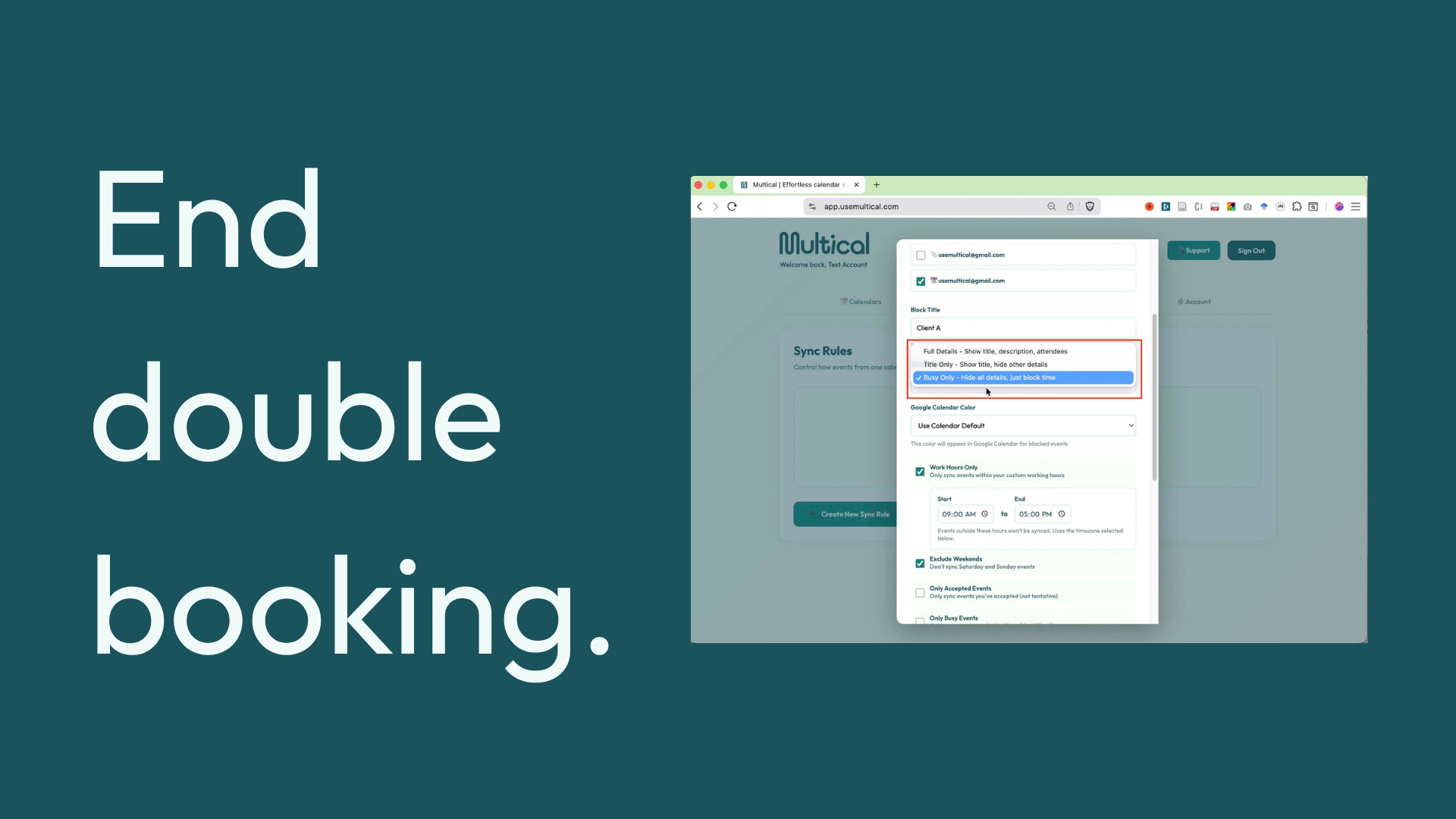
Multical is a powerful solution for professionals who manage multiple calendars across different platforms. Many individuals today use Google Calendar for personal appointments, Outlook for work-related meetings, and Apple Calendar for other commitments. Keeping all these calendars synchronized is often a headache. This is where Multical comes in, offering a seamless and intelligent solution for calendar management.
Key Features of Multical
- Smart Multi-Calendar Sync: Multical’s most compelling feature is its ability to synchronize multiple calendars in real time. This means you can see all your appointments, deadlines, and meeting schedules in one place without worrying about double bookings. The platform ensures your availability is always accurate, reducing scheduling conflicts and saving valuable time.
- Cross-Platform Compatibility: Unlike some tools that limit you to a single calendar provider, Multical integrates with Google Calendar, Outlook, Apple Calendar, and several other platforms. Whether your team members or clients use different platforms, you can manage everything centrally.
- Real-Time Updates and Notifications: When changes occur in any of your connected calendars, Multical automatically updates your master schedule and sends notifications. This is particularly useful for teams and professionals who deal with frequent changes in meeting times or priorities.
- Advanced Scheduling Dashboard: The dashboard provides a clear overview of all your meetings and tasks. Users can filter by calendar type, priority, or meeting duration. This level of control allows for better time management and planning.
- Time Zone Auto-Detection: Multical automatically adjusts for different time zones, making it ideal for international teams or freelancers working with clients worldwide. This ensures there are no miscommunications or missed meetings due to time zone differences.
Why Multical Stands Out as a Calendly Alternative
While Calendly is excellent for single-calendar scheduling, Multical offers enhanced control for users managing multiple calendars. Its focus on real-time syncing, cross-platform support, and smart notifications makes it a strong competitor in the scheduling software market. Professionals who rely on accurate scheduling across platforms find Multical to be an indispensable tool.
Explore Complete Details: (Multical: Calendar Sync Tool for Multi-Calendar Management)
2. Cal‑ID — Free Scheduling Software for Meetings and Appointments
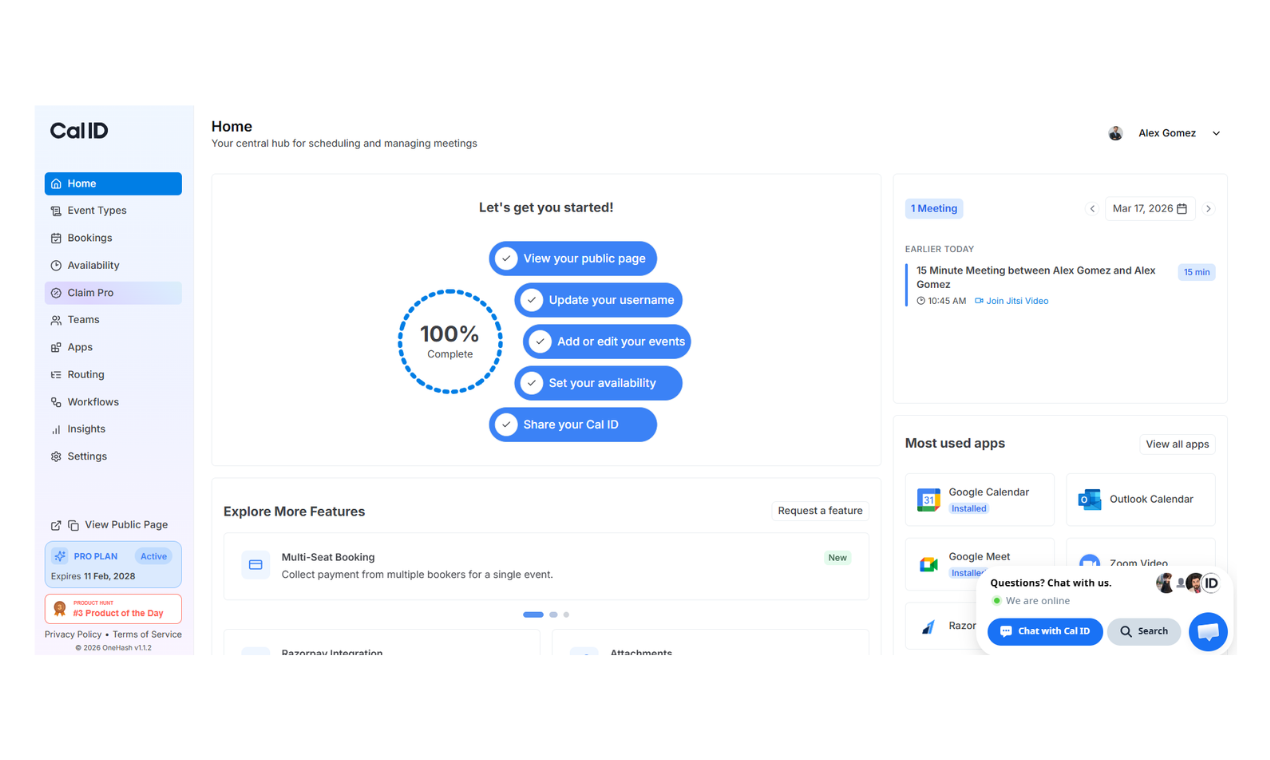
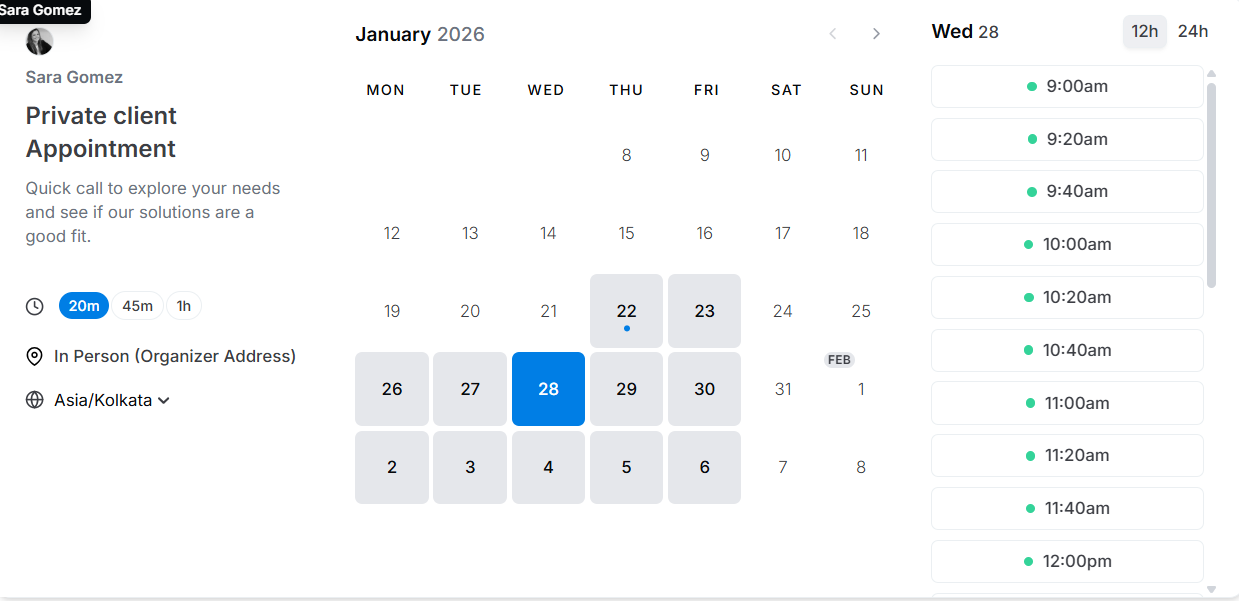
Cal‑ID is designed for simplicity, affordability, and accessibility. Unlike other scheduling software that requires premium plans for advanced features, Cal‑ID provides a robust free platform that can handle most appointment scheduling needs. This makes it an excellent free Calendly alternative, especially for individuals, small teams, and startups operating on a tight budget.
Key Features of Cal‑ID
- Unlimited Free Scheduling Links: One of Cal‑ID’s standout features is its ability to generate unlimited booking links, allowing users to share their availability without any cost. This feature alone makes it appealing for freelancers, small businesses, and educators who need a budget-friendly solution.
- Customizable Booking Pages: Cal‑ID lets users personalize booking pages to reflect their brand, style, and preferences. Users can customize colors, logos, and meeting types, giving a professional appearance without any additional investment.
- Easy Calendar Integration: The platform integrates with popular calendar systems, ensuring appointments are automatically reflected in your existing schedule. This reduces errors and manual entry.
- Buffer Times and Appointment Management: Users can set buffer times between meetings, limit daily appointments, and manage availability efficiently. This prevents overbooking and ensures proper planning.
- User-Friendly Interface: With a clean and intuitive design, Cal‑ID is easy to use for beginners. There’s no steep learning curve, which is perfect for those who need quick and hassle-free scheduling.
Why Cal‑ID Is a Strong Free Alternative
Cal‑ID’s simplicity and generous free plan make it highly attractive to users who are price-sensitive but still want professional scheduling capabilities. While it may not have the advanced workflow features of Calendly, its focus on core functionality ensures that scheduling remains straightforward, reliable, and efficient.
Explore Complete Details: (Cal ID: Free Scheduling Software for Meetings & Appointments)
Calendly vs Multical
Both Calendly and Multical help users schedule meetings, but their strengths differ. Here’s a detailed comparison:
|
Feature |
Calendly |
Multical |
|
Multi-Calendar Sync |
Limited to single primary calendar; syncing multiple calendars can be cumbersome and often requires paid plans. |
Full multi-calendar sync across Google, Outlook, Apple, and more. |
|
Real-Time Availability |
Changes in external calendars may not update instantly; users often run into booking conflicts. |
Real-time updates across all connected calendars. |
|
Free Plan Limitations |
Many essential features, like multiple event types and calendar integrations, are locked behind paid tiers. |
More generous free plan with multi-calendar support. |
|
Complex Scheduling Needs |
Limited flexibility for advanced scheduling workflows without paid plan upgrades. |
Offers unified dashboard and filtering options for complex schedules. |
|
Time Zone Issues |
Auto-detection works, but only for simple events; global scheduling can get tricky. |
Smart time zone adjustments for all appointments. |
Calendly vs Cal‑ID
Cal‑ID focuses on free, simple scheduling, making it a great free Calendly alternative. Here’s how the two compare:
Feature | Calendly | Cal‑ID |
Cost & Free Plan | Limited features in free tier; advanced workflows and branding require premium plans. | Full free access to unlimited booking links and basic features. |
Ease of Use | Simple, but too many options can confuse beginners; steep learning curve for advanced workflow setup. | Extremely user-friendly; minimal setup required. |
Custom Booking Pages | Customization mostly locked behind paid plans. | Free customizable booking pages for branding. |
Integration Limitations | Supports main calendars and apps, but advanced integration often requires premium plans. | Basic calendar sync for free users. |
Scheduling Workflow Complexity | Advanced workflows exist but require paid plans; small teams may not need the complexity. | Simple workflow for individual or small team scheduling. |
Which One to Choose?
When selecting a tool from the growing list of Calendly alternatives, it’s important to consider your workflow, pain points, and team needs. Here’s a detailed decision framework:
1. Choose Multical If…
- You manage multiple calendars across platforms and need a single unified dashboard.
- Your schedule is complex, with overlapping personal, work, and team commitments.
- Avoiding double bookings and scheduling conflicts is a priority.
- You need real-time updates for all calendar changes, especially for client-facing roles or international teams.
- You value a generous free plan for multi-calendar support but are willing to explore paid upgrades for additional features.
Use Case Examples:
- Professionals who handle multiple clients, projects, and personal commitments.
- Teams working across Google Workspace, Outlook, and Apple Calendar.
- Consultants or freelancers juggling cross-platform schedules.
Multical is designed to solve the key pain points that Calendly users often experience — calendar overload, free plan limitations, and real-time sync issues.
2. Choose Cal‑ID If…
- You’re looking for a free Calendly alternative that doesn’t compromise on professionalism.
- You only need basic scheduling without advanced team workflows.
- You value simplicity and minimal setup, particularly if you’re a freelancer, startup founder, or educator.
- You want customizable booking pages without paying for premium plans.
- You don’t require multi-calendar management but need a reliable, free tool for appointments.
Use Case Examples:
- Freelancers and solopreneurs managing client bookings.
- Small teams or educators scheduling lessons or consultations.
- Budget-conscious startups looking for professional free solutions.
Cal‑ID resolves pain points that many free Calendly users face — limited booking links, lack of branding, and a steep learning curve.
3. When to Stick With Calendly
- You need advanced workflows, automations, or team scheduling features.
- You’re working in an enterprise environment requiring integration with multiple business tools.
- Paid plans are within your budget, and you prefer a trusted, mature platform.
Calendly remains a solid choice for users who need enterprise-grade scheduling, but many smaller teams and solo professionals now find Multical and Cal‑ID more targeted to their pain points.
Conclusion
The scheduling software market has evolved significantly by 2026. While Calendly remains a popular choice, free Calendly alternatives and competitors are now offering specialized features that better cater to user needs.
- Multical stands out as the best solution for professionals managing multiple calendars across platforms, providing robust syncing, a clear dashboard, and automation to avoid conflicts.
- Cal‑ID offers a simple, cost-free alternative that still delivers powerful scheduling capabilities without the complexity or price tag of other platforms.
If you’re looking for a scheduling tool that fits your workflow, budget, and technical needs, exploring these Calendly alternatives is well worth your time. By choosing the right platform, you can reduce scheduling headaches, save time, and focus on growing your business or professional activities.

Harman Singh is the founder of Foundigy and a digital marketing professional building his career in SEO, content, and the technology space. He is passionate about discovering emerging products, understanding how people find them online, and creating content that makes complex digital topics easier to understand. His work combines his experience in SEO with his interest in startups, technology, and the evolving digital landscape.