
YouTube Thumbnail Maker That Gets You Clicks
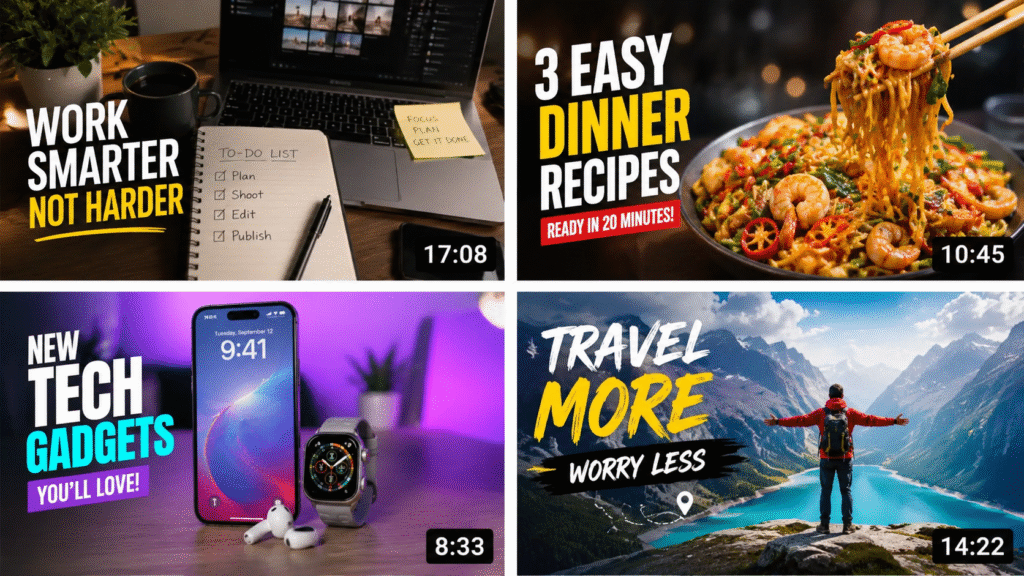
Why is nobody clicking on my video? You open YouTube Studio and see the impressions going up, but the views aren’t moving with them. You know the video is useful. You spent hours making it. Yet the thumbnail appears next to other videos and gets ignored.
So you try bigger text, brighter colors, different images, maybe even an AI-generated thumbnail. But sometimes it still doesn’t work—and now your thumbnail looks like every other AI-made image on YouTube.
This is where many creators get stuck. The problem isn’t always the video. Sometimes, it’s the thumbnail.
If you’re looking for a YouTube Thumbnail Maker That Gets You Clicks, the goal shouldn’t be to create another flashy image. It should help you create a thumbnail that makes the right viewer stop, understand what your video is about, and want to click.
So, what actually makes someone stop scrolling and click? Let’s look at the thumbnail problems that creators commonly run into—and what you can do differently.
Why Your YouTube Thumbnail May Not Be Getting Clicks
Creators regularly ask questions like:
- “Why am I getting impressions but barely any clicks?”
- “My thumbnail looks good—so why is my CTR so low?”
- “Should I change my thumbnail if the video isn’t getting views?”
- “Are AI thumbnails actually better, or do they all look the same?”
These aren’t necessarily problems with the video itself. Often, the viewer simply isn’t getting a strong enough reason to stop scrolling and click. That’s where your thumbnail CTR can give you a useful signal about how people are responding to the combination of your thumbnail and title.
- You’re Trying to Explain the Entire Video: A common thumbnail problem is trying to fit the whole story into one image. You add more text, screenshots, arrows, icons, and details because you want viewers to understand everything. But YouTube viewers aren’t studying your thumbnail. They’re scrolling.
- Your thumbnail should communicate one clear idea, not summarize the entire video: Your Thumbnail Looks Good but Doesn’t Create Curiosity. A thumbnail can be clean, professional, and perfectly designed while giving someone absolutely no reason to click. Ask yourself: “If I had never seen this video before, would this image make me curious enough to find out more?” If the answer is no, adding more effects probably won’t fix it. You may need a stronger visual idea.
- You’re Repeating the Title: If your title says – “I Tested 10 AI Video Generators” and your thumbnail says – “10 AI VIDEO GENERATORS”. you’re using the same space twice. Instead, let the two work together. The title can explain the topic while the thumbnail highlights the most interesting part of the story.
- You’re Designing for Yourself, Not the Viewer: You know what the video is about. Your viewer doesn’t. That’s why a thumbnail that looks obvious to you may be confusing to someone seeing it for the first time. Try shrinking your thumbnail until it’s roughly the size it would appear while browsing YouTube. Can you still tell what you’re looking at within a second or two? If not, you’ve probably found one of your thumbnail problems.
- Your AI Thumbnail Looks Too Generic: AI can produce a polished thumbnail in seconds, but there’s a downside: polished doesn’t always mean clickable. If your thumbnail is packed with exaggerated faces, giant text, arrows, glowing effects, and random visual elements, it can start looking like thousands of other AI-generated thumbnails. The better approach is to use AI to develop and compare an idea, rather than letting it decide what your thumbnail should look like.
So, What’s the Solution If Every AI Thumbnail Tool Works the Same?
If you’ve tried a few AI thumbnail makers, you may have noticed the same thing: they’re good at making images, but that doesn’t necessarily mean they’re good at helping you choose a thumbnail.
You can generate five different designs, pick the one that looks best to you, and publish it. But you’re still left wondering:
Will people actually click it? That’s where ThumbnailMake takes a different approach.
Instead of treating thumbnail creation as simply an image-generation problem, it looks at it more like a thumbnail decision problem. You can give it your YouTube video, and it uses the video’s title and keyframes to understand the content before creating different thumbnail concepts.
And rather than giving you one design and leaving you to guess, it generates four concepts and provides a predicted CTR score for each one.
What Makes ThumbnailMake Different?
The idea is simple: Don’t just create a thumbnail, create options and compare them.
- Analyses your video: Give it a YouTube URL and it looks at the title and keyframes to understand the video’s context.
- Creates four concepts: You get different visual directions instead of being stuck with the first AI-generated design.
- Predicts CTR: Each concept gets a predicted CTR score to give you another signal when deciding which one to use.
- Matches your style: You can provide existing thumbnails or visual references to help maintain your channel’s look.
- Supports different formats: Create thumbnails for standard YouTube videos as well as vertical content.
So instead of asking “Which thumbnail looks the coolest?”, you’re able to ask a better question: “Which thumbnail gives me the strongest reason to believe viewers will click?”
Make Thumbnails That Click
Does a Better-Looking Thumbnail Actually Mean More Clicks?
A thumbnail can look professional and still have a weak thumbnail CTR. That’s because clicks aren’t determined by design quality alone. What matters is whether the thumbnail catches attention, creates curiosity, and works together with the title.
That’s also why simply generating more thumbnails isn’t necessarily the answer. You need a way to compare your options instead of choosing one based entirely on personal preference.
This is where ThumbnailMake’s predicted CTR feature becomes useful. It doesn’t guarantee that a particular thumbnail will perform better, no tool can predict exactly how real viewers will behave but it gives you another signal to consider before publishing.
And that’s a much smarter approach than: “This one looks cool, so I’ll use it.”
Just for a Glance: Need Original, Royalty-Free Music for Your Channel?
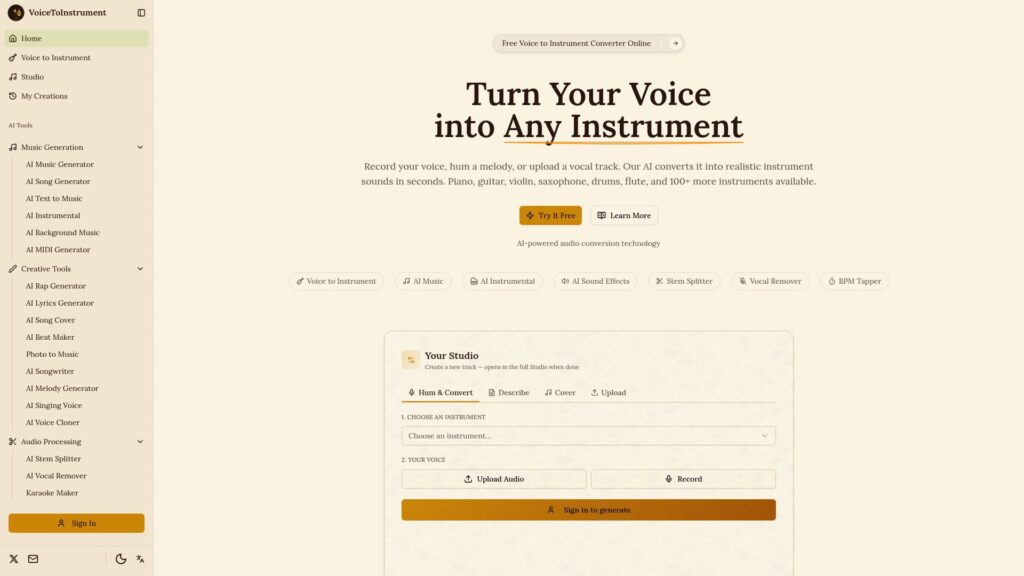
Once your thumbnail is ready, there’s another part of your video that can be surprisingly difficult: finding music that actually fits your content. You can spend just as much time searching through music libraries as you did creating the video itself. And sometimes, you already have the perfect melody in your head, you just don’t know how to play it.
That’s where Voice to Instrument Converter: AI Instrument Generator can come in handy. Instead of searching for a track that sounds close to what you’re imagining, you can start with your own voice, humming, or melody and turn that idea into an instrumental sound.
If you’re looking for a more personal approach to your YouTube intro or background music, it’s worth giving it a try. Have a melody in your head? Hum it. Turn your idea into music.
Frequently Asked Questions (FAQs)
- Why is my YouTube thumbnail getting impressions but no clicks?
Getting impressions means YouTube is showing your video, but a low click-through rate can indicate that the thumbnail and title aren’t creating enough interest for the people seeing them. It’s worth looking at the two together rather than blaming the thumbnail alone. - What makes a YouTube thumbnail clickable?
A clear subject, strong visual contrast, curiosity, and a simple message can help. The thumbnail should also work with the title instead of simply repeating it. - Should I change my thumbnail if my CTR is low?
It can be worth testing another concept, especially if your video is receiving enough impressions to give you useful data. Don’t assume that every low-CTR video needs a new thumbnail, though—topic, audience, and title also matter. - Are AI-generated thumbnails good for YouTube?
They can be useful for creating concepts quickly, but automatically generated doesn’t mean automatically effective. A thumbnail still needs to be relevant to the video and understandable to the intended audience. - Can a thumbnail maker guarantee more clicks?
No. A YouTube thumbnail maker can help you create and compare different designs, but no tool can guarantee a particular CTR or number of views. - Should my thumbnail repeat my YouTube title?
Usually, there’s little reason to repeat the entire title. Using the thumbnail and title together gives you more room to communicate the video’s idea and create curiosity.

Harman Singh is the founder of Foundigy and a digital marketing professional building his career in SEO, content, and the technology space. He is passionate about discovering emerging products, understanding how people find them online, and creating content that makes complex digital topics easier to understand. His work combines his experience in SEO with his interest in startups, technology, and the evolving digital landscape.