
5 Best PageSpeed Insights Alternatives in 2026

PageSpeed Insights is a useful tool for checking your website speed, but have you ever tested the same page twice and got different scores? Or made changes to improve performance, only to see your score drop or struggle to understand whether those changes actually worked?
And just because PageSpeed Insights is created by Google doesn’t mean every score will always tell the complete story. Test results can vary, and real-user data may not reflect your latest changes immediately.
The problem is, seeing your score is one thing, but understanding what to do next is another. You might want more detailed reports, clearer explanations of what’s slowing your website down, or specific recommendations to fix those issues. If that’s what you’re looking for, exploring a PageSpeed Insights alternative might be worthwhile. In this article, we’ll look at several PageSpeed Insights alternatives, including tools that can help you run a Core Web Vitals test and better understand your website’s performance.
Why You Might Need to Switch from PageSpeed Insights?
Inconsistent scores: The same webpage can show different performance scores across repeated tests, even when no changes have been made to the website.
Recent improvements don’t show up: You optimize your website, run PageSpeed Insights again, and still see similar results instead of the improvement you expected.
Scores drop after optimization: You make changes to improve website speed, but your next test shows a lower score, leaving you unsure whether the optimization worked.
Field data takes too long to update: PageSpeed Insights uses real-user data collected over a rolling 28-day period, so your latest improvements may not appear in the field results immediately.
No clear fixing recommendations: PageSpeed Insights highlights performance issues and suggests opportunities for improvement, but you may still need to figure out the exact steps required to fix them on your website.
Results appear cached or unchanged: You update your website and run another test, but the results look exactly the same. This can leave you wondering whether the tool is showing an older result or whether your changes haven’t affected the metrics being measured.
If you’ve faced these problems and want a tool that helps you diagnose website performance issues in greater detail and find practical ways to fix them, we’ve carefully selected five PageSpeed Insights alternatives worth exploring.
5 Best PageSpeed Insights Alternatives: Quick Comparison
| Tool | Speed Score | Core Web Vitals | Detailed Reports | Fix Recommendations | Ongoing Monitoring | Free to Use | Starting Price |
|---|---|---|---|---|---|---|---|
| PageLens AI | ✓ | ✓ | ✓ | ✓ | ✓ | 1 free page check | $9 one-time |
| GTmetrix | ✓ | ✓ | ✓ | ✓ | ✓ | Free plan | $4.99/month |
| WebPageTest | ✓ | ✓ | ✓ | ✗ | ✗ | Free tests | $9.89/month (API) |
| Pingdom | ✓ | ✗ | ✓ | ✓ | ✓ | 30-day free trial | $16.50/month |
| SpeedVitals | ✓ | ✓ | ✓ | ✓ | ✓ | 15 speed tests/week + 1 monitoring slot | $19/month |
1. PageLens AI
Best For: Beginners and non-technical users who need simple website audits and clear recommendations on what to fix first
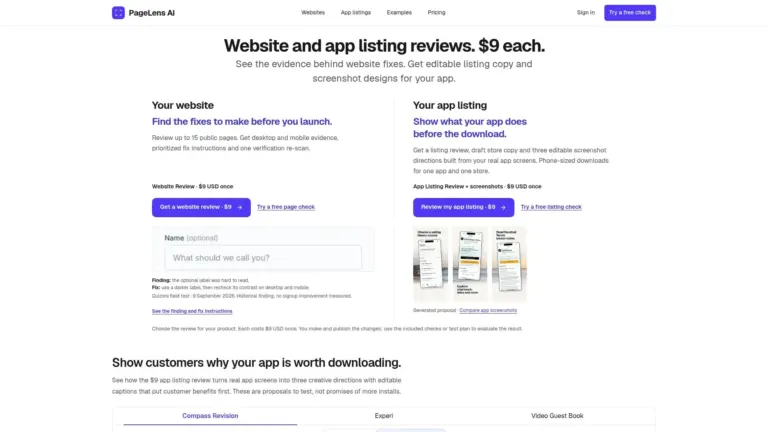
PageLens AI is a website audit tool that helps website owners identify issues affecting performance, SEO, mobile usability, accessibility, and security. Unlike a basic PageSpeed Insights alternative that mainly focuses on scores and Core Web Vitals, PageLens AI provides actionable insights and clear recommendations to help users understand what’s wrong with their website and how to fix it.
It is particularly useful for beginners who may not understand technical terms or know where to start. Instead of overwhelming users with technical data, it explains issues in simpler terms, prioritizes what needs attention, and provides practical guidance to help them improve their website.
Explore complete details: Pagelens AI
Pros:
You don’t have to figure out every technical issue yourself; the report explains what went wrong and why it matters.
Helps you decide what to fix first instead of treating every issue as equally important.
The suggested fixes give you a starting point, even if you don’t know how to code.
You can check both desktop and mobile versions instead of relying on a single-page view.
The re-scan helps you check whether your changes actually improved the website.
Cons:
Some recommendations may still need a developer’s help to implement.
It can’t guarantee that every issue flagged by an automated audit will affect real visitors.
If you’re looking for only a quick speed score, its broader audit may be more than you need.
PageSpeed Insights vs. PageLens AI: Quick Comparison
| Comparison | PageSpeed Insights | PageLens AI |
|---|---|---|
| Main purpose | Measures website performance and loading speed | Audits overall website health and identifies areas for improvement |
| What it checks | Performance, Core Web Vitals and loading issues | Performance, SEO, mobile usability, accessibility and security |
| Performance data | Lab data and real-user field data (when available) | Website audit findings with supporting evidence |
| Issue explanations | Provides technical diagnostics and details about performance issues | Explains problems in simpler terms to help users understand them |
| Fix recommendations | Suggests performance optimizations and potential fixes | Provides prioritized recommendations with simple, step-by-step fixing instructions and AI-ready prompts |
| Multi-page audits | Tests one URL at a time | Can audit up to 15 public pages with a paid review |
| Pricing | Free | Free single-page check; full website review costs $9 one-time |
2. GTmetrix
Best For: Users who want to test websites from different locations and use waterfall charts to identify slow-loading images and page elements
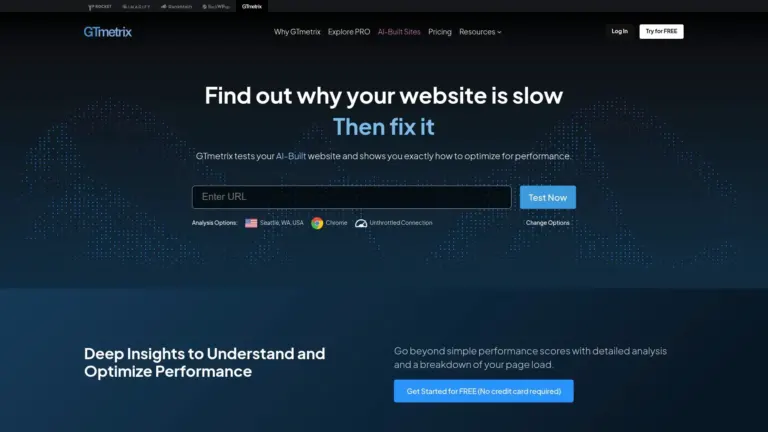
GTmetrix is a website performance testing tool that helps you understand not just how fast a page loads, but also what’s slowing it down. It provides a performance grade, Core Web Vitals measurements, and a detailed report showing how individual page elements load. Its waterfall chart (a timeline showing how each page element loads) is particularly useful for identifying slow images, scripts, stylesheets, and other requests that may be delaying your page, making it a useful PageSpeed Insights alternative for more detailed performance analysis.
What makes GTmetrix useful is that it gives you several ways to investigate performance problems. You can test your website from different locations, simulate mobile devices and slower connections, and compare results to understand how loading behaviour changes. This makes it easier to identify performance bottlenecks and decide which areas need attention during a Core Web Vitals test.
Pros:
The waterfall chart makes it easier to track down exactly which image, script or file is delaying a page.
Shows which performance issues have the biggest impact, so you don’t waste time fixing minor problems first.
Lets you test from different locations and simulate slower internet connections to see how your page performs under different conditions.
Cons:
The detailed reports can feel overwhelming if you’re not familiar with website performance metrics.
Results can differ from PageSpeed Insights because GTmetrix uses controlled lab testing, while PageSpeed Insights also provides real-user field data when available.
Monitoring multiple pages and accessing more testing options requires a paid plan.
PageSpeed Insights vs. GTmetrix: Quick Comparison
| Comparison | PageSpeed Insights | GTmetrix |
|---|---|---|
| Main purpose | Measures website performance and loading speed | Tests website speed and helps identify what's slowing down a page |
| What it checks | Performance, Core Web Vitals and loading issues | Performance, Core Web Vitals, page structure and loading behaviour |
| Performance data | Lab data and real-user field data (when available) | Lab test results and real-user data from Chrome UX Report (when available) |
| Issue explanations | Provides technical diagnostics and details about performance issues | Provides detailed reports showing which page elements are affecting loading speed |
| Fix recommendations | Suggests performance optimizations and potential fixes | Highlights optimization opportunities and explains which resources are slowing down the page |
| Waterfall chart | Not available | Shows when individual page elements load, helping identify slow requests |
| Testing locations | Does not let users select a testing location | Allows users to test website performance from different global locations |
| Pricing | Free | Free plan available; paid plans start at $4.99/month (billed yearly) |
3. WebPageTest
Best For: Users who want to test website performance across different locations, browsers, and network conditions, with video recordings to see how their pages load
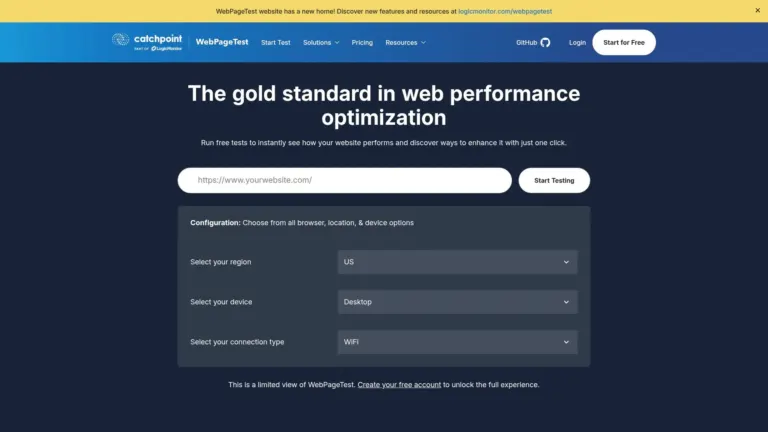
WebPageTest is a website performance testing tool that helps you understand how your website loads under different conditions. As a PageSpeed Insights alternative, it lets you test your website from different locations, browsers, and network speeds to see how it performs for visitors in different parts of the world. It also provides Core Web Vitals measurements, detailed reports, waterfall charts, and video recordings of page loading.
What makes WebPageTest useful is that you can dig into individual page elements to find what’s slowing your website down. For example, you can check whether large images, scripts, or other files are taking too long to load.
Pros:
Lets you check how your website loads from different countries without having to visit those locations yourself.
The waterfall report helps you spot which images, scripts, or other files are taking too long to load.
The filmstrip and video recording let you see how the page appears while it’s loading, not just the final result.
You can test the same page multiple times to check whether loading results are consistent.
The free plan includes detailed performance reports and suggestions for improving your website.
Cons:
-
The waterfall chart can be confusing when you’re not familiar with reading technical performance reports.
- Sometimes the results don’t make it obvious why a page is loading slowly, so you have to investigate individual requests yourself.
- Different testing conditions can produce confusing results, especially when comparing them with Google Lighthouse.
PageSpeed Insights vs. WebPageTest: Quick Comparison
| Comparison | PageSpeed Insights | WebPageTest |
|---|---|---|
| Main purpose | Measures website performance and loading speed | Tests how a website loads under different conditions |
| What it checks | Performance, Core Web Vitals and loading issues | Performance, Core Web Vitals, page loading behaviour and resource requests |
| Performance data | Lab data and real-user field data (when available) | Detailed lab test results from selected testing conditions |
| Issue explanations | Provides technical diagnostics and details about performance issues | Shows detailed loading timelines and individual requests to help identify performance bottlenecks |
| Fix recommendations | Suggests performance optimizations and potential fixes | Highlights optimization opportunities but doesn't always provide clear, step-by-step fixing instructions |
| Testing locations | Does not let users select a testing location | Allows users to select testing locations, browsers and network conditions |
| Waterfall chart | Not available | Shows when individual page elements load, helping identify slow images, scripts and other requests |
| Video recording | Not available | Records page loading so users can see how content appears over time |
| Pricing | Free | Free tests available; paid API plans start at $9.89/month |
4. Pingdom
Best For: Website owners who want to identify slow-loading images, scripts, and other page elements and understand what needs optimization
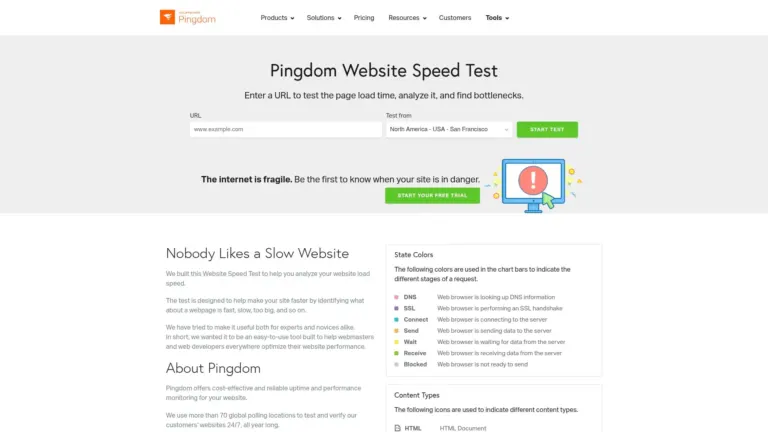
Pingdom is a website speed testing tool that helps you understand how quickly your pages load and what’s making them slow. As a PageSpeed Insights alternative, it shows your performance grade, page load time, page size, and the number of requests your website makes. Its waterfall chart (a timeline showing how individual page elements load) helps you find slow images, scripts, CSS files, and other elements that may be delaying your page.
What makes Pingdom useful is that it doesn’t just show you a performance score. It breaks down individual page elements, highlights areas that need improvement, and suggests what you can optimize. You can also select different testing locations to see how your website performs for visitors in different regions.
Pros:
The report gives you a quick overview of page performance, including load time, page size and number of requests.
You can open the waterfall chart to find which images, scripts or CSS files are taking longer to load.
It points out specific issues, such as missing compression or unnecessary CSS and JavaScript, instead of just showing a score.
You can test your website from different locations to see whether loading speed changes for visitors in other regions.
Cons:
The report uses technical terms that may be difficult to understand if you’re new to website optimization.
Some suggestions, such as reducing DNS lookups or fixing CSS loading, may require help from a developer.
The free speed test gives you a snapshot of one test, not continuous tracking of your website.
It doesn’t provide the same Core Web Vitals breakdown as PageSpeed Insights, so you’ll need another tool for that.
PageSpeed Insights vs. Pingdom: Quick Comparison
| Comparison | PageSpeed Insights | Pingdom |
|---|---|---|
| Main purpose | Measures website performance and loading speed | Tests page loading speed and identifies elements slowing down a website |
| What it checks | Performance, Core Web Vitals and loading issues | Page load time, page size, requests and performance issues |
| Performance data | Lab data and real-user field data (when available) | Lab test results from selected testing locations |
| Issue explanations | Provides technical diagnostics and details about performance issues | Shows individual page elements and highlights issues affecting loading speed |
| Fix recommendations | Suggests performance optimizations and potential fixes | Provides suggestions for improving page loading speed |
| Testing locations | Does not let users select a testing location | Allows users to test website performance from different global locations |
| Waterfall chart | Not available | Shows how individual page elements load and helps identify slow resources |
| Pricing | Free | 30-day free trial; paid plans start at $16.50/month |
5. SpeedVitals
Best For: Users who want to test website speed from different locations, identify slow-loading resources, and monitor performance regularly
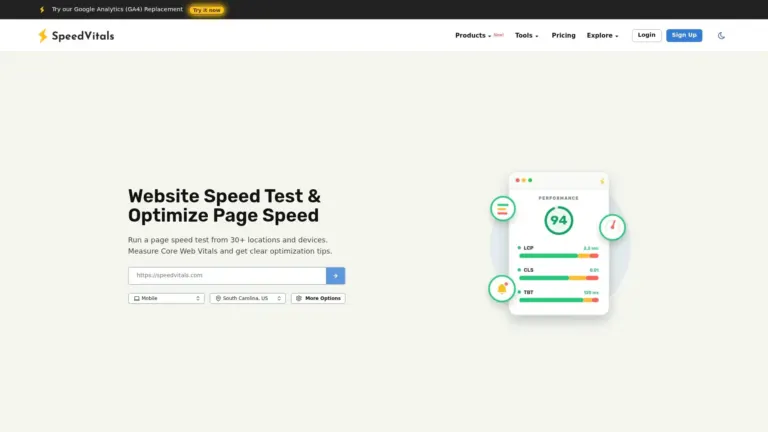
SpeedVitals is a website speed testing tool that helps you check how your website performs across different locations and devices. As a PageSpeed Insights alternative, it provides performance scores, Core Web Vitals measurements, and detailed reports to help you identify what’s slowing down your pages. You can also use its waterfall chart (a timeline showing how individual page elements load) to find slow images, scripts, and other resources.
What makes SpeedVitals useful is that you can run tests from multiple locations and compare how your website performs for visitors in different regions. It also includes a TTFB test to check how quickly your server responds, try different website settings to see if they improve loading speed without changing your actual website, and track performance over time.
Pros:
Lets you test website speed from multiple locations to see how your pages load for visitors in different regions.
Provides Core Web Vitals measurements to help you understand how your website performs.
- The waterfall chart helps you identify which images, scripts, and other files are slowing down your pages.
- Includes a TTFB test to check how quickly your server responds.
- Lets you try website optimizations without changing your live website.
Cons:
- The free plan allows only 15 speed tests per week, which may not be enough for frequent testing.
- Test results can vary between runs, making it harder to tell whether a website change has actually improved performance.
- Performance scores may differ from PageSpeed Insights and GTmetrix, making direct comparisons between tools less reliable.
PageSpeed Insights vs. SpeedVitals: Quick Comparison
| Comparison | PageSpeed Insights | SpeedVitals |
|---|---|---|
| Main purpose | Measures website performance and loading speed | Tests website speed across different locations and devices |
| What it checks | Performance, Core Web Vitals and loading issues | Performance, Core Web Vitals, server response time and page loading behaviour |
| Performance data | Lab data and real-user field data (when available) | Lab test results from selected testing locations |
| Issue explanations | Provides technical diagnostics and details about performance issues | Provides detailed reports showing how individual page elements affect loading speed |
| Fix recommendations | Suggests performance optimizations and potential fixes | Highlights optimization opportunities and provides no-code experiments to try certain changes |
| Testing locations | Does not let users select a testing location | Allows users to test website performance from multiple locations |
| Waterfall chart | Not available | Shows when individual page elements load, helping identify slow resources |
| Server response test | Includes server response metrics in its lab diagnostics | Offers a dedicated TTFB test to measure server response time |
| Performance monitoring | No built-in website monitoring | Offers scheduled performance monitoring |
| Pricing | Free | Free plan available; paid plans start at $19/month |
Explored these PageSpeed Insights alternatives but still struggling to understand where your website traffic is coming from? Are you finding it difficult to separate genuine visitors from bots and automated traffic? You may need more than a speed testing tool. Check out our guide to the 7 Best Website Visitor Tracking Tools to discover tools that help identify bot traffic, track visitor behaviour, and understand who’s actually visiting your website.
Frequently Asked Questions (FAQs)
1. Why are my PageSpeed Insights scores changing between tests?
PageSpeed Insights scores can change between tests even when you haven’t made any changes to your website. This happens because network conditions, server response times, and background activity can affect test results.
Instead of relying on one test, run it a few times and compare the results. If you want to investigate further, GTmetrix lets you compare performance across different locations, WebPageTest gives you more control over testing conditions, and SpeedVitals helps you compare loading speeds from multiple locations. These PageSpeed Insights alternatives can give you a better understanding of your website’s performance.
2. Why do PageSpeed Insights and other testing tools show different results?
Different tools use different testing locations, devices, network conditions, and measurement methods. That’s why PageSpeed Insights, GTmetrix, and other website speed testing tools may show different scores for the same page.
For a better comparison, use similar testing conditions. GTmetrix provides detailed performance reports, WebPageTest lets you customize browsers and network settings, SpeedVitals offers tests from multiple locations, and Pingdom helps you inspect individual page requests.
3. Why does PageSpeed show different performance on mobile vs desktop?
Mobile and desktop tests use different simulated conditions. Mobile tests generally use slower network connections and less powerful device settings, while desktop tests use faster connections and more capable hardware.
Your website may also load different images, scripts, and layouts on mobile. So, a lower mobile score doesn’t necessarily mean something is broken. Check your mobile Core Web Vitals to understand where improvements are needed.
4. What should I focus on first to get the biggest improvement?
Start with issues that have the biggest impact on loading speed and user experience rather than trying to fix every warning. Look at your Core Web Vitals, large images, slow server responses, and unnecessary scripts.
If you need help identifying what to fix first, PageLens AI provides prioritized recommendations in simpler language, while GTmetrix helps you find slow-loading page elements and WebPageTest provides detailed loading reports for further investigation. These PageSpeed Insights alternatives can help you identify performance issues and decide what to fix first.
5. Are there any suggestions on specifically raising the mobile score without rebuilding the site from the ground up?
You don’t need to rebuild your website to improve its mobile performance. Start with simple changes such as compressing images, reducing unnecessary scripts, improving caching, and removing unused plugins.
To find areas that need attention, SpeedVitals helps identify slow mobile resources, GTmetrix provides detailed mobile loading reports, and PageLens AI offers clear optimization recommendations to help you understand what to fix.
Conclusion
PageSpeed Insights is a useful free tool for checking website speed and Core Web Vitals, but it may not provide everything you need when investigating performance issues. That’s where a PageSpeed Insights alternative can help. Whether you need more detailed reports, flexible testing options, easier recommendations, or ongoing monitoring, the tools covered in this guide offer different ways to understand and improve your website’s performance.
The right choice depends on what you’re trying to achieve. PageLens AI is a good option for beginners who want simple explanations and prioritized recommendations. GTmetrix and WebPageTest are useful for deeper loading analysis, Pingdom and SpeedVitals offer additional testing and monitoring options. These PageSpeed Insights alternatives give you different ways to investigate website performance.
You don’t need to use all of them. Start with the tool that addresses your biggest website performance concern, make the necessary improvements, and keep checking your Core Web Vitals to measure progress.
What Do You Think?
Have you tried any of these PageSpeed Insights alternatives, or do you use another website speed testing tool? We’d love to know which one works best for you and how you use it to improve your website’s performance. Share your experience in the comments below!

Hey, I’m Harman, the founder of Foundigy. I’m curious about how technology makes everyday work easier, which is why I explore SaaS products, AI tools, and software.
I write about products, emerging technologies, and digital tools, sharing what I’ve learned along the way. My goal is simple: help you understand what a tool does, where it can be useful, and whether it’s worth your time.