
Best Slack Alternatives in 2026: Compared & Reviewed

Slack is one of those tools that can work perfectly well until your team gets busy.
Then the problems start showing up. An important message gets buried under dozens of new replies. A decision made in a thread is difficult to find a few weeks later. Notifications keep coming, but you still worry that you’ll miss something important. As more people, channels, and conversations are added, Slack can start feeling less like a place to organize work and more like another inbox you have to keep up with.
And sometimes the problem isn’t Slack itself. You might be tired of jumping between Slack, a task management tool, a project board, a document app, and several browser tabs just to keep one piece of work moving. Some teams are looking for a cheaper option as their team grows. Others want chat and task management in the same place. Some want a calmer, more asynchronous way to communicate, while others care more about privacy, control, or already being part of the Microsoft ecosystem.
That’s why looking for a Slack alternative isn’t really about finding another app with channels and direct messages. It’s about finding something that solves the part of Slack that’s getting in your team’s way.
Why Slack Is Becoming a Geographical Problem
For some teams, the reason to look beyond Slack has nothing to do with features or pricing. Slack’s availability is also affected by regional restrictions and U.S. sanctions requirements.
- China, Hong Kong & Macau: Slack has made changes to its services in mainland China, Hong Kong, and Macau, resulting in affected workspaces being suspended and customers having to consider migration options.
- Russia: Slack has restricted access in Russia and certain other regions affected by U.S. sanctions.
- Iran: Slack’s sanctions and export-control requirements can restrict access from Iran.
- Other sanctioned regions: Slack states that users in countries or regions where its services are restricted may be prevented from creating an account or using Slack.
For teams operating in affected regions, a Slack alternative can therefore be a practical requirement rather than simply a preference.
For everyone else, the reasons for switching can be very different. Some may want a simpler way to manage conversations and tasks, while others may be looking for less distraction, better privacy, or a broader collaboration workspace. The four Slack competitors below take different approaches to these needs, giving teams several alternatives of Slack to consider.
4 Best Slack Alternatives in 2026
| Slack Alternatives | Best For | Key Difference from Slack |
|---|---|---|
| Remote.Team | Chat + task management | Combines team communication with built-in task management |
| Tixio | All-in-one team workspace | Combines chat, projects, wiki, CRM, meetings, and more |
| Twist | Asynchronous communication | Keep team conversations organized and reduce notification overload |
| Quiet | Privacy-focused communication | Uses peer-to-peer communication without a central server (peer-to-peer network) |
1. Remote.Team: Best for Chat + Task Management
Get 6 Months FREE with Promo Code “Foundigy”
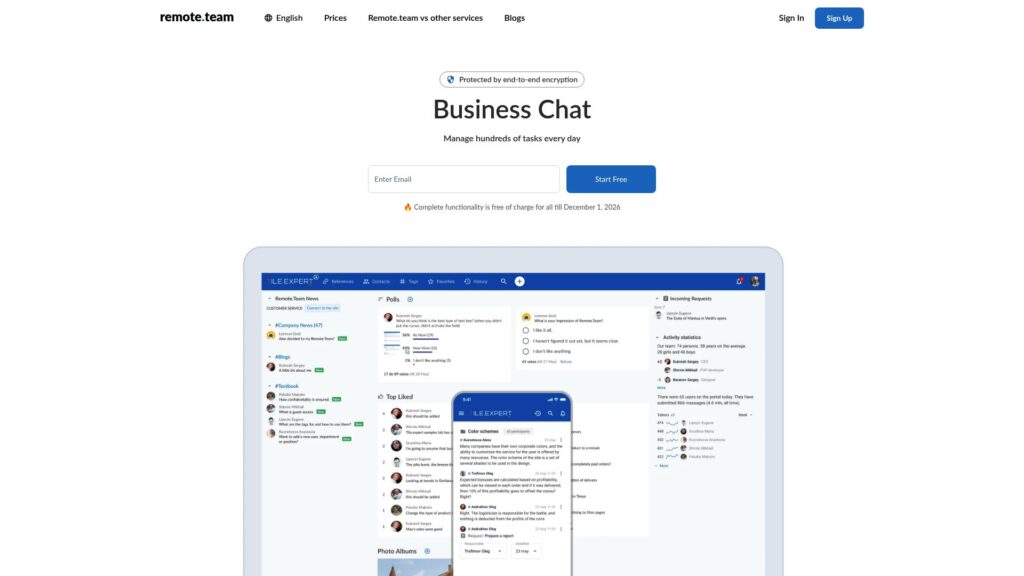
Remote.Team is a Slack alternative for teams that want conversations and task management in the same place. Instead of discussing something in chat and then moving to another tool to turn it into a task, Remote.Team lets you create and manage tasks directly from your conversations. This can make sense for teams that often lose track of follow-ups or don’t want to keep switching between their communication and project management tools. See our Remote.Team listing for more details.
Pricing:
- Free: Up to 10 users — €0 forever
- Business: Currently free until December 1, 2026. After that, the free Business offer will end.
Both plans include unlimited tasks, unlimited storage, guest access, live support, and personalized customer service.
What Users Say:
The feedback around Remote.Team is mostly about simplicity and keeping work together. Users mention that the interface is easy to understand, while features like task assignment, comments, notifications, and organized discussions help keep follow-ups from getting lost in chat.
A few reviews also highlight the practical side of the platform—being able to discuss something and handle the related task without jumping between multiple tools. That seems to be one of Remote.Team’s biggest draws for smaller teams that don’t need a huge collaboration suite.
There are some limitations, too. Feedback points to areas where task management and the interface could be more polished, so teams looking for a large ecosystem of integrations may still find Slack a better fit. Read Remote.Team reviews on Trustpilot →
Pros:
- Chat and task management are built into the same workspace
- Tasks can be created directly from conversations, so follow-ups don’t have to be tracked separately
- Simple interface that’s easier to get around than more feature-heavy collaboration platforms
- Notifications and reminders help keep assigned work from being forgotten
- Private discussions and tasks give teams more control over sensitive conversations
Cons:
- The smaller app ecosystem can be a drawback for teams that rely heavily on Slack’s wide range of integrations
- It doesn’t offer the same breadth of collaboration features as larger platforms such as Microsoft Teams
- Teams that already have an established project-management workflow may find switching their processes into Remote.Team unnecessary
- Its simpler approach may feel limiting once a team needs more advanced project management, reporting, or workflow customization
Slack vs. Remote.Team: Quick Comparison
| Slack | Remote.Team | |
|---|---|---|
| Chat & discussions | Channels, DMs, threads, huddles, and real-time conversations | Conversations, comments, private topics, and task-related discussions |
| Task management | Tasks can be managed alongside conversations, but Slack is primarily built around communication | Tasks can be created directly from conversations and tracked with reminders and progress |
| Keeping track of work | Strong communication, but work can still get buried in busy conversations | Tasks, reminders and follow-ups stay connected to the conversation |
| Best for | Teams that need a mature communication platform with a large ecosystem | Teams that want communication and task management in one simpler workspace |
| Why switch? | — | Choose Remote.Team if your main frustration is turning conversations into actionable work without jumping between Slack and a separate task-management tool. |
2. Tixio: Best for an All-in-One Team Workspace
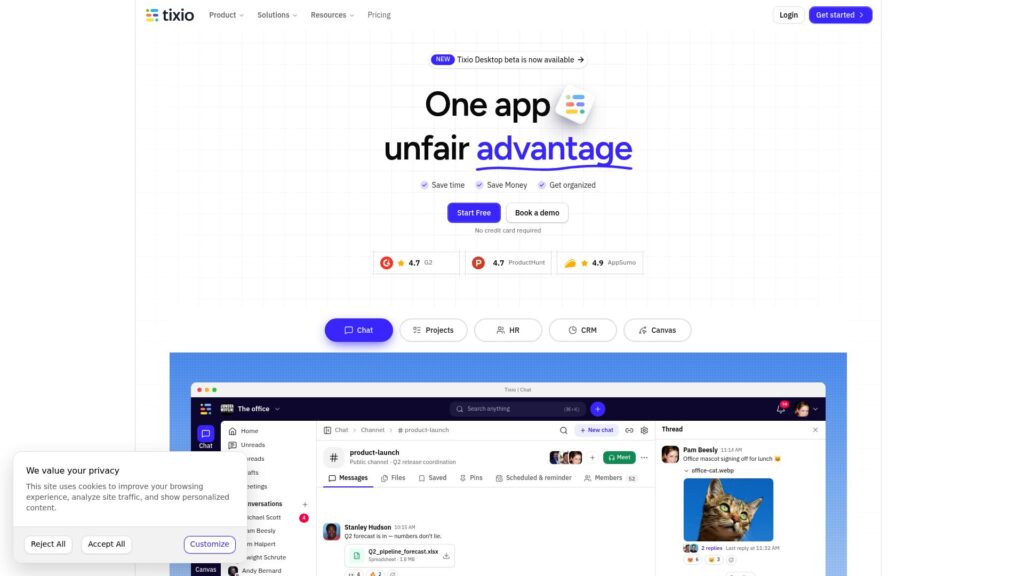
Tixio is a Slack alternative for teams that are tired of jumping between different tools to keep work moving. It brings team chat, project management, documents, meetings, and other workplace tools into one workspace, so you don’t have to keep switching between Slack, a project management app, a wiki, and other tools just to manage everyday work. This can make sense for teams that want fewer apps to manage without giving up the ability to handle different types of work in one place.
Pricing:
Starter: $2.80/user/month — billed annually. Includes core workspace features, with limited projects, group chats, and Canvas.
Team: $6.30/user/month — billed annually. Adds unlimited projects, chat groups, Canvas, automations, guest users, and more advanced access controls.
Enterprise: Custom pricing — includes advanced analytics, SSO/SAML, API access, audit logs, and additional security and access controls.
Tixio also offers a 14-day free trial with full access, and no credit card is required to start.
What Users Say:
Users tend to like Tixio for one main reason: it puts a lot of everyday work in one place. Reviews mention the convenience of having tasks, documents, bookmarks, and other tools together, along with customizable workspaces that make it easier to organize different projects.
The feedback isn’t completely one-sided, though. Some users feel the interface still needs more polish and could be better organized. Others point to Tixio’s responsive support as a positive.
Pros:
- Combines chat, projects, documents, meetings, and other work tools in one workspace
- Lets teams turn conversations into tasks or documents without switching apps
- Flexible workspaces that can be customized around different projects and workflows
- Lower starting price than many full-featured team collaboration platforms
- Includes built-in tools such as CRM, time tracking, bookmarks, and automations
Cons:
- The large number of features can make the interface feel busy or harder to navigate
- Some areas of the product still need more polish and organization
- Users have reported occasional bugs and performance issues
- Teams that only need a straightforward chat tool may find Tixio more extensive than necessary
Slack vs. Tixio: Quick Comparison
| Slack | Tixio | |
|---|---|---|
| Too many work apps | Connects with other tools, but your team may still move between different apps for different tasks | Brings chat, tasks, projects, documents, meetings, and other tools into one workspace |
| Turning conversations into work | Tasks can be handled alongside conversations | Turn conversations into tasks or documents without leaving the workspace |
| Scattered information | Conversations, files, and connected tools can spread work across different places | Keeps conversations, projects, documents, and other work in the same workspace |
| Best for | Teams mainly looking for team communication with a large integration ecosystem | Teams that want to reduce the number of separate tools they use |
| Why switch? | — | Choose Tixio if you want your Slack alternative to handle more than team chat and reduce the number of work apps you use. |
3. Twist: Best for Asynchronous Communication
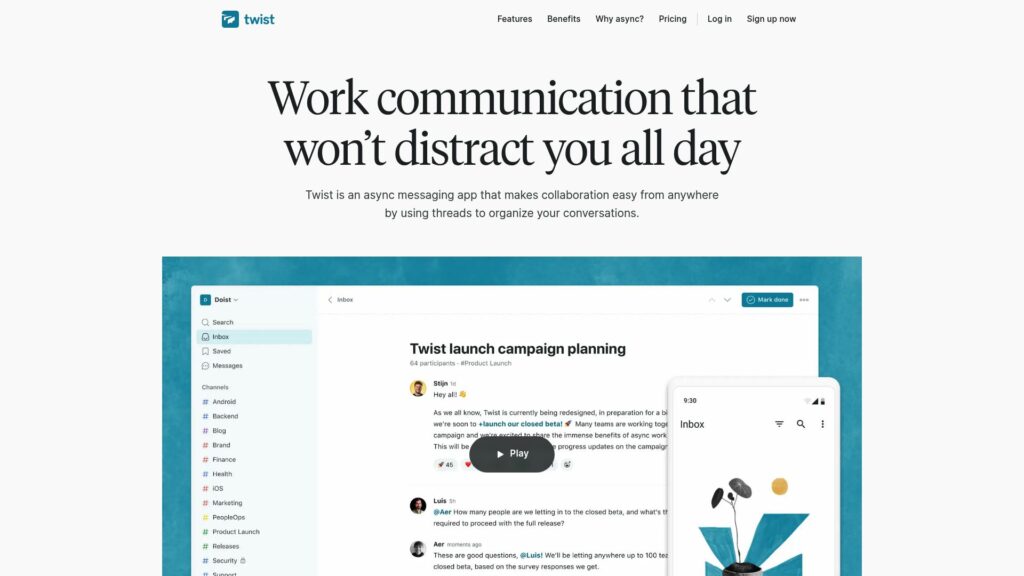
Twist is a Slack alternative for teams that find constant messages and notifications more distracting than helpful. Instead of treating every conversation like a real-time chat, Twist organizes discussions into threads and topics that people can respond to when they’re available. This can be useful for teams that want to keep work conversations organized without creating the expectation that everyone needs to be online and replying all the time.
Pricing:
Free: $0 — limited message and file history, with up to 5 integrations.
Unlimited: $6/user/month — full message history, unlimited integrations, and unlimited file storage.
Twist also offers a 30-day free trial of the Unlimited plan.
What Users Say:
Users frequently mention Twist’s threaded conversations as one of its biggest strengths. Instead of messages piling into one fast-moving stream, discussions stay organized by topic, making it easier to follow conversations and come back to decisions later. Several reviewers also appreciate the calmer notification experience and the lack of pressure to respond immediately.
The trade-off comes when a conversation needs to move quickly. Some reviewers say Twist can feel slower for urgent, rapid back-and-forth communication, while others would like a larger integration ecosystem and more flexible notification controls.
Pros:
- Threaded, topic-based conversations keep discussions organized and easier to revisit
- Reduces notification pressure and the expectation of replying immediately
- Well suited to remote and asynchronous teams that need focused work time
- Clean, simple interface without the constant stream of real-time messages
- Keeps decisions and context attached to the relevant discussion instead of getting buried in a busy channel
Cons:
- Less suitable for teams that rely on fast, real-time back-and-forth communication
- Smaller integration ecosystem than Slack
- Fewer built-in options for live collaboration, such as huddles and screen sharing
- Long discussions can make search and finding specific information less convenient
- Teams used to Slack’s real-time communication style may need time to adjust to a more asynchronous workflow
Slack vs. Twist: Quick Comparison
| Slack | Twist | |
|---|---|---|
| Constant notifications | Real-time conversations can create a steady stream of messages and notifications | Designed around asynchronous communication, so people can respond when they're available |
| Conversations getting buried | Fast-moving channels can make it harder to keep track of older discussions and decisions | Topic-based threads keep discussions separated and easier to revisit |
| Pressure to reply immediately | Real-time communication can create an expectation of quick responses | Built for teams that don't need everyone online and responding at the same time |
| Urgent conversations | Better suited to quick back-and-forth communication and immediate responses | Can feel slower when something needs an instant answer |
| Best for | Teams that want real-time communication and a broad app ecosystem | Teams that want calmer, more organized asynchronous communication |
| Why switch? | — | Switch to Twist if Slack's constant notifications, fast-moving conversations, and pressure to respond are getting in the way of focused work. |
4. Quiet: Best for Privacy-Focused Team Communication
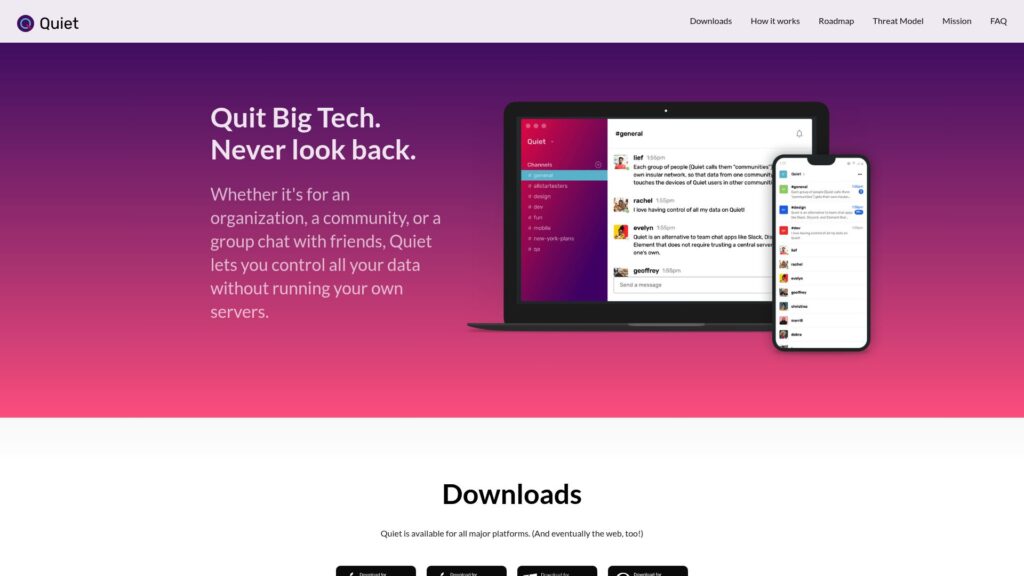
Quiet is a Slack alternative for teams that want private communication without relying on a traditional centralized chat server. It uses peer-to-peer communication, allowing team members to communicate directly rather than having conversations stored on a central company-owned server. This makes Quiet particularly relevant for teams where privacy, control over communication, and reducing dependence on a third-party platform matter.
Pricing:
- Free: Quiet is currently available as a free, open-source team communication platform.
What Users Say:
Quiet has limited user feedback compared with more established Slack alternatives, but the reviews that are available highlight both its privacy-focused approach and some early-stage limitations. Users appreciate the peer-to-peer design and the idea of communicating without relying on a central server.
At the same time, some reviews mention issues such as battery usage, crashes, syncing, and missing features. The smaller user base and relatively limited feature set also come up when compared with more established team communication platforms.
Pros:
- Peer-to-peer communication without relying on a central server
- Privacy-focused approach to team communication
- Gives teams more control over how their conversations are handled
- Open-source and decentralized design
- Useful for teams that don’t want their communication dependent on a single platform
Cons:
- Smaller ecosystem than Slack and other established collaboration platforms
- Fewer integrations and workplace features
- Less suitable for teams that need extensive project-management or collaboration tools
- Smaller user base means fewer established workflows and resources
- Decentralized communication can require more technical understanding than conventional team chat
Slack vs. Quiet: Quick Comparison
| Slack | Quiet | |
|---|---|---|
| Privacy concerns | Team conversations are hosted on Slack’s infrastructure | Uses peer-to-peer communication instead of a central chat server |
| Control over communication | Teams depend on Slack to host and manage their workspace | Gives teams greater control by reducing reliance on a central provider |
| Need for a simpler, private setup | Offers a broader workplace communication and integration ecosystem | Focuses primarily on private, decentralized team communication |
| Why switch? | — | Switch to Quiet if privacy and control over your team communication matter more to you than Slack’s larger ecosystem and broader features. |
Frequently Asked Questions (FAQs)
1. Why is Slack unavailable in some countries and regions?
Slack can be unavailable in certain countries or regions because it is required to comply with U.S. economic sanctions and export-control laws. These rules can restrict Slack from providing its services in locations covered by U.S. sanctions or embargoes.
Slack says that users may be prevented from creating an account or using its services if they are located in a region where access is restricted. For example, Slack blocked access in certain embargoed regions of Ukraine and exited the Russian market as part of its sanctions compliance.
So, when Slack isn’t available in a particular country or region, it isn’t necessarily because of a technical limitation. Legal and sanctions requirements can determine whether Slack is allowed to provide its service there.
2. Which Slack alternative is best for teams that want chat and task management in one place?
Remote.Team is one option worth considering. It combines team conversations with task management, allowing teams to create and manage tasks directly from discussions instead of moving between Slack and a separate project-management tool.
Tixio is another option if you want a broader workspace that combines communication with projects, documents, meetings, and other work tools.
3. Which Slack alternative is best for teams that don't want constant notifications?
Twist is particularly focused on asynchronous communication, where conversations are organized into topics rather than requiring everyone to follow a constant real-time chat stream. This can help teams reduce the pressure to check messages and respond immediately.
It’s a better fit for teams that value focused work and don’t need every conversation to happen in real time.
4. Is there a Slack alternative that supports asynchronous team communication?
Yes. Twist is specifically designed around asynchronous team communication. Instead of relying primarily on fast-moving channels and instant replies, it organizes conversations into threads and topics that team members can respond to when they’re available.
This makes it useful for remote or distributed teams where people may work across different schedules and don’t need every discussion to happen simultaneously.
Conclusion
The right Slack alternative depends on what is making Slack difficult for your team in the first place.
If you want to connect conversations with task management, Remote.Team is worth considering. Tixio is a better fit if you’re trying to bring several workplace tools into one workspace. For teams dealing with notification overload and wanting a more asynchronous way to communicate, Twist takes a different approach. Quiet focuses on privacy and peer-to-peer communication.
There isn’t one Slack replacement that works for every team. The better approach is to identify the problem you’re trying to solve whether that’s constant notifications, scattered work, privacy concerns, or regional availability and choose the Slack alternative that addresses it directly.

Harman Singh is the founder of Foundigy and a digital marketing professional building his career in SEO, content, and the technology space. He is passionate about discovering emerging products, understanding how people find them online, and creating content that makes complex digital topics easier to understand. His work combines his experience in SEO with his interest in startups, technology, and the evolving digital landscape.