5 Best Zoho Cliq Alternatives in 2026: Compared & Reviewed

Zoho Cliq looks like it should cover everything a modern team needs: quick messaging, channels, file sharing, audio and video calls, and integrations with other Zoho apps. But once a team starts looking at Zoho Cliq alternatives, the reasons aren’t always about missing features, they can come down to how the platform feels to use every day.
Some users report delays in mobile notifications, meaning a message can arrive late when they’re away from their desktop. Others find navigation difficult, especially when there are multiple channels, settings, and integrations to manage. Finding a particular feature isn’t always as straightforward as it should be, and some reviewers say it takes time to get comfortable with where everything is. There are also complaints about mobile app bugs, occasional freezing during meetings, cluttered group chats, and a learning curve for newer users.
None of this makes Zoho Cliq a bad team communication tool. But if your team is constantly thinking, “Where do I find that?”, waiting for a notification to show up, or dealing with features that feel less polished than expected, it’s understandable to start comparing alternatives to Zoho Cliq.
If these day-to-day frustrations are starting to affect how your team communicates, it may be time to see what other platforms bring to the table. Below, we’ve compared five Zoho Cliq alternatives based on their features, usability, collaboration tools, and overall fit for different teams.
Before You Switch: Do the Math First
Before you switch from Zoho Cliq, there’s one question worth asking: are you actually saving money by leaving it?
- If you already use Zoho One, Cliq is included: Zoho One bundles Cliq with 50+ other business apps. With annual billing, the All-Employee plan is currently $37 per employee/month, while Flexible User pricing is $90 per user/month. So if you’re already paying for Zoho One, you don’t have to buy Cliq separately.
- Switching to another chat app can mean paying twice: Say you have 30 employees on Zoho One’s Flexible plan. That’s $2,700/month for Zoho One, and Cliq is already covered. Add Slack Pro at $7.25/user/month, and you’re paying another $217.50/month, while still keeping your Zoho One subscription.
- So don’t compare Cliq’s price with Slack’s price alone: If you’re keeping Zoho One for CRM, Projects, Desk, finance and other tools, switching only your team chat doesn’t remove that Zoho One bill. You’re simply adding another subscription to it. The same applies when comparing Zoho Cliq alternatives: the cheaper subscription isn’t necessarily the cheaper option overall.
- Staying with Cliq can also save you the hassle of changing your setup: Your team is already familiar with it, and Cliq works with other Zoho applications. Moving to another platform means introducing a new tool and potentially changing how your team communicates and works.
- Migration can be another headache: Moving away from Cliq means thinking beyond messages. You’ll need to consider chat history, shared files, users, channels, integrations, bots and workflows. Some of these may need to be exported, recreated or set up again on the new platform, adding time and effort to the switch.
If you’ve weighed the cost, your existing Zoho setup, and the effort involved in migration and still feel that Cliq isn’t the right fit, it’s time to look at what else is available.
5 best Zoho Cliq alternatives in 2026
| Platform | Best For | Why Consider It? |
|---|---|---|
| Slack | Teams that need powerful communication and integrations | Better for teams that rely heavily on third-party apps and want more control over their communication setup |
| ClickUp Chat | Teams managing projects and communication together | Useful if you don't want conversations separated from the tasks and projects they relate to |
| Lark | Businesses looking for an all-in-one workspace | A strong choice if you want chat, meetings, docs, email, and calendars under one roof |
| Flock | Small and mid-sized teams | Worth considering if you want team chat with built-in productivity tools without adopting a larger workspace suite |
| Wire | Teams with strict security requirements | A better fit if secure, private communication is more important than having a long list of workplace features |
1. Slack
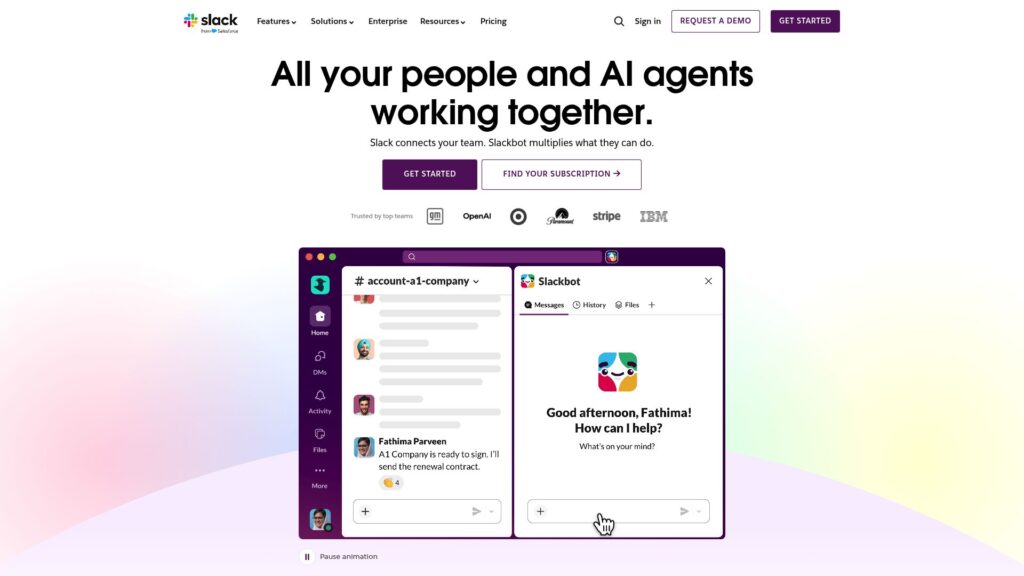
Slack is a Zoho Cliq alternative for teams that want a more flexible way to manage workplace communication. Instead of combining team chat with a wider range of business tools, Slack focuses on making team communication easier to organize through channels, direct messages, and integrations. This can make sense for teams that don’t rely heavily on Zoho products and want a dedicated communication platform that fits better with the tools they already use. If you’re considering Slack specifically, you can also see how it compares with other options in our guide to Slack alternatives.
Pricing:
- Free: $0, Includes basic Slack features for teams that want to get started with workplace communication without paying for a subscription.
- Pro: $7.25 per active user/month, billed annually. It adds features for teams that need more advanced communication and collaboration capabilities.
- Business+: $15 per active user/month, billed annually. It adds advanced AI-powered features, stronger administration and security controls, and 24/7 support.
- Enterprise+: Custom pricing. This plan is designed for larger organizations that need enterprise-level security, administration, and scalability.
What Users Say:
Users often praise Slack for making team communication easier to manage. Reviewers mention that channels help keep conversations organized, while search, file sharing, and integrations make it easier to find information and work with different tools. Some users also describe Slack as an important part of their daily workflow, with one reviewer saying it has largely replaced internal email for their team.
However, Slack isn’t perfect. Reviewers frequently mention notification overload, particularly when they are part of many active channels. Some users say important conversations can get buried when there is too much activity, while others find it difficult to keep up with messages across multiple channels. Reviewers have also pointed out limitations when searching through older conversations and frustration with the free plan’s message-history limit.
Pros:
- Channels keep team conversations organized
- Strong integrations with other work tools
- Useful for replacing a lot of internal email
- Good for teams with active day-to-day communication
Cons:
- Too many notifications can become distracting
- Busy channels can make important messages easy to miss
- Large teams may find conversations harder to follow
- Finding older information isn’t always easy
- The free plan has a limited message history
Zoho Cliq vs. Slack: Quick Comparison
| Zoho Cliq | Slack | |
|---|---|---|
| Best For | Teams already using Zoho apps | Teams looking for a dedicated workplace communication platform |
| Communication | Channels, direct messages, audio and video calls | Channels, direct messages, audio and video calls |
| Integrations | Strong integration with Zoho apps | Wide range of integrations with third-party work tools |
| Organization | Designed to work closely with the wider Zoho setup | Flexible channels and messaging for different teams and projects |
| Why Switch? | — | Switch to Slack if you want a more established team communication experience with stronger support for third-party tools |
2. ClickUp Chat
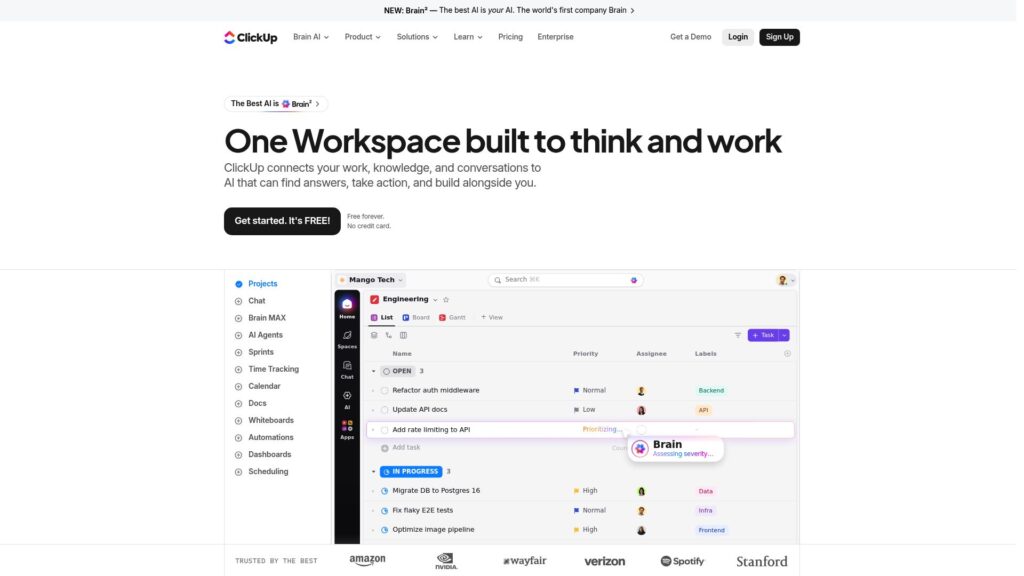
ClickUp Chat is a zoho cliq alternative built into ClickUp, so teams can chat while managing their projects and tasks in the same place. Instead of using one app for team conversations and another for managing projects, ClickUp lets teams handle both together. This can be useful for teams that want to keep project discussions and follow-ups connected to the tasks they relate to.
Pricing:
Free Forever: $0 Includes core ClickUp features and is available without a time limit. It can be a good starting point for individuals and small teams.
Unlimited: $7/user/month when billed annually. It removes many of the limits of the free plan and adds features such as unlimited storage, integrations, and more advanced project management capabilities.
Business: $12/user/month when billed annually. It adds more advanced features for teams that need greater control over projects, workflows, reporting, and collaboration.
Enterprise: Custom pricing. This plan is designed for larger organizations that need additional security, permissions, and enterprise-level controls.
What Users Say:
Users often like ClickUp because it brings communication and project management into the same workspace. Reviewers mention that having tasks, comments, documents, and team communication together can reduce the need to switch between different apps. Some users also appreciate being able to turn conversations and ideas into actionable work.
The main complaints are around complexity and the learning curve. Some reviewers say ClickUp can feel overwhelming because of the number of features and settings, while others mention that the interface can take time to get used to. Users also report occasional performance issues, particularly when working with larger or more complicated workspaces. Read more ClickUp reviews on G2
Pros:
- Keeps communication close to projects and tasks
- Reduces the need to switch between separate work apps
- Useful for teams already using ClickUp
- Makes it easier to turn discussions into actionable work
- Combines communication with project management
Cons:
- Steep learning curve for new users
- Interface can feel complicated
- Too many features can make navigation difficult
- Some users report occasional bugs and slow performance
- Mobile experience can be less smooth than the desktop version
Zoho Cliq vs. ClickUp Chat: Quick Comparison
| Zoho Cliq | ClickUp Chat | |
|---|---|---|
| Best For | Teams that already use Zoho apps | Teams that manage projects and communication together |
| Team Communication | Channels, direct messages, audio and video calls | Channels, direct messages, and team conversations |
| Project Management | Available through Zoho's wider range of business apps | Built directly into the ClickUp workspace |
| Tasks & Conversations | Conversations and tasks are managed separately across Zoho tools | Teams can create and connect tasks directly from conversations |
| Why Switch? | — | Switch to ClickUp Chat if you want team conversations to stay closely connected to the tasks and projects your team is working on |
3. Lark
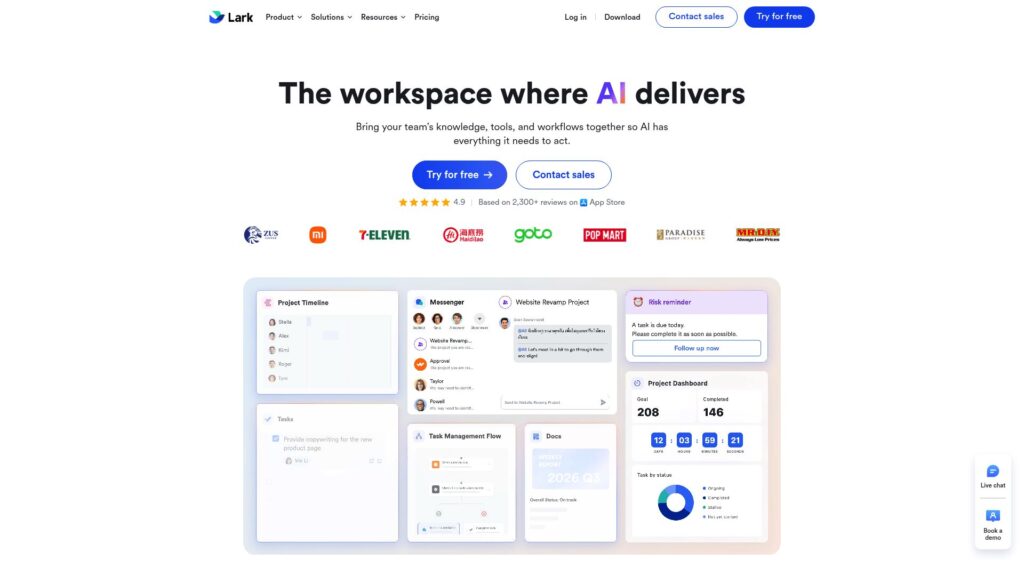
Lark is one of the best Zoho Cliq alternatives for teams that want more than just workplace chat. It brings messaging, video meetings, documents, email, and calendars into one workspace, so your team doesn’t have to switch between separate tools for everyday work. Among the alternatives to Zoho Cliq, Lark stands out if you want communication and collaboration tools together in one place.
Pricing:
- Starter: $0/user/month — Free for teams of up to 20 users, with 100 GB of storage and 18 months of message history.
- Basic: $6/user/month, billed annually — Supports up to 500 users, with 5 TB of storage and unlimited message history.
- Pro: $12/user/month, billed annually — Adds larger video meetings, more storage, advanced permissions, and higher automation limits.
- Enterprise: Custom pricing — Designed for larger organizations that need advanced security, administration, and organizational controls.
What Users Say:
Lark gets positive feedback from users who like having chat, meetings, documents, calendars, and other work tools in one place. One reviewer describes Lark as a platform that helps their team keep communication and collaboration together instead of jumping between different apps. Another reviewer highlights the convenience of being able to work on documents and communicate with teammates without leaving the same workspace. This makes Lark a Zoho Cliq alternative for teams that want more workplace tools in one platform.
Users also point out some drawbacks. A common complaint is that Lark can feel overwhelming at first, especially for people who are new to the platform. Some reviewers mention that there are so many features and options that it takes time to learn where everything is. Others report occasional lag or performance issues during video meetings and screen sharing.
Pros:
- Chat, meetings, documents, email, and calendars in one place
- Reduces the need to switch between different work apps
- Useful collaboration features for teams
- Good option for businesses that want an all-in-one workspace
- Strong set of features for day-to-day team communication
Cons:
- Large number of features can feel overwhelming
- New users may need time to learn the platform
- Interface can take some time to get used to
- Some users report occasional lag during video meetings
- May offer more tools than a team needs if it only wants simple team chat
Zoho Cliq vs. Lark: Quick Comparison
| Zoho Cliq | Lark | |
|---|---|---|
| Best For | Teams that already use Zoho apps | Businesses that want chat, meetings, documents, email, and calendars in one workspace |
| Team Communication | Channels, direct messages, audio and video calls | Chats, group conversations, audio and video meetings |
| Documents & Collaboration | Works with other Zoho apps such as Zoho WorkDrive and Zoho Writer | Documents, spreadsheets, and other collaboration tools are built into Lark |
| Email & Calendar | Available through Zoho's wider range of business apps | Email and calendar are included in the same workspace |
| Why Switch? | — | Switch to Lark if you want team communication, documents, email, and calendars available in the same workspace |
4. Flock
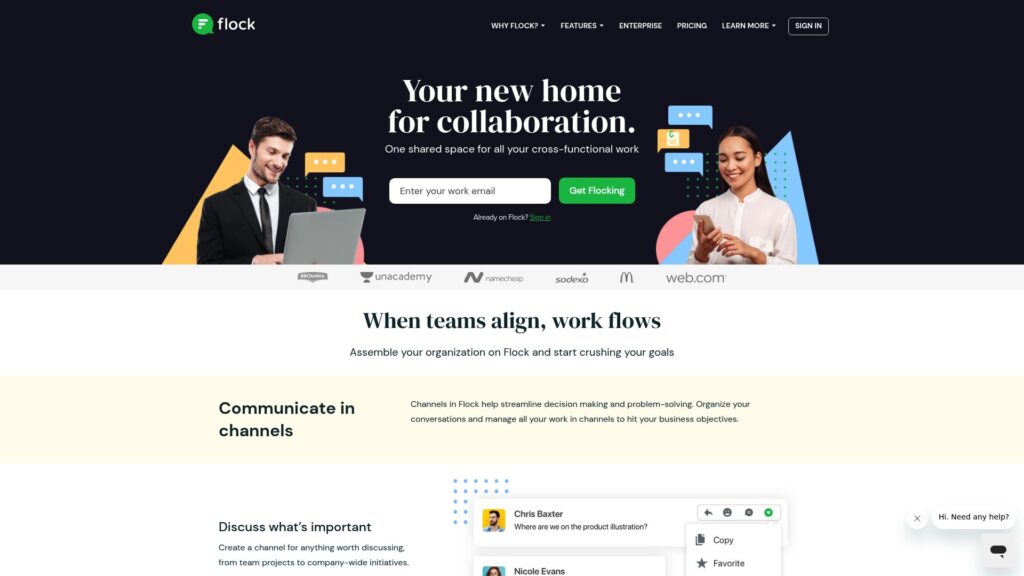
Flock is a Zoho Cliq alternative for teams that want to spend less time jumping between chat and simple task-management tools. Along with channels, direct messages, and video calls, Flock lets teams create to-dos, reminders, and shared tasks from the same workspace. If your team mainly needs a straightforward way to communicate, assign small tasks, and keep track of follow-ups without adopting a larger project-management platform, Flock is worth a look.
Pricing:
- Free: $0/user/month — Includes team messaging, channels, video calls, file sharing, shared to-dos, reminders, and other basic collaboration features.
- Pro: $4.50/user/month, billed annually — Adds unlimited conversation history, more storage, enhanced admin controls, unlimited apps and integrations, guest users, and priority support.
Flock also offers monthly billing, while the $4.50/user/month price applies to annual billing.
What Users Say:
Flock gets a lot of positive feedback for being simple and easy to use. One reviewer says it helped their remote team improve communication because everyone could keep their conversations and collaboration in one place. Another reviewer liked that Flock was easy for people with different levels of technical experience to adopt, without the learning curve they experienced with Slack.
Users also like the built-in file sharing, channels, reminders, and to-do features. One reviewer said Flock helped replace separate group chats and email threads as their company grew, while another highlighted its usefulness for keeping team tasks and communication organized.
The drawbacks are mainly around search, integrations, and video calls. Some users report difficulty finding older messages, while others say Flock has fewer integrations or advanced features than larger competitors. A few reviewers also mention lag or the need to use external tools for stronger video conferencing.
Pros:
- Simple and easy to learn
- Channels keep team conversations organized
- Built-in to-dos and reminders help with follow-ups
- Easy file sharing within team conversations
- Useful for remote and growing teams
Cons:
- Search can be frustrating when looking for older messages
- Fewer integrations than some larger competitors
- Video calling may not be enough for teams needing advanced meeting features
- Some users report occasional performance issues
- May feel limited for teams with more complex collaboration needs
Zoho Cliq vs. Flock: Quick Comparison
| Zoho Cliq | Flock | |
|---|---|---|
| Best For | Teams that already use Zoho apps | Small and mid-sized teams that want simple communication with built-in productivity tools |
| Team Communication | Channels, direct messages, audio and video calls | Channels, direct messages, group conversations, and video calls |
| Task Management | Tasks are handled through other Zoho apps | Built-in to-dos, reminders, and task features |
| File Sharing | File sharing within conversations | File sharing within team conversations |
| Why Switch? | — | Switch to Flock if you want simple team chat with built-in to-dos and reminders without moving to a larger project-management platform |
5. Wire
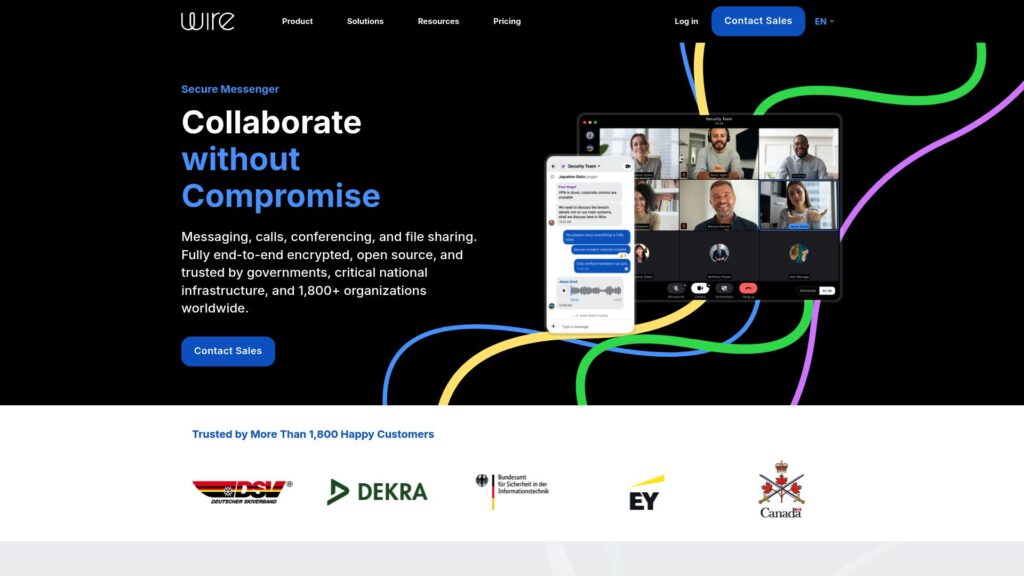
Wire is a secure team communication platform built for organizations that need private messaging, voice and video calls, and file sharing. Unlike Zoho Cliq, Wire puts a much stronger focus on security and encrypted communication, rather than providing a broad set of business productivity tools. If your team handles sensitive information and wants communication protected by default, Wire can be a strong Zoho Cliq alternative to consider.
Pricing:
- Wire for Free: €0 — For small teams of up to 5 people, with collaboration essentials and support across platforms.
- Wire for SMB: €7.45/person/month, billed annually — For teams of up to 100 people. It adds video conferences for up to 150 participants, SSO & SCIM, administrative controls, feature configurations, and external/guest roles.
- Wire for Enterprise: Custom pricing — For organizations with more than 100 people. It adds features such as federation, ID-Shield, deployment support, data sovereignty, and multi-tenancy.
Wire also lists a Partners plan with custom pricing for resellers, service providers, and integrators. Monthly SMB billing is €8.94/person/month.
What Users Say:
Users generally like Wire for its security and privacy, especially when communicating sensitive information. Reviewers appreciate that messages, calls, and file sharing are protected with end-to-end encryption, while the interface is still relatively simple to use. Some users also mention that Wire is useful for teams that need secure communication without relying on consumer messaging apps, making it a Zoho Cliq alternative for teams with stricter security requirements.
The main complaints are around performance and the smaller feature set compared with larger workplace communication platforms. Some reviewers report occasional connection or notification issues, while others feel that Wire lacks some of the integrations and collaboration features available in tools such as Slack or Microsoft Teams.
Pros:
- Strong focus on privacy and security
- End-to-end encrypted messaging and calls
- Supports voice and video calls
- Secure file sharing
- Clean and relatively simple interface
Cons:
- Fewer integrations than larger competitors
- Limited productivity and project-management features
- Smaller feature set for general workplace collaboration
- Some users report notification or connection issues
- May be more than needed for teams that only want basic team chat
Zoho Cliq vs. Wire: Quick Comparison
| Zoho Cliq | Wire | |
|---|---|---|
| Best For | Teams that already use Zoho apps | Teams that need secure communication for sensitive work |
| Team Communication | Channels, direct messages, audio and video calls | Messaging, group conversations, voice and video calls |
| Security | Business-focused security and administration | Strong focus on privacy with end-to-end encrypted communication |
| File Sharing | File sharing within conversations | Secure file sharing within conversations |
| Why Switch? | — | Switch to Wire if protecting sensitive conversations is more important than having a large set of workplace and productivity features |
Frequently Asked Questions (FAQs)
1. Does Zoho Cliq have notification problems?
Yes, some users report problems with Zoho Cliq notifications. One recent Capterra reviewer said that when they go offline, they sometimes don’t hear when a message arrives because the app does not update properly. Another reviewer reported delays in mobile notifications, while a G2 reviewer said Cliq sometimes shows that they have a notification but does not let them find or open it. These issues can be frustrating for teams that rely on Cliq for quick internal communication. If reliable notifications are important, Slack is one Zoho Cliq alternative worth considering, although Slack users also report notification overload and missed messages.
2. Is Zoho Cliq difficult to navigate?
For some users, yes. A recent G2 reviewer said beginners can find Cliq difficult to navigate because of its deep settings and large number of features, including bots, forks, and huddles. Another reviewer specifically said that channel creation is not very user-friendly. Capterra reviews also mention a learning curve and complicated notification-management settings. If you’re looking for something that feels simpler to adopt, Flock is worth considering, as users often praise it for being straightforward and easy to learn.
3. Does Zoho Cliq's mobile app have bugs?
Some users have reported bugs with the mobile app. A Capterra reviewer described the mobile app as buggy, while another said Cliq can freeze on mobile and during meetings. A recent G2 reviewer also reported that calls sometimes continue even after hanging up. These aren’t problems reported by every user, but they do appear in the reviews. Teams considering a switch can look at Zoho Cliq alternatives such as Slack, Flock, or Lark, although each platform has its own reported performance or usability complaints.
4. Is it difficult to find old messages in Zoho Cliq?
It can be, particularly when you’re trying to go back through older conversations. One Capterra reviewer said it can be difficult to scroll through past chats because the interface allows them to go back to a date but not a specific time. At the same time, other users say Cliq’s message search works well for finding older information, so the experience appears to depend on how you’re trying to locate the conversation. Slack is one Zoho Cliq alternative worth considering if searching and organizing large amounts of team communication is a priority, although some Slack users also find older information difficult to locate in busy workspaces.
5. Does Zoho Cliq work well for large group chats?
Zoho Cliq can handle large teams and group communication, but some users find conversations harder to manage as the number of groups increases. One Capterra reviewer said Cliq can become “a bit disorganized” when there are a lot of group chats. Another reviewer praised Cliq’s permissions and group-management features for larger teams, so the issue is less about whether Cliq can support large groups and more about keeping many conversations organized. Slack offers channels designed to organize team conversations, while ClickUp Chat can be useful as Zoho Cliq alternatives for teams that want conversations connected to the projects and tasks they’re discussing.
Conclusion
Zoho Cliq can be a solid choice, especially for teams already using other Zoho applications. But the user reviews we looked at show some recurring frustrations around notifications, navigation, mobile performance, finding older conversations, and managing busy group chats.
The right alternative depends on what you actually want to improve. Slack makes more sense if you want a dedicated communication platform with a large integration ecosystem. ClickUp Chat is useful if you want conversations closely connected to tasks and projects. Lark is a strong option if you want chat, meetings, documents, email, and calendars in one workspace. Flock is worth considering if you prefer a simpler communication tool with built-in to-dos and reminders. And Wire stands out if security and private communication are your biggest priorities.
Before switching, though, don’t look at the subscription price alone. Consider your existing Zoho setup, the features your team actually uses, and the work involved in moving your messages, files, users, channels, integrations, and workflows.
In the end, the best Zoho Cliq alternative isn’t necessarily the platform with the most features. It’s the one that solves the problems your team is actually experiencing without creating a new set of them.

Harman Singh is the founder of Foundigy and a digital marketing professional building his career in SEO, content, and the technology space. He is passionate about discovering emerging products, understanding how people find them online, and creating content that makes complex digital topics easier to understand. His work combines his experience in SEO with his interest in startups, technology, and the evolving digital landscape.